
Hostinger is one of the most widely used web hosting companies in the world — and for good reason. With over 5 million website owners across 150+ countries, more than 20 years in the industry, and a 4.7/5 rating from over 66,000 Trustpilot reviews, it has built a reputation for making hosting accessible without sacrificing speed or reliability.
But popularity alone does not tell the whole story. In this Hostinger review, I cover the actual performance numbers, every hosting product in their lineup — from shared hosting to VPS, cloud hosting, agency plans, Node.js apps, and their new AI-powered Horizons builder — along with pricing, control panel experience, and support quality.
Whether you are launching your first website or scaling to hundreds of client sites, here is everything you need to know before signing up.
Hostinger Review: Quick Verdict

| Category | Rating |
|---|---|
| Performance | 4.5/5 |
| Pricing & Value | 4.5/5 |
| Ease of Use | 4.5/5 |
| Features | 4.3/5 |
| Customer Support | 4.0/5 |
| Overall | 4.3/5 |
Hostinger offers exceptional value at entry-level prices, particularly on the Business and Cloud Startup plans. The LiteSpeed stack delivers fast load times, the hPanel control panel is cleaner than cPanel, and the breadth of products — from shared hosting to VPS with AI management, Node.js hosting, and their Horizons app builder — makes it a strong choice for beginners and growing developers alike.
The main caveat: introductory prices are significantly lower than renewal rates, so factor in the 48-month cost before committing.
Hostinger Web Hosting Plans and Pricing
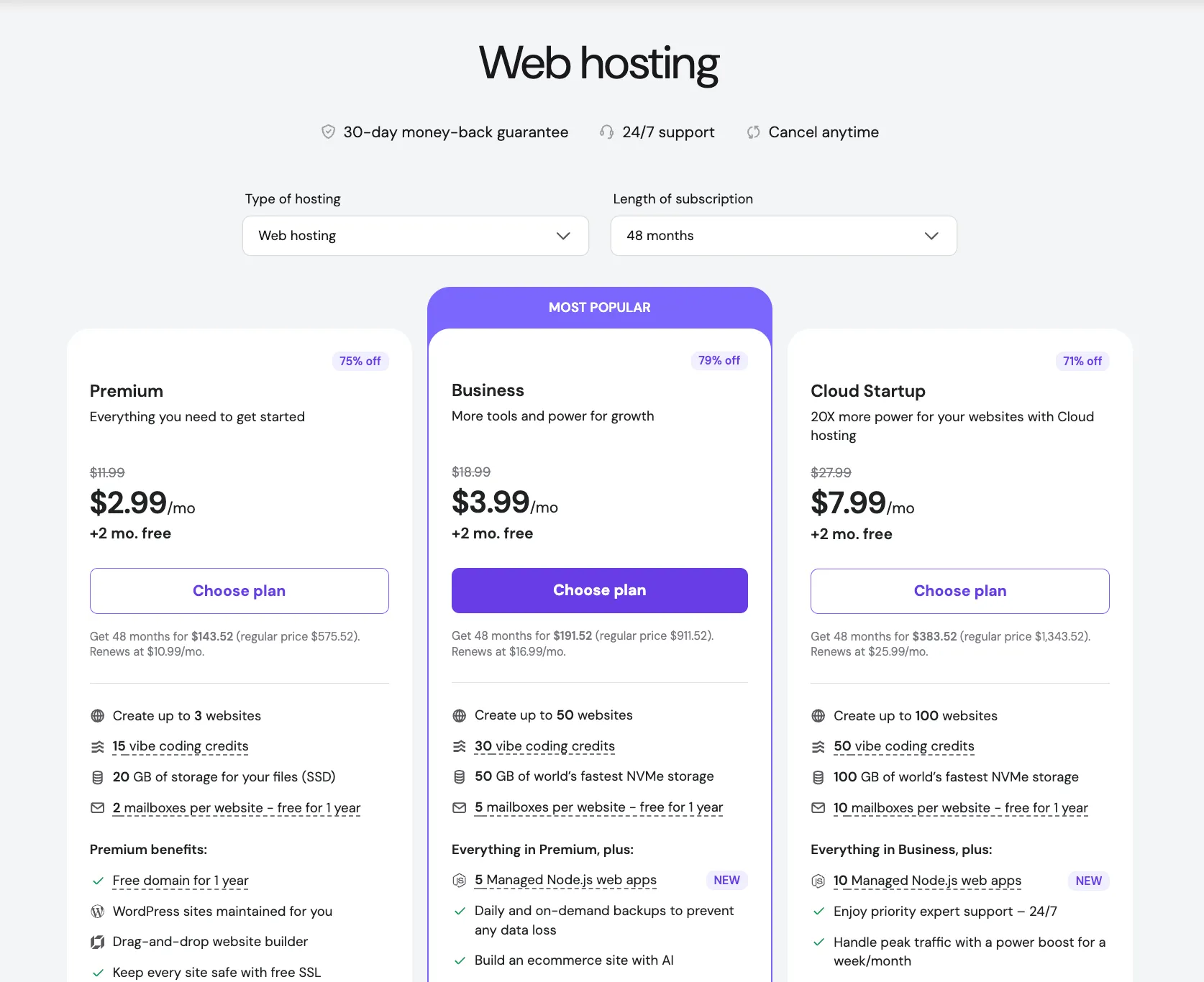
Hostinger's shared web hosting comes in three tiers. All prices below are introductory rates billed at 48 months:
| Plan | Price | Websites | Storage | Mailboxes | Backups | Renews At |
|---|---|---|---|---|---|---|
| Premium | $2.99/mo | 3 | 20GB SSD | 2 (free 1yr) | Weekly | $10.99/mo |
| Business | $3.99/mo | 50 | 50GB NVMe | 5 (free 1yr) | Daily + on-demand | $16.99/mo |
| Cloud Startup | $7.99/mo | 100 | 100GB NVMe | 10 (free 1yr) | Daily + on-demand | $25.99/mo |
All plans include: free domain (1 year), free SSL, 30-day money-back guarantee, 99.9% uptime SLA, unlimited bandwidth, malware scanner, AI website builder, and free email marketing for 1 year.
What the Business Plan Adds Over Premium
The Business plan is where things get noticeably better. For $3.99/mo introductory, you also get:
- 5 Managed Node.js apps (new addition)
- Daily backups plus on-demand backups
- Built-in CDN
- AI Agent for WordPress (Kodee) — manage your site via chat
- Ecommerce builder with AI
- 30 vibe coding credits for Horizons
- SSH access and Git integration
What the Cloud Startup Plan Adds
At $7.99/mo introductory, Cloud Startup is a step toward cloud infrastructure:
- 100 websites, 100GB NVMe storage
- 10 Managed Node.js apps
- Dedicated IP address
- Priority 24/7 support
- 4 CPU cores, 4GB RAM, 100 PHP workers
- 2 million inodes
- 50 vibe coding credits
- Power boost for peak traffic handling
A Note on Renewal Pricing
The introductory rates apply to the first billing cycle only. At renewal, the Business plan goes to $16.99/mo and Cloud Startup to $25.99/mo. If you are planning for the long term, calculate based on the renewal price — or lock in 48 months upfront to maximize the discount period.
Hostinger Performance
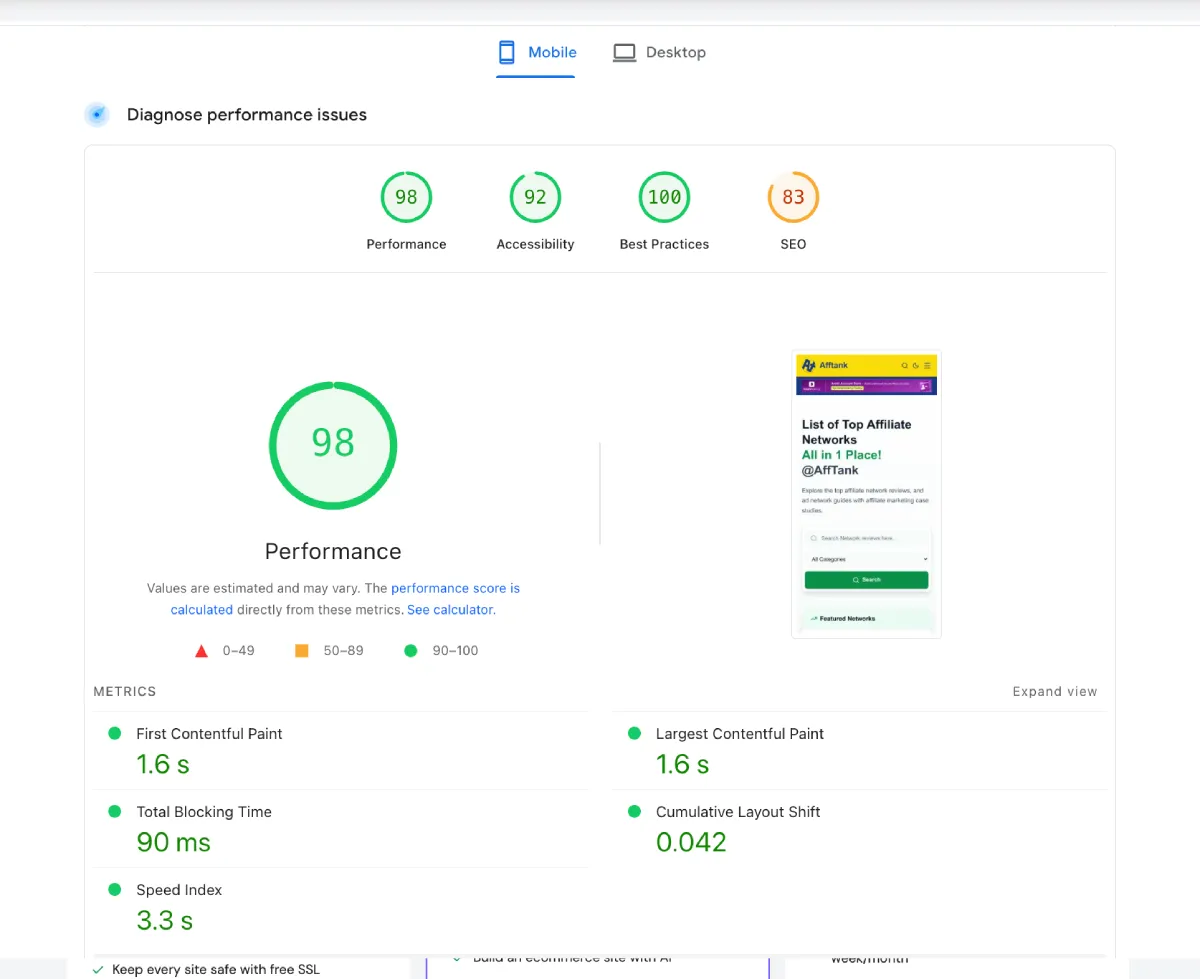
Hostinger's shared hosting performs better than most budget hosting providers. Here is what independent testing shows:
- Uptime: 100% in monitored test periods
- LCP (Largest Contentful Paint): 0.607s–0.86s
- Average server response time: 138ms–382ms
- Stress test throughput: 14–15 requests/second sustained
What Drives This Performance
Hostinger uses a stack specifically designed for speed:
- LiteSpeed web server — faster than Apache for most WordPress workloads
- NVMe SSD storage — on Business and Cloud Startup plans; significantly faster than standard SSDs
- In-house CDN — included on Business+ plans
- ObjectCache — server-level object caching reduces database query overhead
- 10 global data centers — US, UK, France, Netherlands, Germany, Lithuania, Brazil, Indonesia, India, and Singapore
You can pick the data center closest to your audience during signup. For Indian visitors, the Singapore or India data center typically gives the lowest latency.
One Honest Caveat
Shared hosting — even fast shared hosting — has limits. Sites with heavy database queries or concurrent traffic spikes (WooCommerce stores, membership sites with many logged-in users) will eventually hit resource ceilings. For those use cases, the VPS or Cloud Hosting plans make more sense.
hPanel: Hostinger's Control Panel
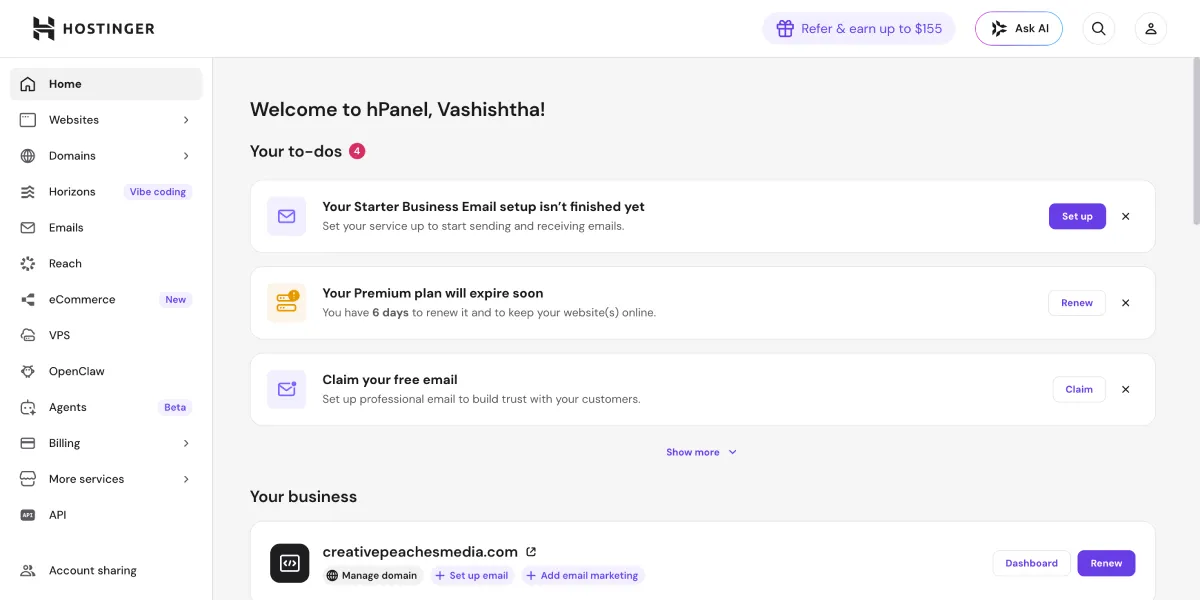
Hostinger replaced the traditional cPanel with their own control panel called hPanel. It is card-based, visually clean, and significantly easier to navigate for beginners.
The main sections are: Websites, Domains, Emails, Files, Databases, SSL, and Advanced.
How hPanel Differs from cPanel
cPanel is powerful but cluttered — it throws every setting at you simultaneously. hPanel organizes actions contextually. When you are managing a site, you see only what is relevant to that site. There is no visual noise from unrelated server settings.
Key developer features available in hPanel:
- PHP version control per site
- WP-CLI access
- MySQL database manager
- Git integration (Business+ plans)
- SSH access (Business+ plans)
- Cron job management
- DNS zone editor
Kodee AI Assistant Inside hPanel
The Business and Cloud Startup plans include Kodee, an AI assistant embedded directly in hPanel. Kodee can execute 350+ actions for WordPress sites — including publishing posts, managing WooCommerce products, running plugin updates, and troubleshooting errors — all from a chat interface, without touching the WordPress admin.
This is not a gimmick. For non-technical site owners managing a WordPress store, having an AI that can act on your site without you touching the backend is a genuine productivity improvement.
WordPress Hosting on Hostinger
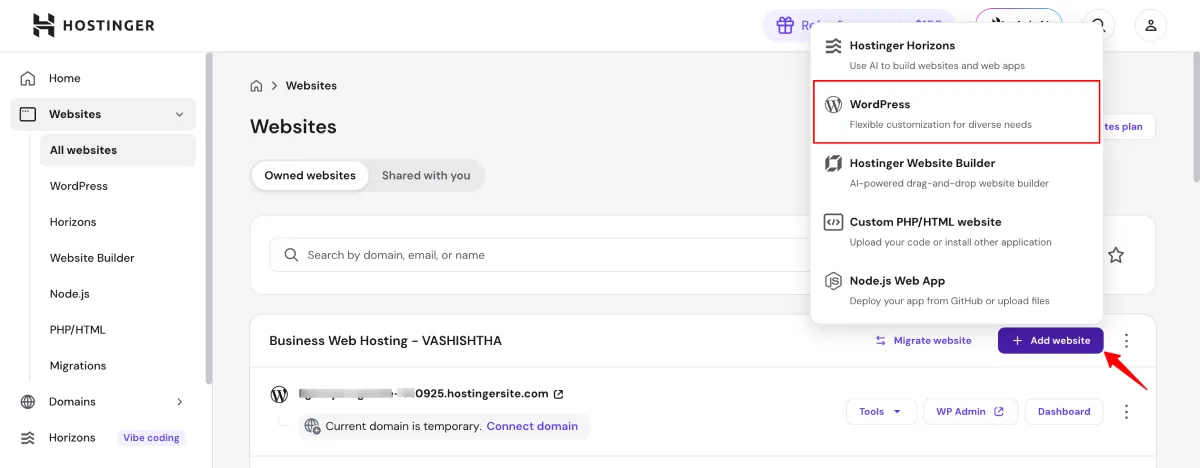
Hostinger is officially recommended by WordPress.org — one of only a handful of hosting providers globally to hold that status.
WordPress setup takes under two minutes from hPanel. Hostinger auto-configures caching, performance settings, and installs recommended plugins during the setup wizard.
WordPress-Specific Features
- Automatic WordPress updates — minor core updates applied automatically
- WordPress Staging — create a staging environment on Business+
- AI Troubleshooter — detects and resolves common WordPress errors automatically
- WP-CLI — for developers who prefer command-line management
- Managed WordPress migrations — free migration from other hosts
- LiteSpeed Cache plugin — pre-integrated with Hostinger's server stack
Email Marketing Integration (Hostinger Reach)
All plans include Hostinger Reach, their AI-powered email marketing tool, free for the first year. It syncs directly with your WordPress subscriber list and lets you send up to 200 emails/month to 100 subscribers on the free tier. AI helps draft campaign copy from your website content.
For small blogs and new business sites starting email outreach, this removes the need for a separate Mailchimp account in the early stages.
See also: Managed WordPress Hosting Providers for a broader comparison of managed WP solutions.
Hostinger AI Website Builder (Horizons)
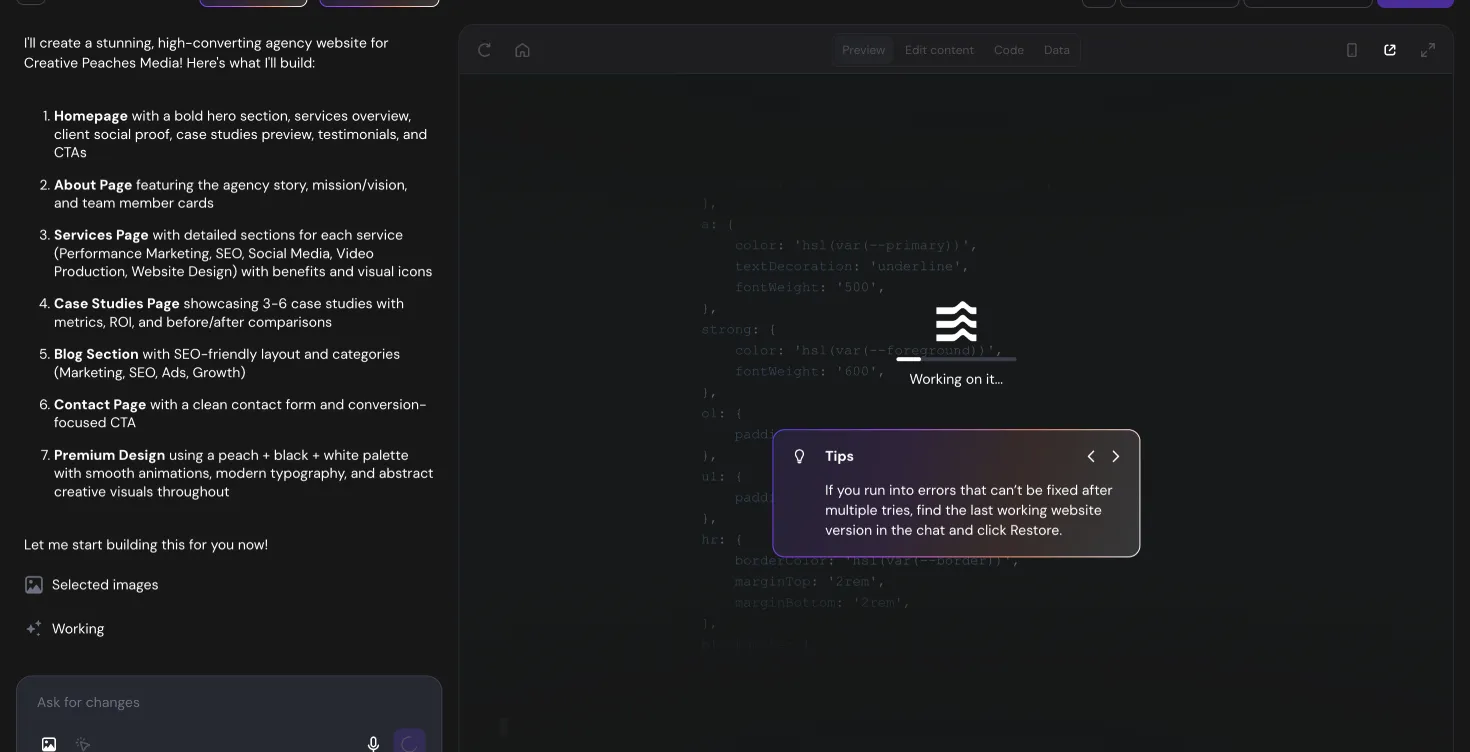
Hostinger Horizons is their AI-powered builder — but it goes significantly further than a typical website builder.
Horizons is a "vibe coding" platform: you describe what you want in plain text, and the AI generates a working website or web application. It is not limited to static sites. Horizons can build:
- Business and portfolio websites
- SaaS applications with user accounts
- Ecommerce stores
- Booking and scheduling tools
- AI-powered apps with built-in AI features
Building and Editing with Horizons
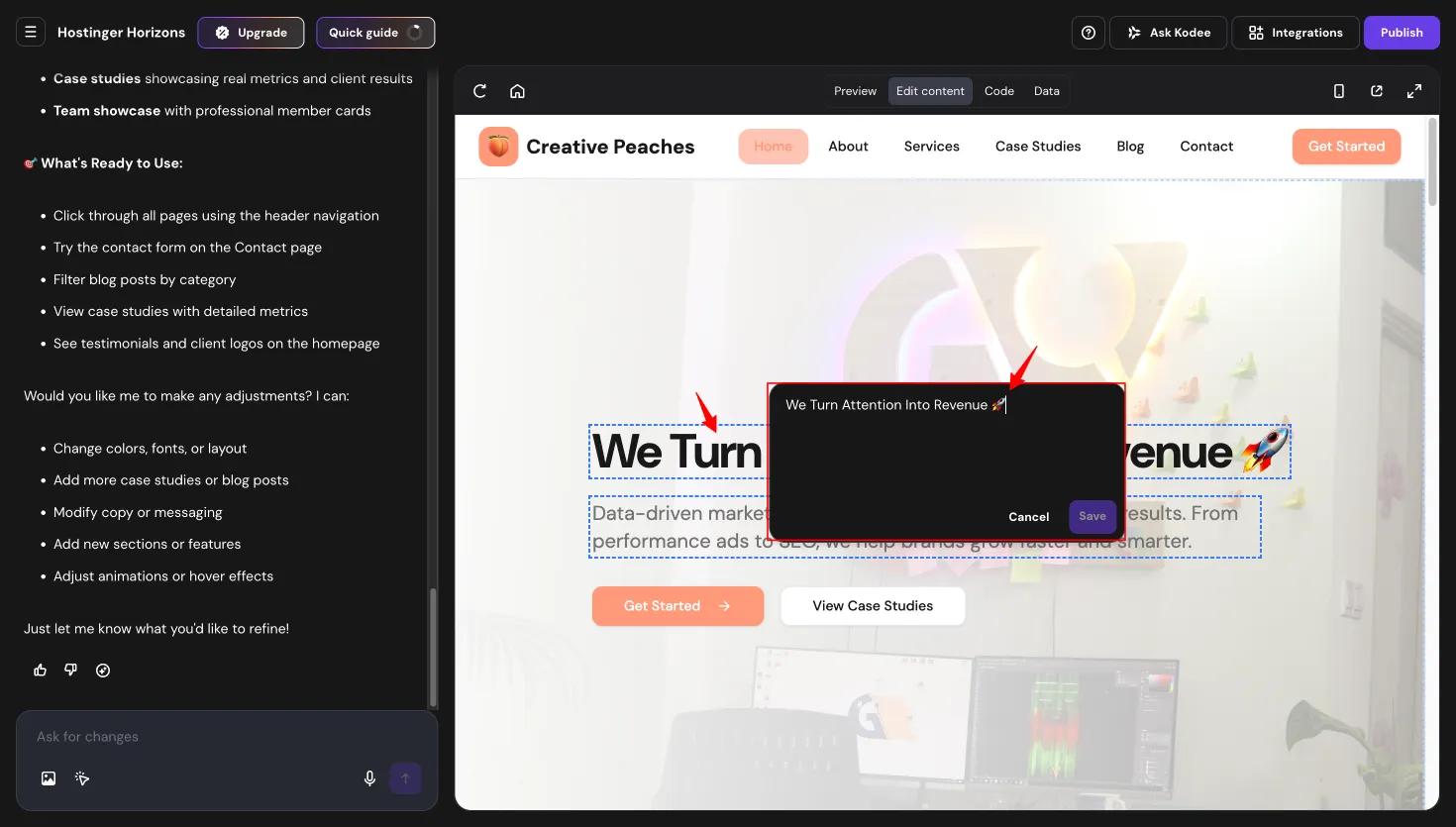
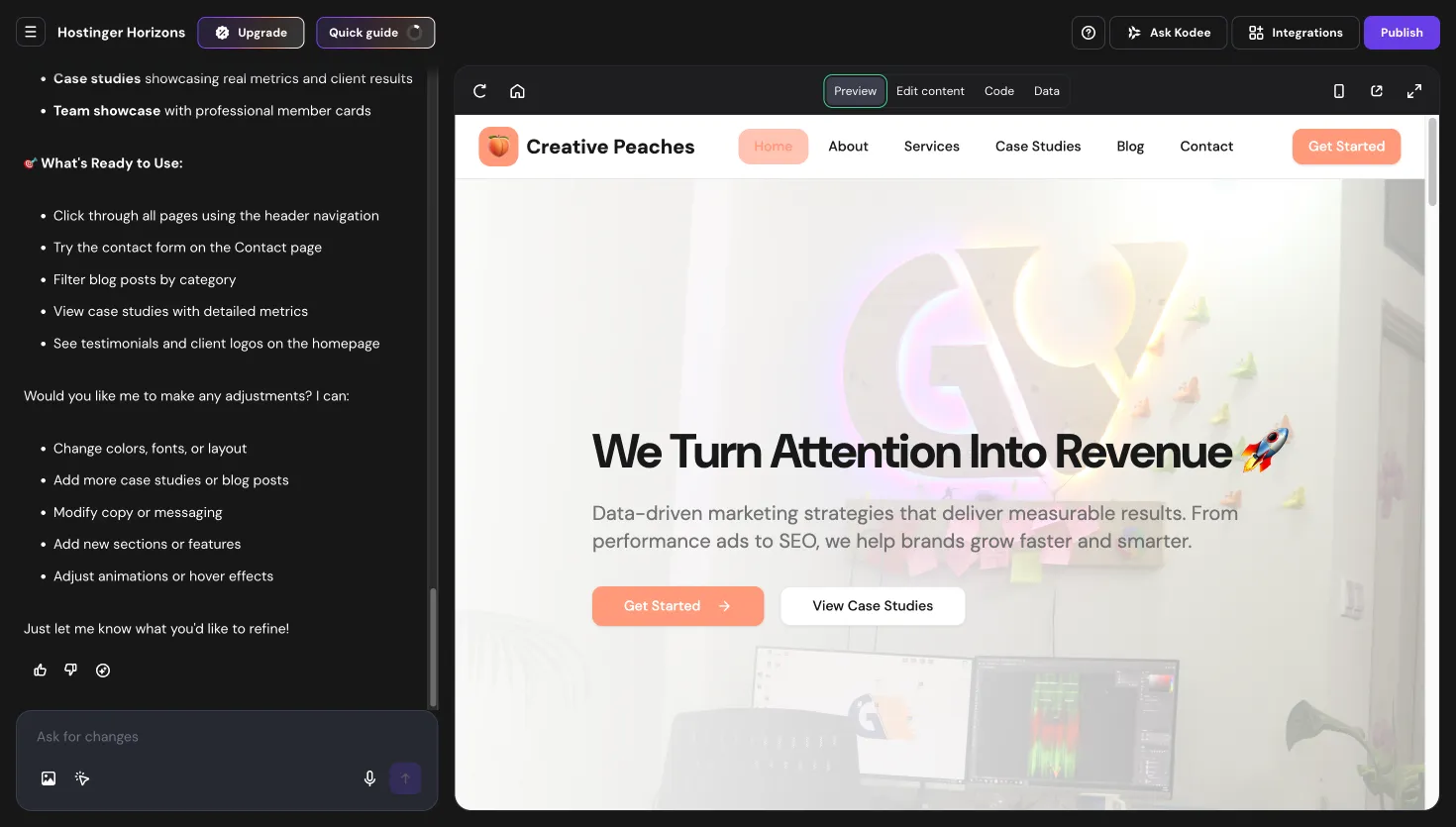
Once the AI generates your site, the editing experience is straightforward. You can ask the AI to modify any element — text, design, layout, functionality — or make manual edits directly in the content editor.
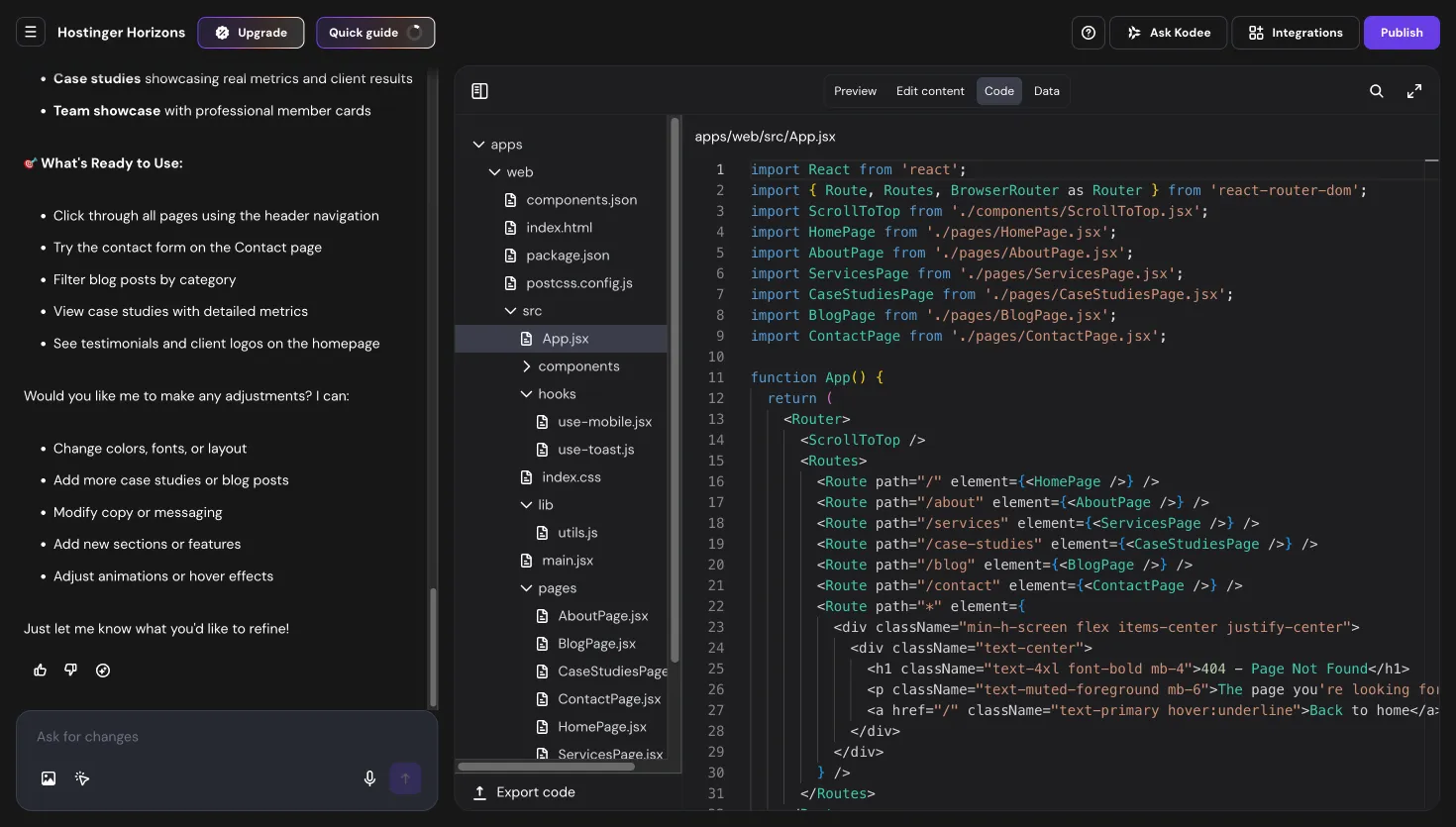
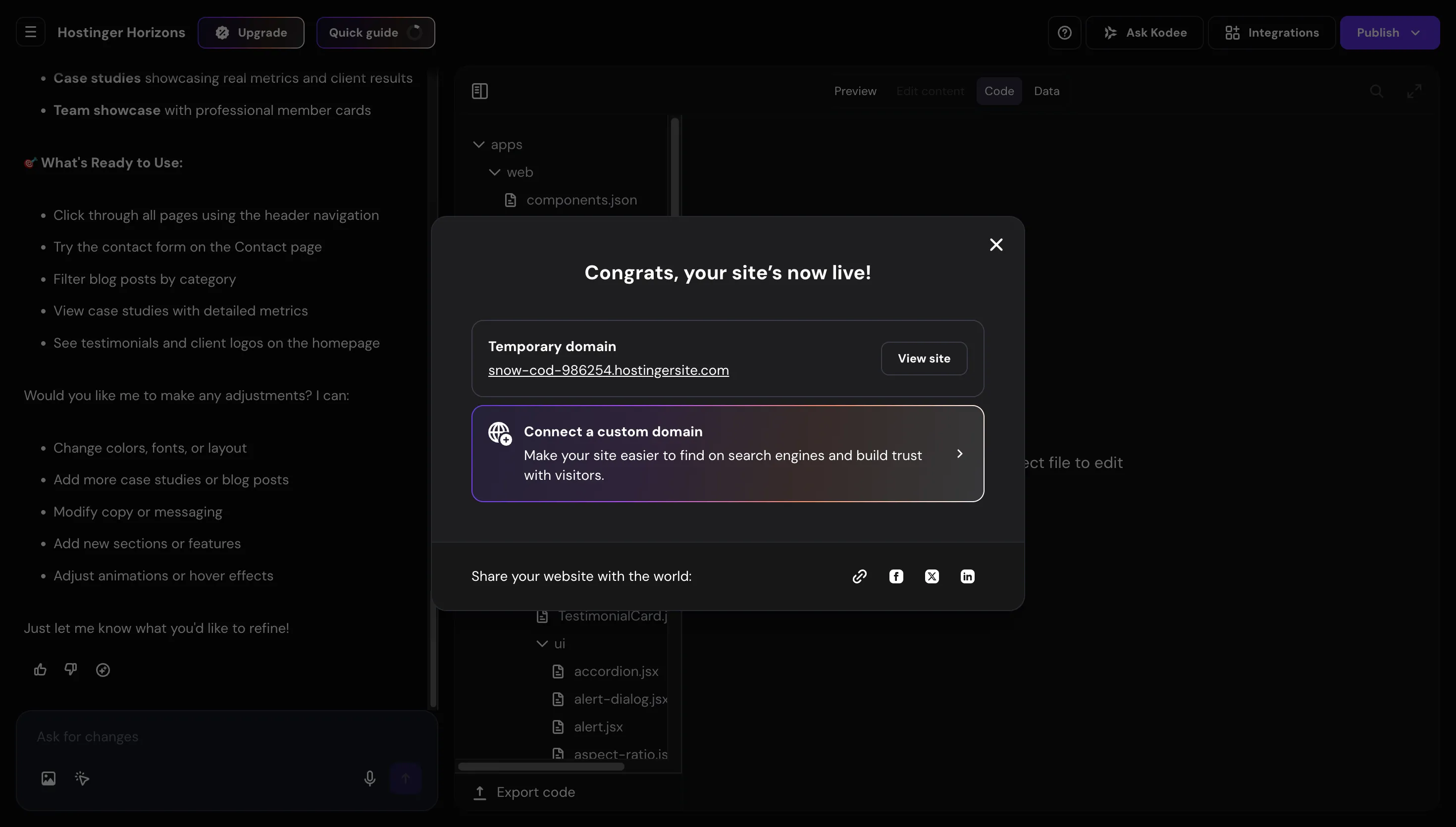
For developers who want to inspect what the AI produced, Horizons includes a View Code tab that shows the underlying code — so you are never locked into a black box.
When you are ready, publish in one click under your own domain. The result is a live, fully hosted website — not a preview or sandbox.
What Horizons Includes Under the Hood
Horizons sites come with backend infrastructure built in:
- Databases — structured data storage without setting up a server
- User accounts — authentication included
- File storage — for uploads and media
- Payment integrations — Stripe and PayPal out of the box
- Ad monetization — Google AdSense integration
- Template marketplace — publish your build as a template and earn commissions when others use it
Horizons AI Credits and Pricing
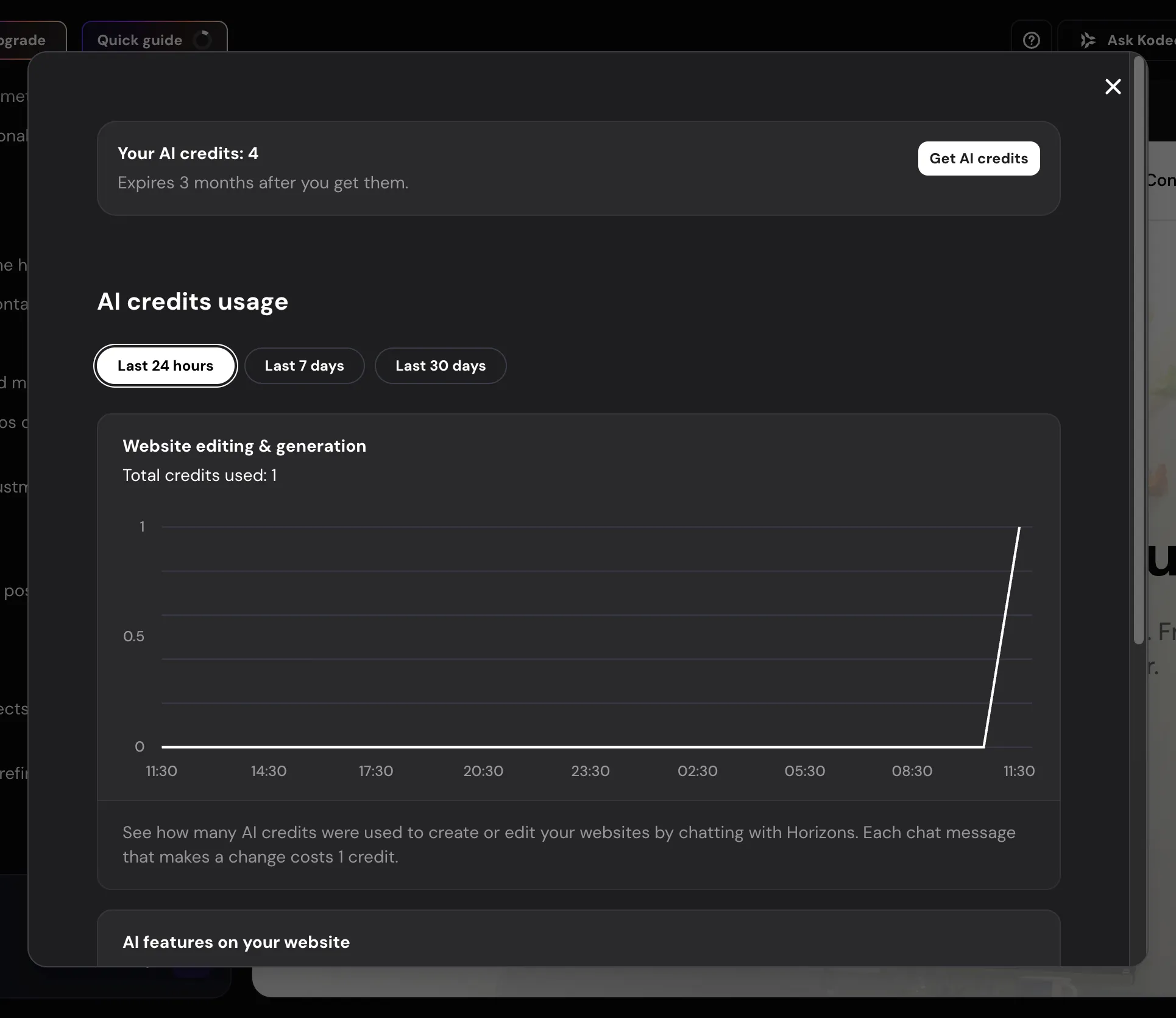
Horizons runs on AI credits. The Business plan includes 30 credits; Cloud Startup includes 50. Premium plan includes 15.
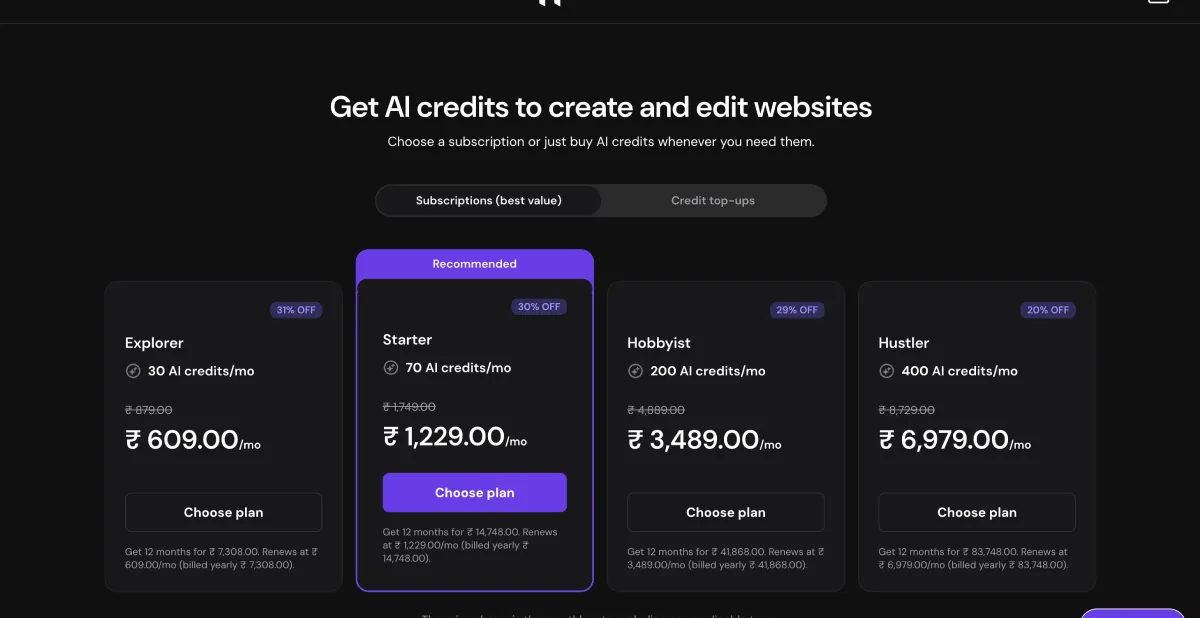
Additional credits can be purchased separately from within hPanel. Each credit represents a generation or editing action — more complex builds consume more credits. A typical full-site generation uses 3–8 credits depending on scope.
This competes directly with no-code platforms like Bubble or Webflow, but priced into a hosting plan rather than as a separate subscription starting at $25–$50/mo.
Hostinger Cloud Hosting
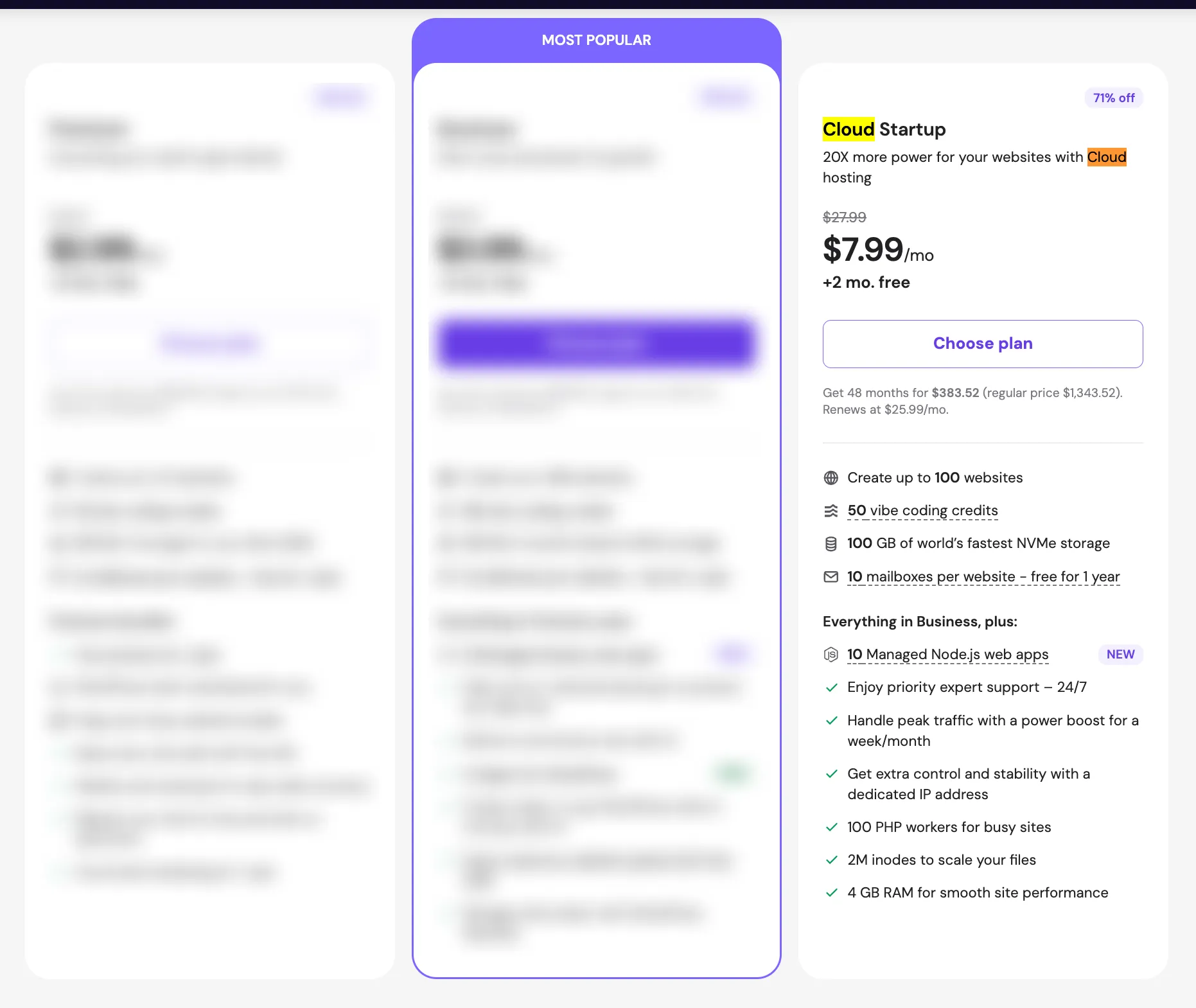
Hostinger's Cloud Hosting is separate from shared hosting. The Cloud Startup plan at $7.99/mo provides cloud infrastructure that delivers 20x more resources than their standard shared plans.
Key differences from shared hosting:
- Dedicated resources — no sharing with other users
- Dedicated IP address included
- Enhanced DDoS protection
- Fully managed environment
- Priority 24/7 support
- Power boost for traffic spikes
Professional and Enterprise tiers offer higher resources for larger sites. For sites that have outgrown shared hosting but are not ready to manage a full VPS, cloud hosting is a practical middle ground.
Hostinger VPS Hosting
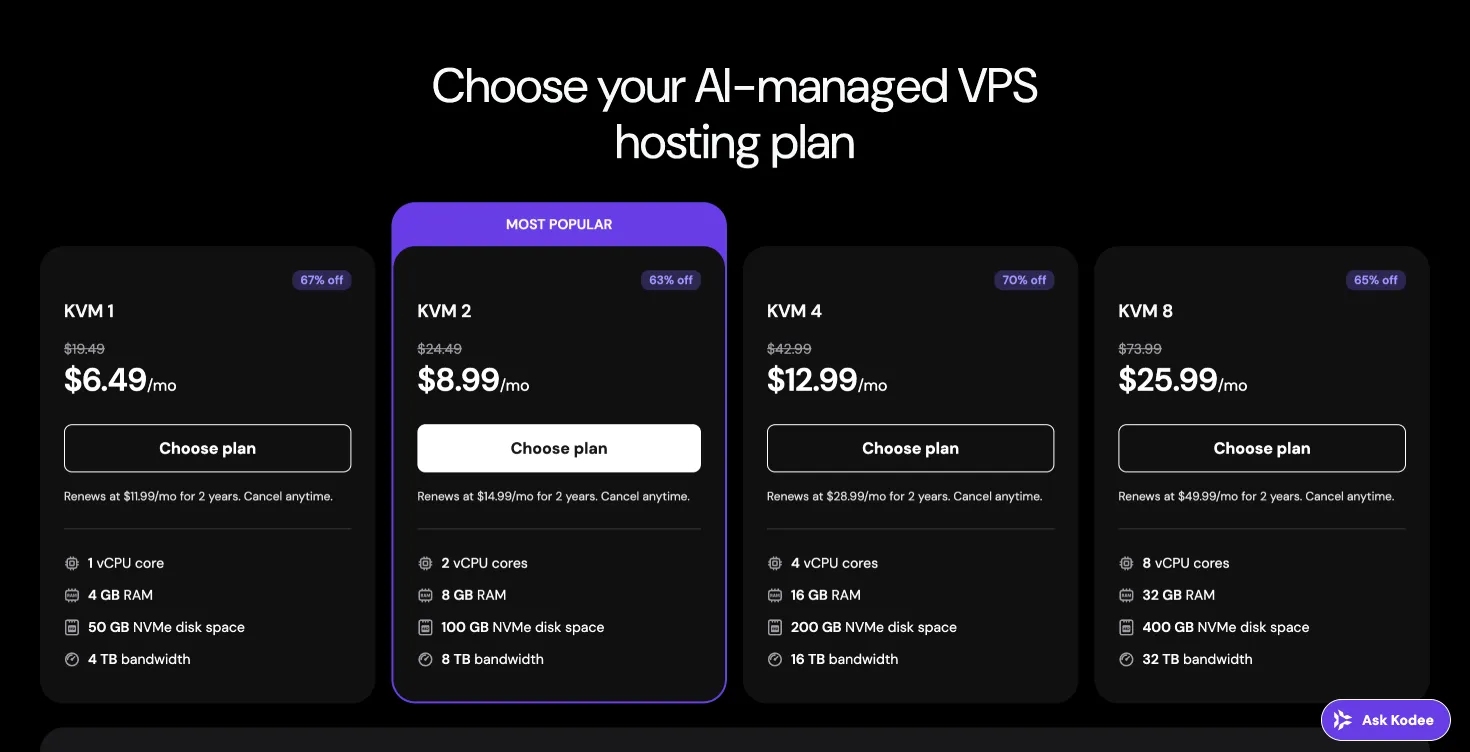
Hostinger's VPS hosting runs on KVM virtualization with AMD EPYC processors and NVMe SSD storage. All plans include full root access, SSH, and your choice of operating system.
| Plan | Price | vCPU | RAM | NVMe | Bandwidth | Renews At |
|---|---|---|---|---|---|---|
| KVM 1 | $6.49/mo | 1 | 4GB | 50GB | 4TB | $11.99/mo |
| KVM 2 | $8.99/mo | 2 | 8GB | 100GB | 8TB | $14.99/mo |
| KVM 4 | $12.99/mo | 4 | 16GB | 200GB | 16TB | $28.99/mo |
| KVM 8 | $25.99/mo | 8 | 32GB | 400GB | 32TB | $49.99/mo |
VPS Features Worth Noting
- Full root access and SSH
- Supported OS: Ubuntu, Debian, CentOS, Fedora
- KVM virtualization — guaranteed resource isolation
- AMD EPYC processors
- Weekly backups and snapshot support
- Kodee AI for VPS — manage server tasks through chat without needing SSH for common operations
Application Catalog: 360+ One-Click Docker Deployments
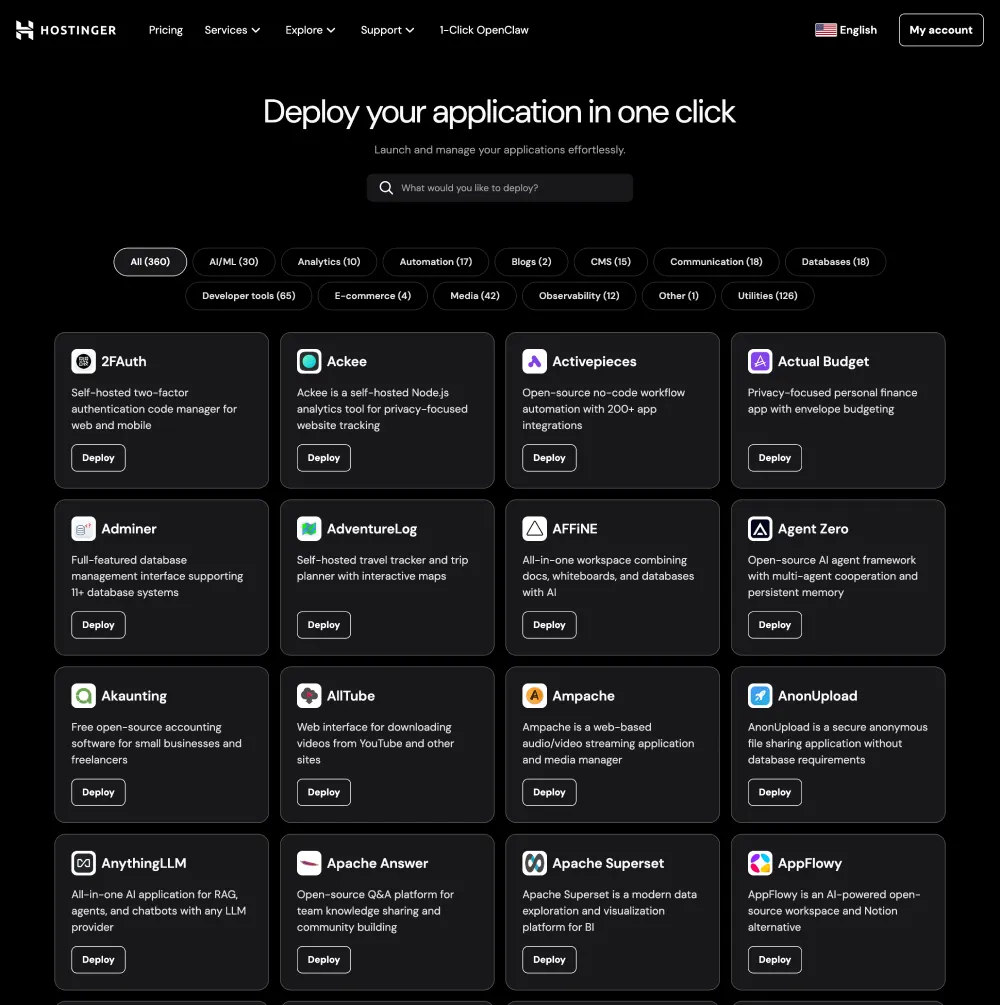
On VPS plans, Hostinger provides access to their Application Catalog — 360+ pre-configured Docker app deployments covering:
- AI/ML tools
- Analytics platforms
- Automation tools
- CMS systems
- Databases
- Developer tools
- Ecommerce applications
One-click deployment replaces hours of manual server configuration. This is useful for developers who want to self-host open-source tools without writing Docker Compose files from scratch.
OpenClaw: Self-Hosted Personal AI Agent on VPS
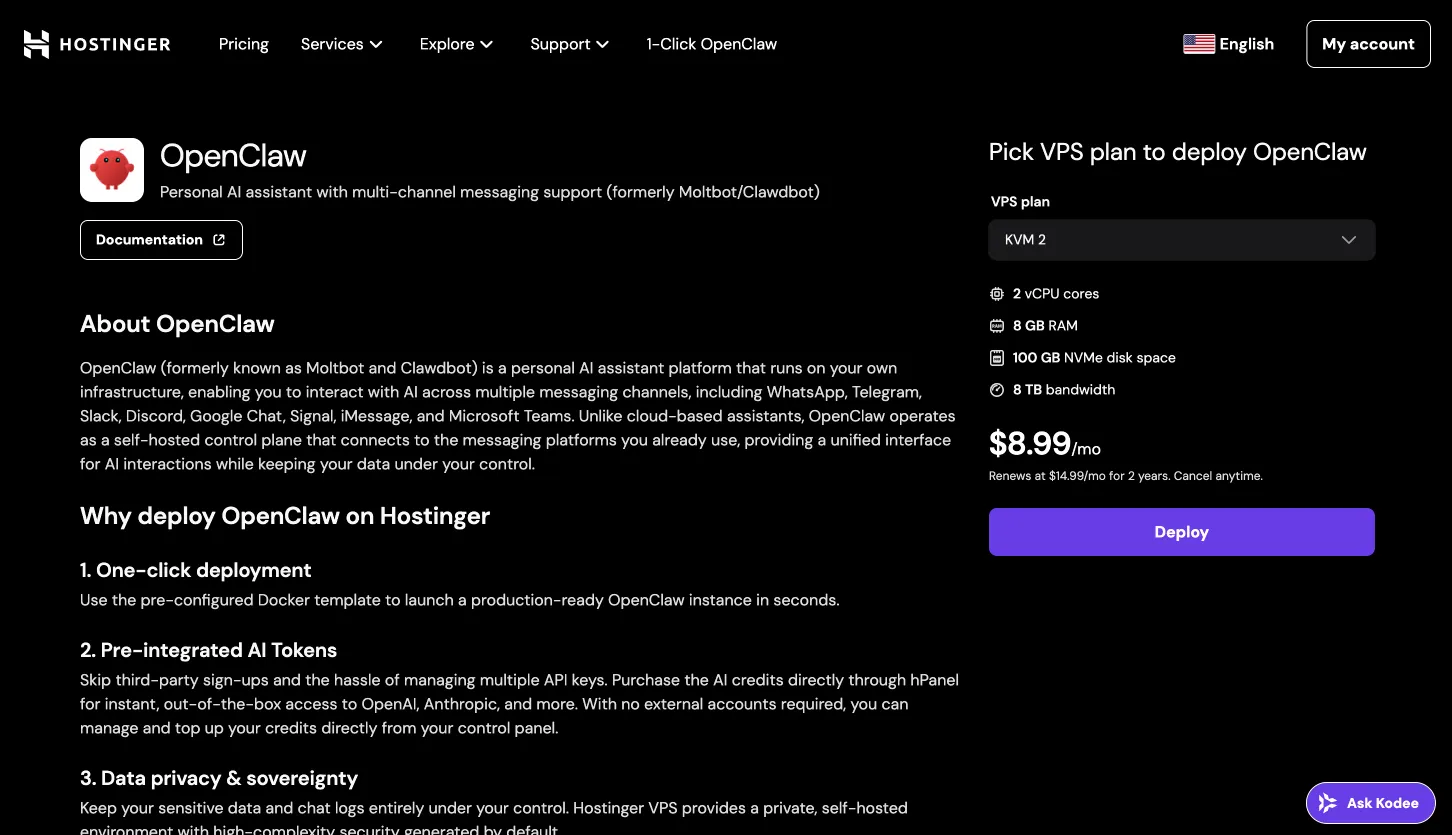
OpenClaw is a self-hosted personal AI agent that runs on Hostinger VPS — keeping your data on your own server rather than third-party services.
OpenClaw connects to: WhatsApp, Telegram, Slack, Discord, Signal, iMessage, Teams, and Google Chat. It also supports voice and browser control, powered by Anthropic Claude and OpenAI models. Since it runs 24/7 on your VPS, it acts as a persistent AI assistant available across all your messaging platforms simultaneously.
See also: UpCloud Review for a comparison of high-performance VPS alternatives.
How to Install OpenClaw on Hostinger VPS (Video Tutorial)
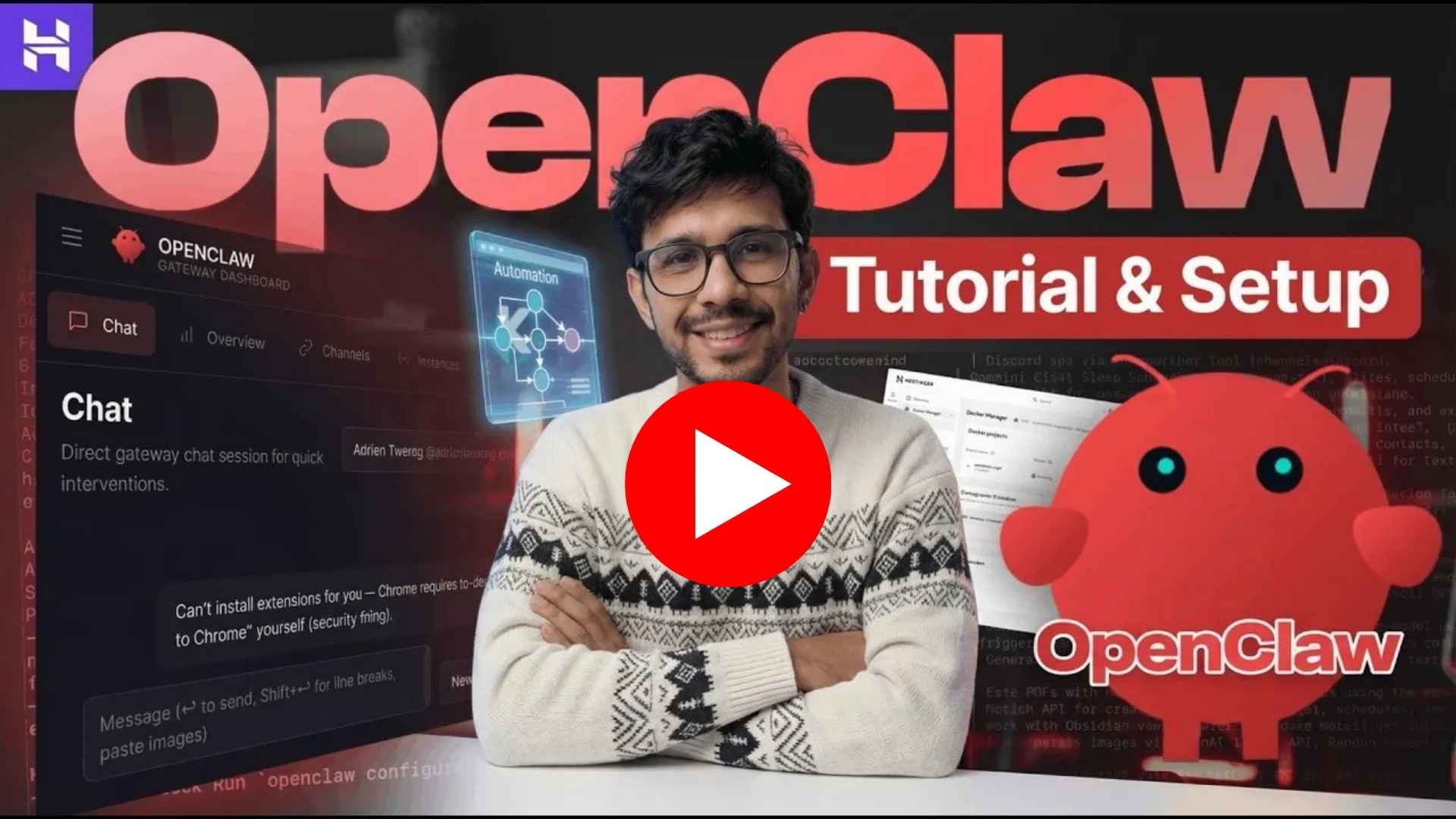
Hostinger's built-in Docker Manager makes deploying OpenClaw a one-click operation — no terminal commands required. In the video above I walk through the complete setup: getting a Hostinger VPS, deploying OpenClaw from the Application Catalog, and connecting it to your messaging channels so your AI agent is live 24/7.
For the full written step-by-step guide, see: Install OpenClaw on Hostinger VPS

Save more: Use coupon code VASHISHTHA10 when signing up for Hostinger VPS to get extra savings on your plan.
Hostinger for Agencies (Hostinger Pro)
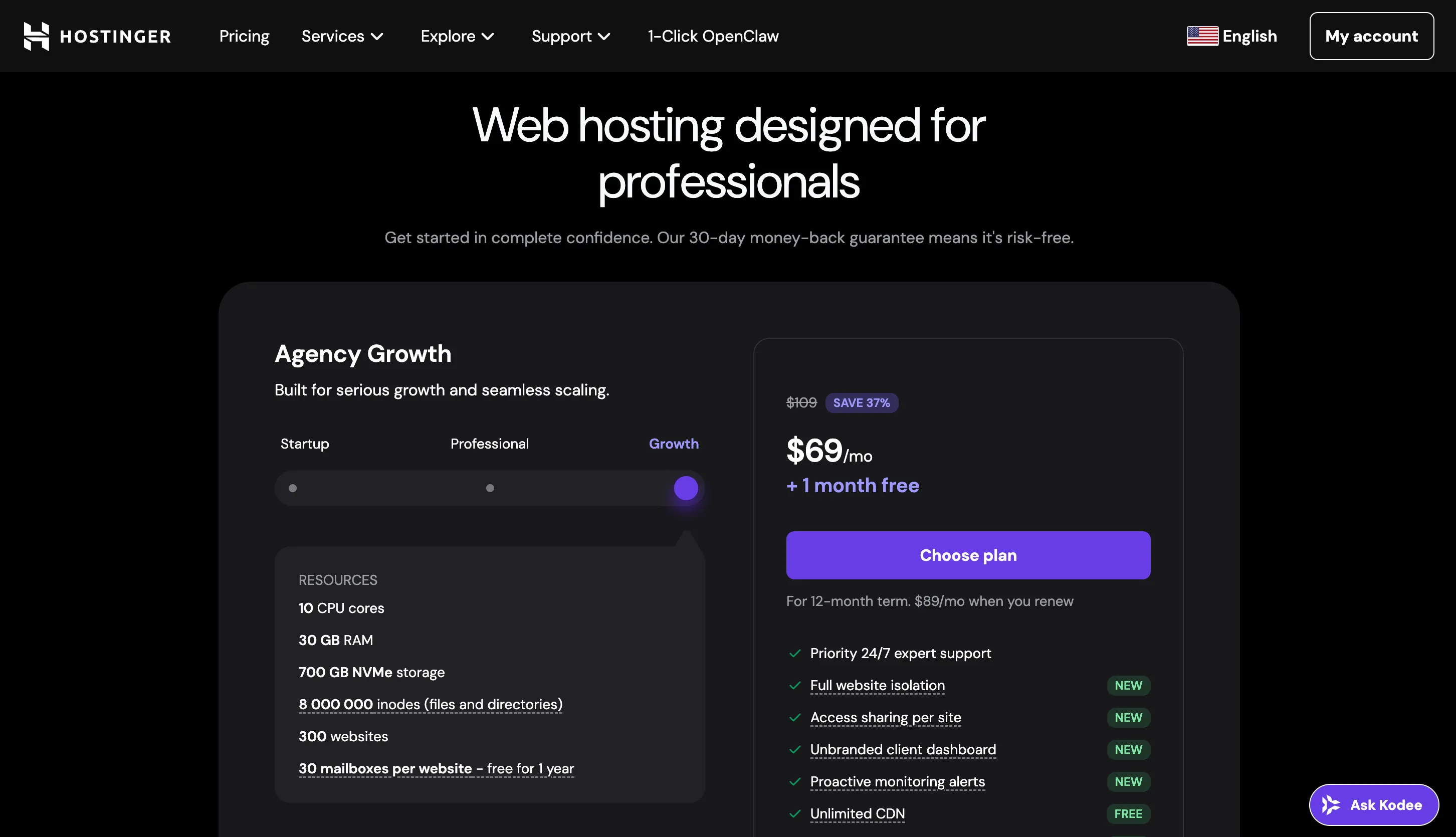
Hostinger Pro is the agency-focused offering, designed for freelancers and agencies managing sites for multiple clients.
Key agency features:
- Full site isolation per client — each client's site is completely separated; one compromised site cannot affect others
- Unbranded client dashboards — white-label panels showing your agency branding, not Hostinger
- Per-site access sharing — grant each client access only to their own site; they never see your full account
- Scale to 300 sites on a single plan
- 40% speed boost over standard shared hosting
- Built-in caching, OPcache, code minification, and image optimization
- Trusted by 1 million+ agencies and developers
For agencies managing multiple WordPress sites, the combination of isolation, white-label dashboards, and 300 sites per plan removes the need for separate hosting accounts per client.
Node.js and Web App Hosting
Hostinger offers dedicated Node.js Web App Hosting starting from $3.99/mo — and it is included in the Business shared hosting plan.
This is built specifically for JavaScript frameworks:
- React, Next.js, Vite, Vue.js — all supported
- CDN and WAF included
- DDoS protection
- AI-powered error detection — identifies and flags deployment errors before they impact users
- No surprise usage bills — flat monthly pricing regardless of traffic spikes
- Integrates with VS Code, Cursor, and Claude for development workflows
For solo developers building full-stack JavaScript applications who want managed hosting without cloud pricing complexity, this is a practical option. Getting Next.js hosting included in a $3.99/mo plan is genuinely competitive.
How to Buy Hostinger at 70% Discount
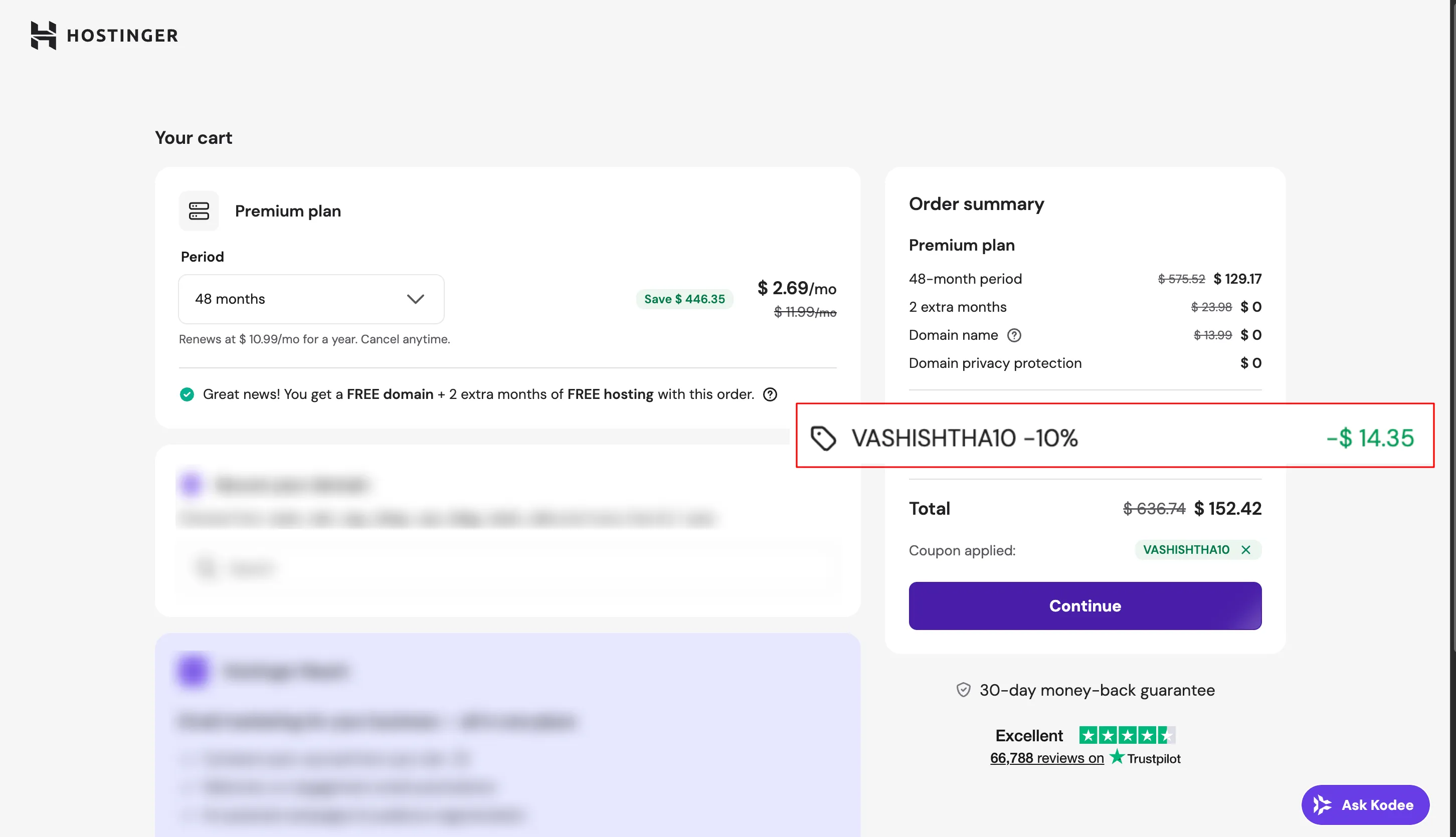
The maximum discount (up to 79% off) is automatic when you select the 48-month billing period. Here is the exact process:
Step 1 — Choose a plan. Go to Hostinger's web hosting page and select a plan. The Business plan is the most popular starting point — it includes daily backups, CDN, Node.js hosting, and Kodee AI.
Step 2 — Select 48-month billing.
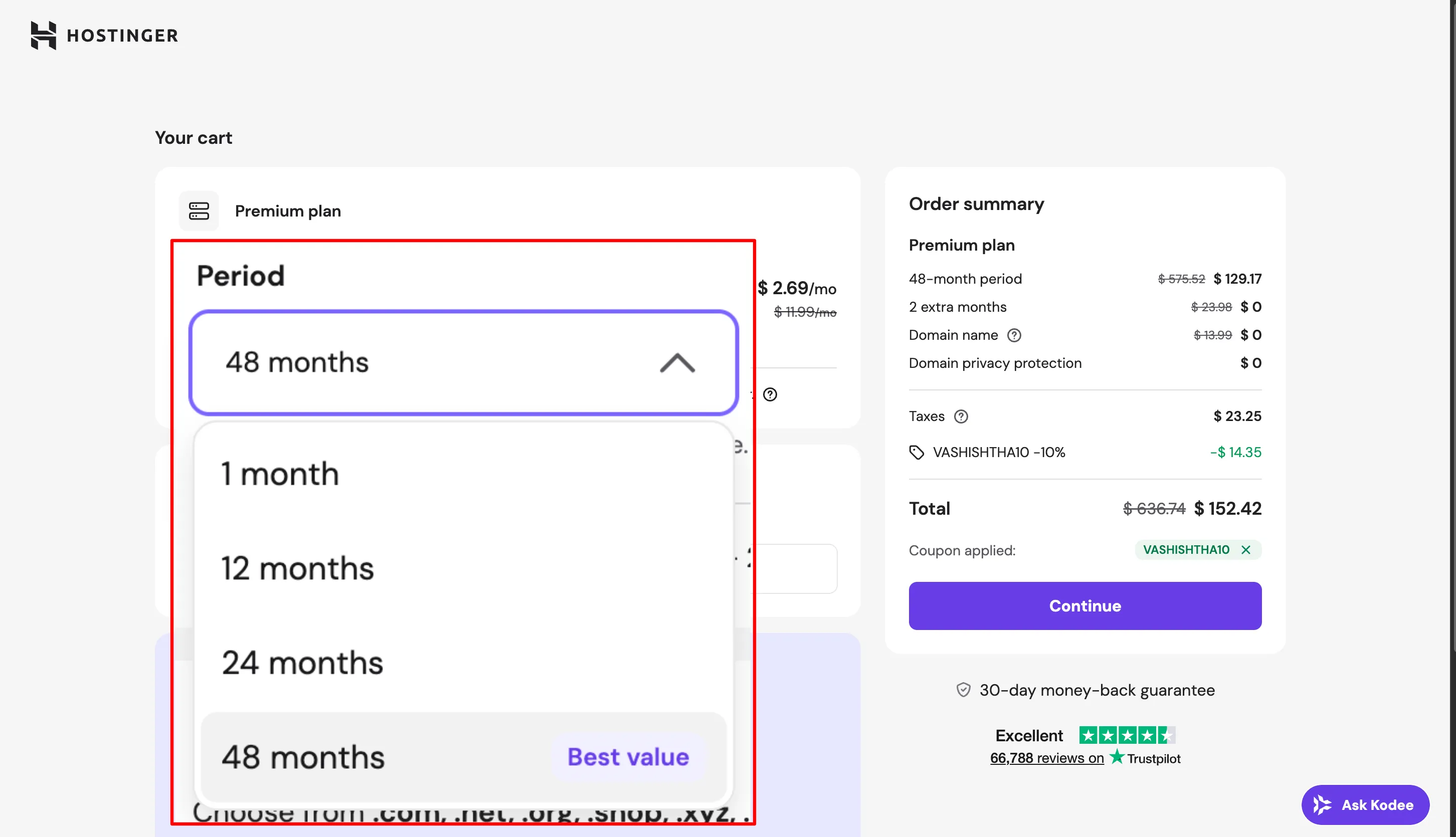
On the checkout page, change the billing period to 48 months. The discount is applied automatically — no coupon code needed. This is where the price drops the most.
Step 3 — Claim your free domain.
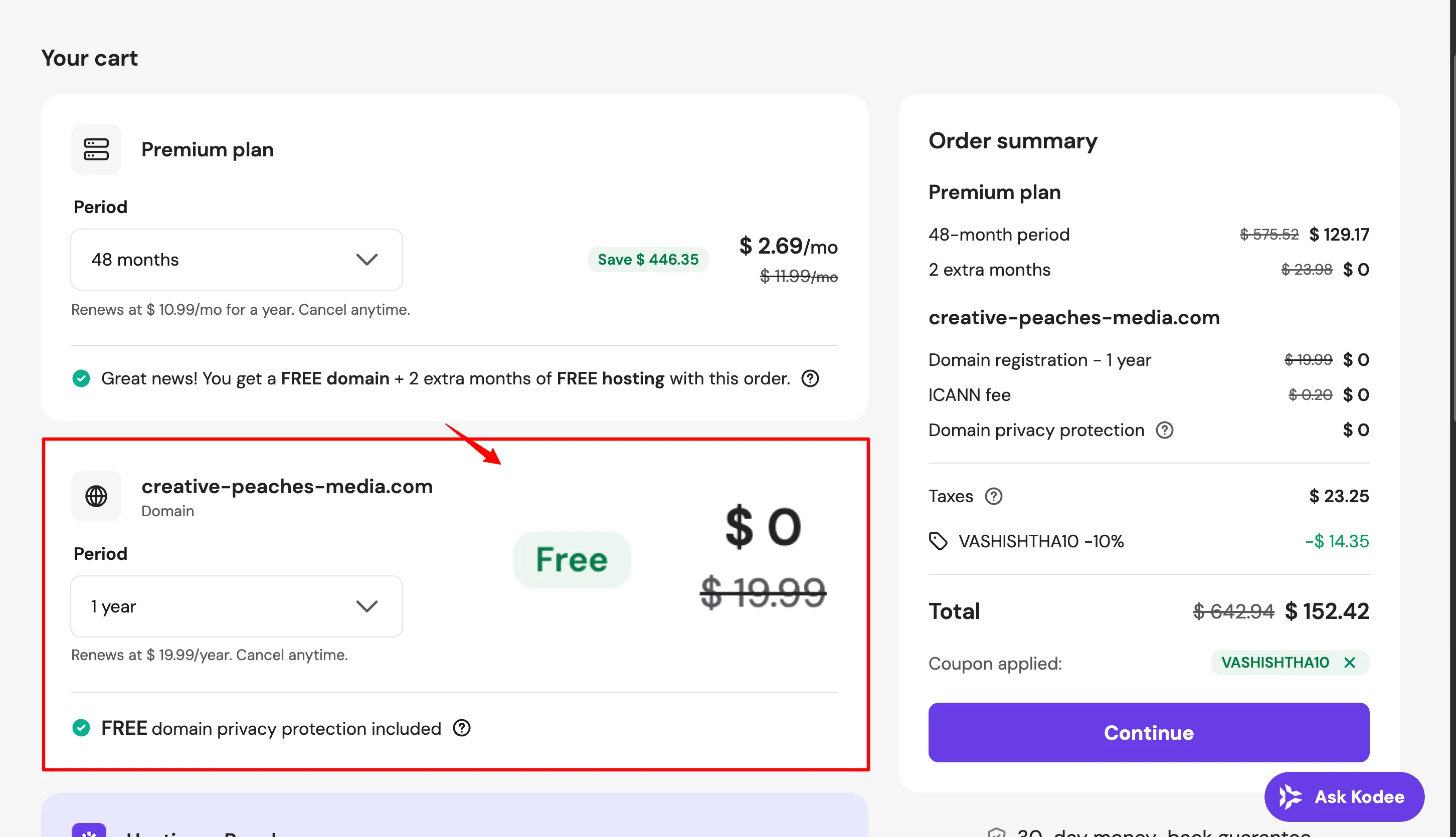
All plans include a free domain for the first year. Choose a .com, .net, or .online domain at this step.
Step 4 — Create your account and pay.
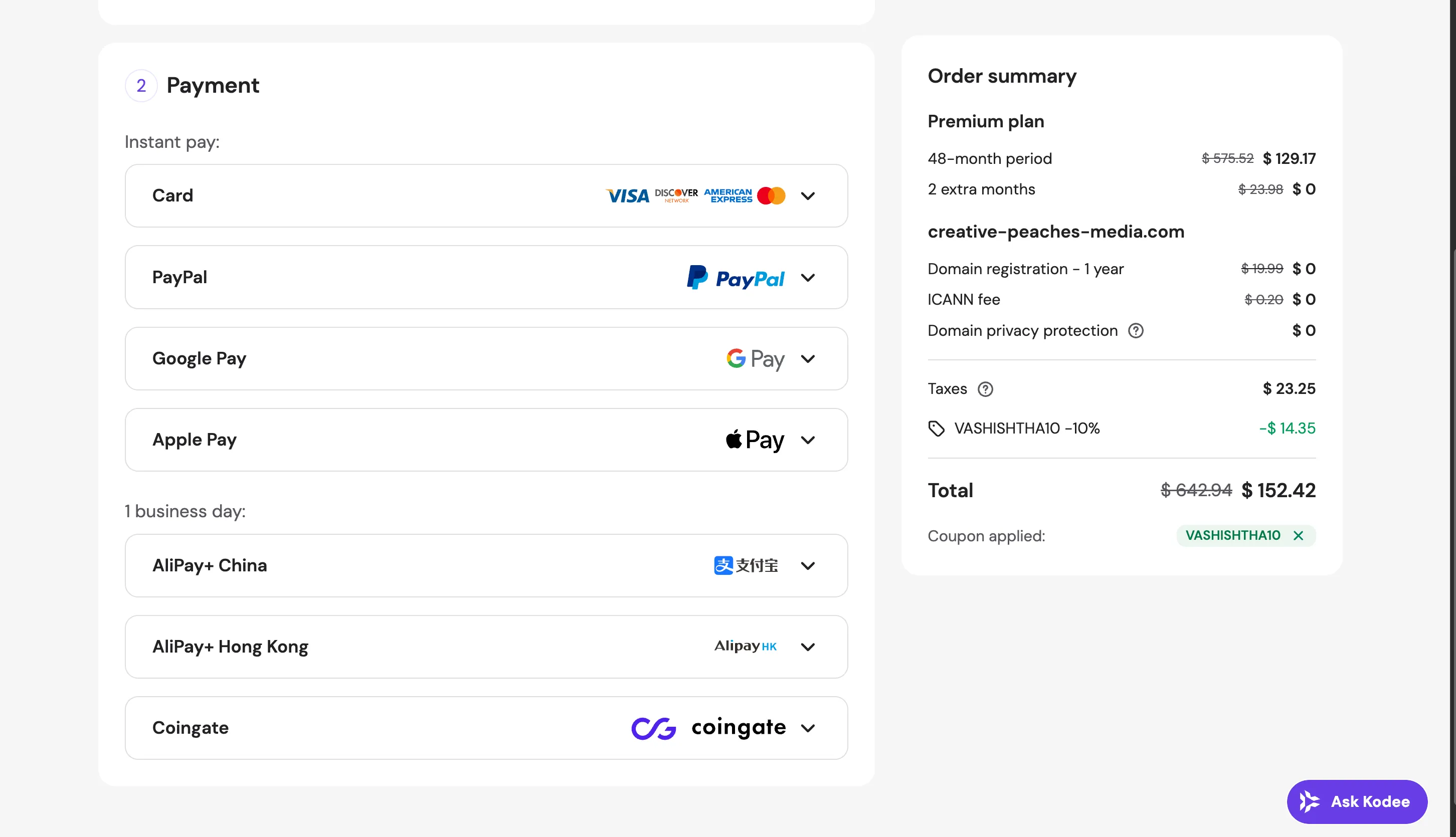
Create your Hostinger account or log in, then complete payment. Accepted methods: Visa, Mastercard, American Express, PayPal, and regional payment options. The checkout is SSL-secured.
Step 5 — Launch your site from hPanel.
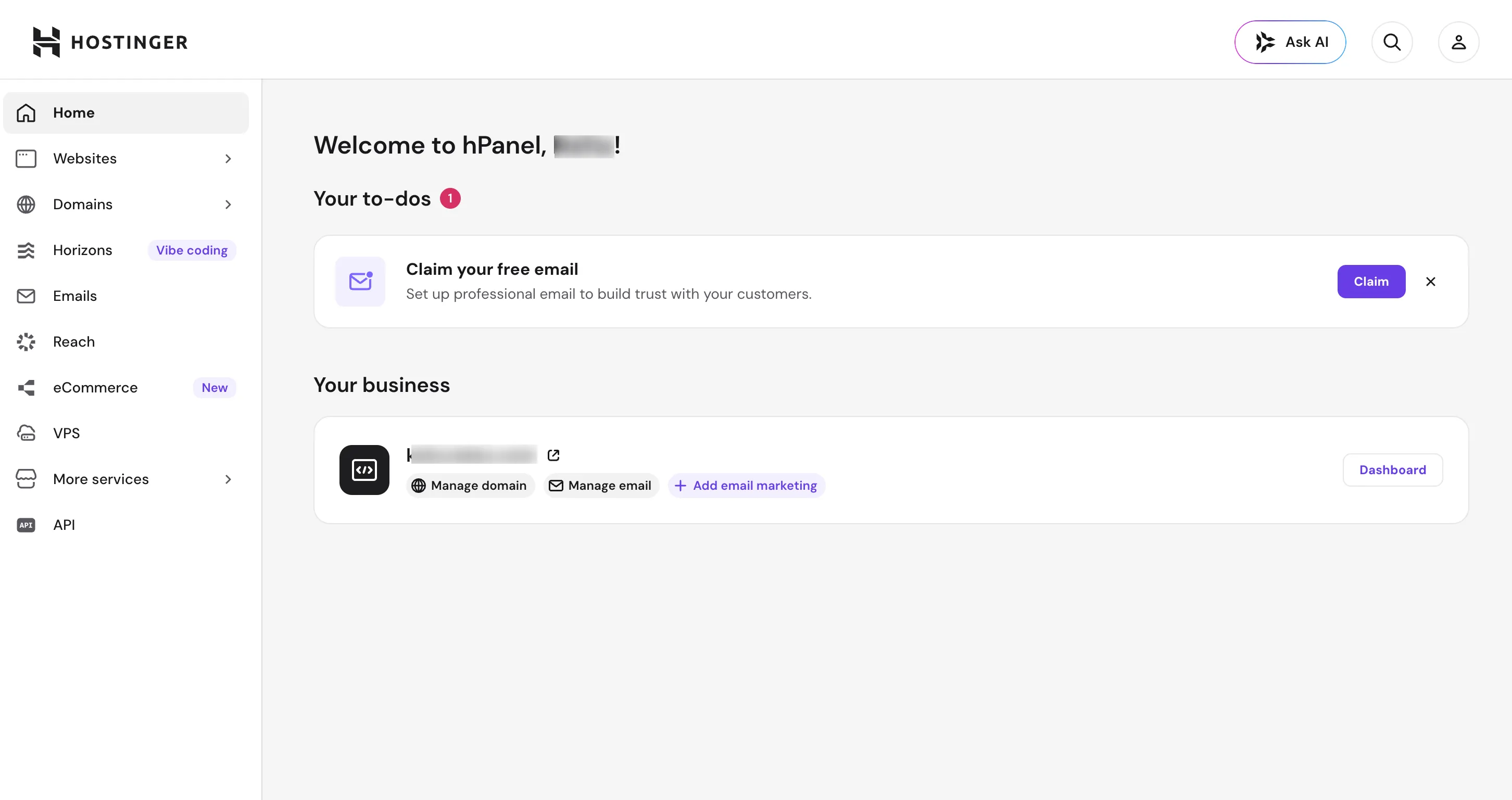
After payment, you land in hPanel where you can install WordPress, set up email, and configure your domain — all from the same interface.
Hostinger Customer Support
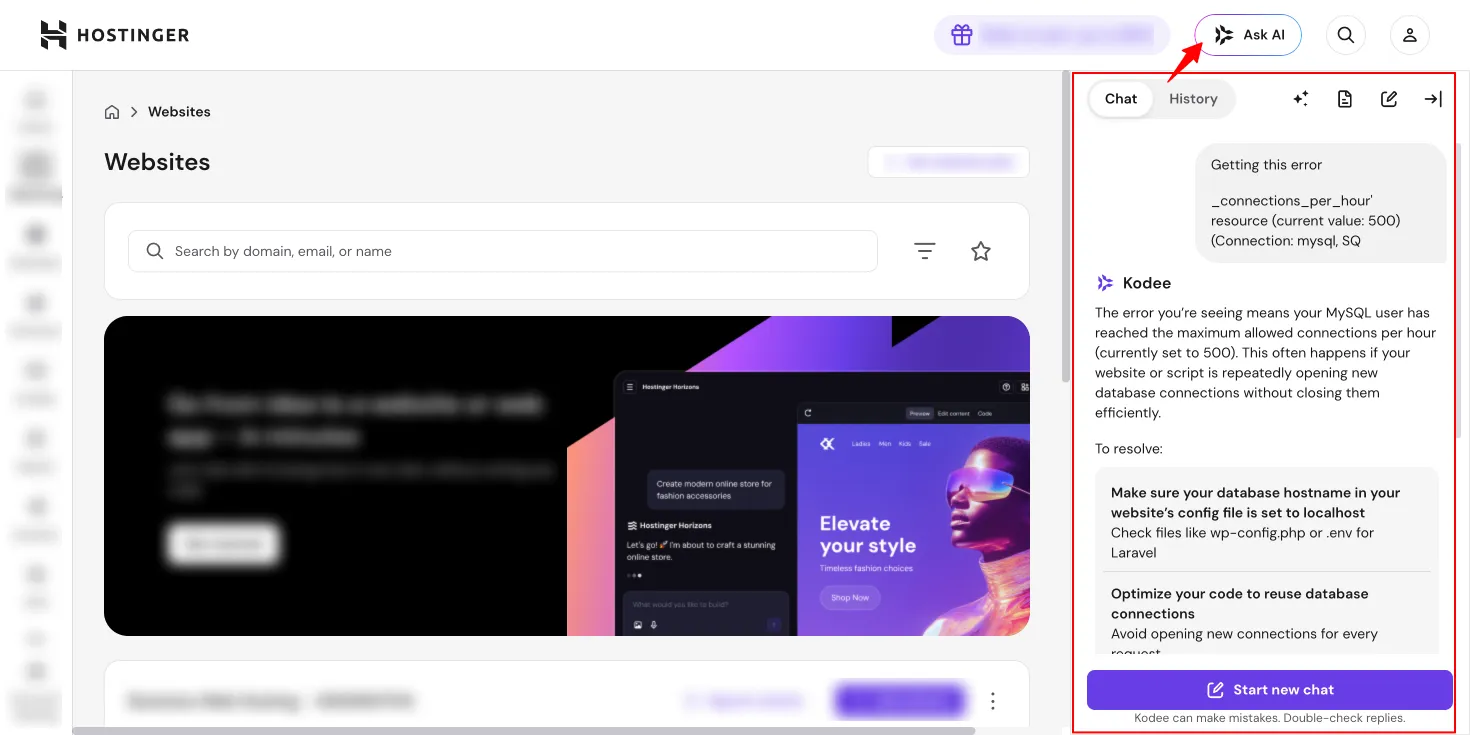
Hostinger's support operates 24/7 via live chat in 8+ languages. Average response time is under 2 minutes in most cases.
Channels available:
- Live chat — 24/7, fastest response
- Email/ticket — for non-urgent issues
- Knowledge base — extensive documentation with step-by-step guides
- Hostinger Academy — free tutorials and video courses
What is not available: phone support. If you require voice-based support, Hostinger is not the right fit. For most hosting issues, live chat resolves things quickly enough that the absence of phone support is rarely a practical problem.
The 4.7/5 Trustpilot score from 66,000+ reviews reflects broadly positive support experiences, particularly for billing and basic setup questions. Complex technical escalations occasionally take longer.
Hostinger Pros and Cons
Pros
- Competitive entry pricing, especially on 48-month plans
- LiteSpeed + NVMe stack delivers strong real-world performance
- hPanel is cleaner and easier to use than cPanel
- Hostinger Horizons for building web apps without writing code
- Node.js hosting included in the Business plan
- Kodee AI management for WordPress and VPS
- 360+ one-click Docker app deployments on VPS
- OpenClaw self-hosted AI agent for VPS users
- Hostinger Pro with site isolation and white-label dashboards for agencies
- Free domain, free SSL, free email marketing (1 year)
- 30-day money-back guarantee
- 10 global data centers
- 100% uptime in independent tests
- 4.7/5 Trustpilot rating from 66,000+ reviews
Cons
- Renewal prices are significantly higher than introductory rates
- No phone support
- Email hosting is free for 1 year only, then charged separately
- Premium plan has weekly backups only — daily backups require Business+
- Database-heavy sites may hit resource limits on shared hosting
FAQs
Is Hostinger good for beginners?
Yes — Hostinger is one of the most beginner-friendly hosting providers available. hPanel is significantly easier to navigate than cPanel, the WordPress setup wizard gets you online in minutes, and the Kodee AI assistant can manage common WordPress tasks through a chat interface without touching any settings manually. The pricing also makes it low-risk to start.
Which Hostinger plan should I choose for my first website?
The Business plan at $3.99/mo (48-month billing) is the best starting point for most people. It includes NVMe storage, daily backups, CDN, Node.js hosting, and Kodee AI — significantly better than the Premium plan for only $1/mo more. The Premium plan is fine for a single simple site, but Business gives you more room to grow without upgrading immediately.
Does Hostinger include a free domain?
Yes. All shared hosting plans include one free domain for the first year. You can register a .com, .net, .online, or other TLD during checkout. After the first year, renewal is at standard domain pricing — typically $10–15/year for a .com.
How does hPanel compare to cPanel?
hPanel is Hostinger's proprietary control panel built as a cleaner alternative to cPanel. It is card-based rather than icon-heavy, organizes settings contextually per website, and includes the Kodee AI assistant. Developers still get SSH, Git, WP-CLI, PHP version control, and MySQL management. If you are familiar with cPanel, expect a short adjustment period of 15–30 minutes — then hPanel typically feels faster for day-to-day tasks.
What is the difference between Hostinger VPS and shared hosting?
Shared hosting means your site shares server resources with other users — which works for most small to medium sites. VPS (Virtual Private Server) gives you dedicated resources: your own vCPU cores, RAM, and NVMe storage, full root access, and complete control over the server environment. Choose VPS if you need custom software, root access, or want to use the 360+ Docker app catalog.
What is Hostinger Horizons and how is it different from a website builder?
Hostinger Horizons is a "vibe coding" platform that builds websites and web applications from text descriptions — not just static sites. Unlike traditional website builders, Horizons can create apps with user authentication, databases, file storage, Stripe/PayPal payment processing, and AI features. It competes with no-code platforms like Bubble rather than simple site builders like Wix. The Business plan includes 30 credits; Cloud Startup includes 50.
Does Hostinger have a money-back guarantee?
Yes — all Hostinger hosting plans come with a 30-day money-back guarantee. If you are not satisfied within the first 30 days, you can request a full refund. Domain registrations are generally non-refundable, but the hosting cost is fully covered.
Can I run an ecommerce store on Hostinger?
Yes. Hostinger supports WooCommerce on all shared plans and includes an AI-powered ecommerce builder on Business+. The Kodee AI agent can manage WooCommerce products, orders, and inventory through a chat interface. For larger stores expecting significant traffic, the Cloud Startup or VPS plans provide more resources and a dedicated IP, which helps with payment gateway trust signals.
Is Hostinger Worth It?
Hostinger delivers strong value for the price — particularly on the Business and Cloud Startup plans. The performance numbers hold up in independent testing, the hPanel experience is genuinely better than most cPanel alternatives in this price range, and the product lineup has expanded well beyond basic shared hosting.
The one thing to plan for is renewal pricing. The gap between introductory and renewal rates is real. If you are committing for 4 years, the 48-month plan locks in the low rate and makes the math work.
Here is a quick decision table to help you find the right answer for your situation:
| Your Situation | Verdict | Recommended Plan |
|---|---|---|
| 🆕 Launching your first website | ✅ Great fit | Premium ($2.99/mo) |
| 📝 Running a WordPress blog | ✅ Great fit | Business ($3.99/mo) |
| 🛒 Building a WooCommerce store | ✅ Good fit | Business or Cloud Startup |
| 🏢 Managing client sites as a freelancer/agency | ✅ Great fit | Hostinger Pro |
| ⚡ Need Node.js / Next.js hosting | ✅ Great fit | Business ($3.99/mo) |
| 🤖 Want to run a 24/7 AI agent (OpenClaw) | ✅ Great fit | VPS KVM 2 ($8.99/mo) |
| 🏗️ Building a web app without coding | ✅ Great fit | Horizons (Business+) |
| 📈 Site outgrowing shared hosting limits | ✅ Good fit | Cloud Startup or VPS |
| 💳 Need PCI-compliant payment hosting | ⚠️ Not the right fit | Consider dedicated hosting |
| 📞 Require phone support | ❌ Not a match | Look elsewhere |
| 🔄 Migrating from cPanel (complex setup) | ⚠️ Allow transition time | Business+ with free migration |
Bottom line: For the vast majority of websites — blogs, business sites, WordPress stores, developer projects, and agency work — Hostinger is worth it. The price-to-performance ratio is hard to beat, the feature set has grown substantially, and the 30-day money-back guarantee means there is no risk in trying it.