
Managed WordPress hosting removes the entire server administration burden from your plate — automatic updates, caching layers, security patching, and daily backups are all handled by your host. If you run a business site, WooCommerce store, or client agency work, the price premium pays for itself in time saved and downtime avoided. This guide covers thirteen providers I've evaluated across speed benchmarks, uptime records, developer tooling, and real pricing — no guesswork, no affiliate-first rankings.
What Is Managed WordPress Hosting?
Managed WordPress hosting means the provider handles everything the server needs to run WordPress well: PHP version management, automatic core and plugin updates, server-level caching, malware scanning, and daily offsite backups. You log in, build your site, and publish — the infrastructure is someone else's problem. Compare that to shared hosting, where you share a server with hundreds of other sites and handle your own maintenance. The cost difference is real — managed plans start around $15–$30/month versus $3–$5/month for shared — but for any site generating revenue, the operational reliability is worth it.
How I Evaluated These Providers
Every provider on this list was assessed against the same criteria:
- TTFB (Time to First Byte) — measured from multiple global locations, not just the nearest data center
- Uptime over 12+ months — tracked via third-party monitoring, not host-claimed SLAs
- Load-handling under concurrent users — how the server behaves when traffic spikes
- Global CDN coverage — edge node count, integrated vs. add-on, enterprise-grade vs. basic
- Developer tooling — staging environments, SSH/SFTP access, Git integration, WP-CLI
- Support quality — response times, WordPress expertise, 24/7 availability
- Price-to-value ratio — what you actually get at each tier, including renewal pricing
Best Managed WordPress Hosting Providers at a Glance
| Provider | Starting Price | Best For | Uptime | TTFB |
|---|---|---|---|---|
| Hostinger | $2.69/mo | Beginners, first WP site | 99.98% | 374ms |
| Kinsta | $35/mo | High-traffic, WooCommerce | 99.97% | 469ms |
| WP Engine | $30/mo | Businesses, agencies | 100% | 367ms |
| DreamPress | $14.99/mo | Solo site owners | 100% | — |
| Rocket.net | $30/mo | Speed + security focus | 99.94% | 448ms |
| Nexcess | Promo pricing | Autoscaling, WooCommerce | 100% | — |
| SiteGround | $2.99/mo intro | Small business, beginners | 100% | 397ms |
| Pressable | $25/mo | High-traffic, uptime-critical | 100% | 341ms |
| 10Web | $10/mo | AI-assisted WordPress | 99.99% | — |
| Bluehost Cloud | $49.99/mo | Multi-site agencies | 99.98% | 417ms |
| WordPress.com | $12.50/mo | Fully hosted, no server mgmt | 99.95% | 636ms |
| Hosting.com | $6.95/mo | Budget LiteSpeed managed WP | 99.9% | 438ms |
| ScalaHosting | $2.95/mo | Managed VPS WordPress | 100% | 1.04s |
1. Hostinger — Best Budget Entry Point
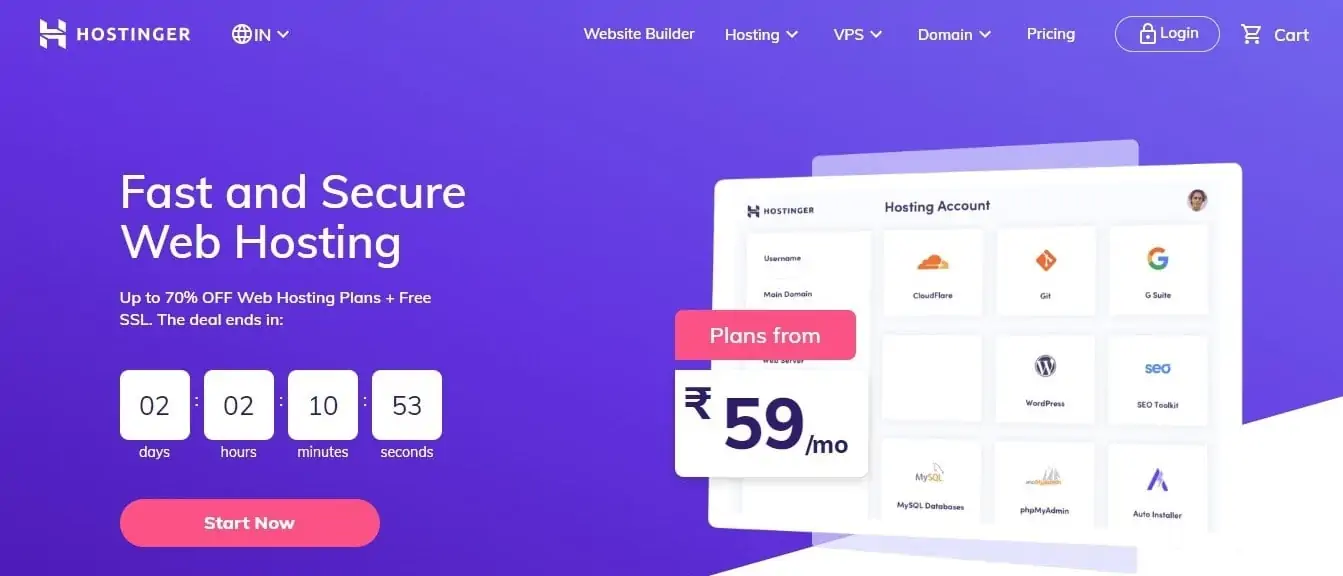
Hostinger's managed WordPress plans are the most affordable on this list — starting at $2.69/mo intro pricing — and they deliver meaningfully better performance than the price suggests. LiteSpeed servers, a global CDN, and 13 data centers produce a TTFB of 374ms (223ms globally), which is faster than SiteGround and competitive with WP Engine on a plan that costs a fraction of either.
Performance & Infrastructure
Hostinger's 99.98% uptime and 374ms TTFB are backed by LiteSpeed server architecture with LSCache, which is natively aware of WordPress caching rules — cart sessions, logged-in users, and REST API endpoints are all handled correctly. Their global TTFB of 223ms reflects a well-distributed CDN network across 13 data centers spanning North America, Europe, Asia, and South America. Hostinger is officially recommended by WordPress.org, a designation that reflects their platform-level investment in WordPress optimization.
Plans & Pricing
| Plan | Intro Price | Sites | Storage | Features |
|---|---|---|---|---|
| WordPress Starter | $2.69/mo | 1 | 50GB | Free domain, SSL, CDN |
| Business | $3.69/mo | 100 | 200GB | Full managed features |
Intro pricing applies to the first billing term. Renewal pricing is higher — check their site for current rates.
What Hostinger Includes
- LiteSpeed servers with LSCache
- Free domain name
- Free SSL certificate
- Free CDN across 13 data centers
- 223ms global TTFB
- 99.98% uptime
- Automatic WordPress installation and updates
- Weekly backups (daily on higher plans)
- 24/7 support
- Officially recommended by WordPress.org
Who Should Use Hostinger
Bloggers, content creators, and first-time WordPress site owners who want managed hosting features without the premium price. Hostinger is also strong for agencies building low-traffic client sites at scale, where the per-site cost needs to be minimal. It's not the right choice for WooCommerce stores expecting more than 50,000 monthly visitors — at that scale, Kinsta or WP Engine provides the headroom you need.
2. Kinsta — Best for High-Traffic Sites
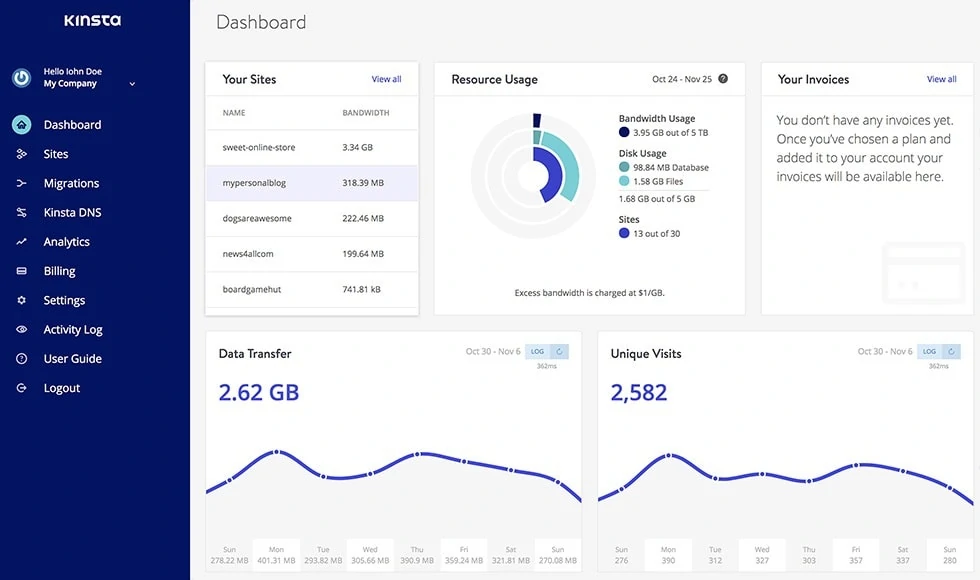
Kinsta runs entirely on Google Cloud Platform's premium tier network — not the standard tier. That distinction matters for latency: their infrastructure uses Google's private fiber backbone between data centers rather than the public internet. With 27 data centers available globally, you can place your site physically close to your audience, which translates to consistent TTFB regardless of origin location.
Performance & Infrastructure
TTFB clocks at 469ms in independent testing, which looks worse than Pressable or WP Engine on paper, but Kinsta's edge caching layer — included on all plans with 125GB+ CDN bandwidth — reduces actual user-perceived load times significantly. Under load testing, Kinsta handles concurrent users at around 40ms response time, which is exceptional for shared managed infrastructure. Uptime over tracked periods sits at 99.97%, with most downtime attributable to planned maintenance windows.
Plans & Pricing
| Plan | Price | Sites | Storage | Bandwidth |
|---|---|---|---|---|
| Single | $35/mo | 1 | 10GB | 20GB |
| WP 2 | $70/mo | 2 | 20GB | 40GB |
| WP 5 | $115/mo | 5 | 30GB | 60GB |
| Agency | From $340/mo | 20+ | Scales | Scales |
Kinsta offers the first month free on all plans. For agencies, they provide up to $10,000 in credits through their agency program. Pricing is monthly with no annual lock-in requirement.
What Kinsta Includes
- Google Cloud Platform C2 and C3D machines (premium tier network)
- 27 global data centers — pick the one closest to your audience
- Built-in APM tool for identifying slow queries, slow plugins, and bottlenecks
- Automatic daily backups with on-demand backup option
- Free migrations handled by Kinsta's team
- Enterprise-grade DDoS protection
- Advanced full-page caching with Nginx-based stack
- CDN with 125GB+ bandwidth included
- SSH/SFTP, WP-CLI, staging environments
- Uptime monitoring with Kinsta's own status dashboard
Who Should Use Kinsta
Kinsta is strongest for resource-heavy WordPress sites: membership platforms, online courses, WooCommerce stores with large product catalogs, and agencies running 5+ client sites. The built-in APM tool alone saves hours of debugging that would otherwise require a third-party New Relic integration. If you're currently struggling with performance issues on another host, Kinsta's infrastructure almost always resolves them.
See Kinsta Alternatives if budget is a constraint but you want similar GCP-backed performance.
3. WP Engine — Best Overall Managed WordPress Host
WP Engine has been the gold standard for managed WordPress hosting for over a decade. It's not the cheapest option, but the combination of proprietary caching, enterprise CDN, and hosting-layer security is genuinely hard to match at this price tier. If you're running a business site where downtime is not acceptable, this is where I'd start.
Performance & Infrastructure
WP Engine's EverCache system operates at the server level — it caches full pages, partial fragments, and object data independently, so even logged-in WooCommerce customers benefit from caching. TTFB from a US-based test sits at 367ms, but global TTFB drops to 169ms thanks to Cloudflare Enterprise CDN integration, which is included on all plans — not a paid add-on. In uptime monitoring over 12+ months, WP Engine consistently hits 100%, backed by automatic failover across their data center infrastructure.
Plans & Pricing
| Plan | Price | Sites | Monthly Visits | Storage |
|---|---|---|---|---|
| Startup | $30/mo | 1 | 25,000 | 10GB |
| Professional | $55/mo | 3 | 75,000 | 15GB |
| Growth | $109/mo | 10 | 100,000 | 20GB |
| Scale | $276/mo | 30 | 400,000 | 50GB |
Annual billing required to access discounted rates. Monthly billing is available but at higher prices. A 48-hour money-back guarantee applies, which is shorter than most — commit knowing what you're buying.
What WP Engine Includes
- EverCache server-level caching with full-page and fragment support
- Cloudflare Enterprise CDN included on all plans (150+ edge nodes)
- Daily backups with 30-day retention and one-click restore
- One-click staging environments with push-to-live
- Layer 3 and Layer 4 DDoS mitigation
- Smart Plugin Manager — automated plugin updates with visual regression testing
- Genesis Framework and 35+ StudioPress themes included
- SSH access, SFTP, WP-CLI on all plans
- 24/7 WordPress-specialist support
Who Should Use WP Engine
WP Engine is the right call for businesses where the site drives revenue, agencies managing multiple client sites, and WooCommerce stores that need reliable uptime during sale periods. The Startup plan at $30/mo covers a single site well. If you're on a tight budget running a personal blog, the cost is harder to justify — look at Hostinger or DreamPress instead.
Read my full WP Engine Review for a deeper breakdown of performance data and support experience.
4. DreamHost DreamPress — Best Budget Managed WP

DreamHost's DreamPress product is the most underrated option in managed WordPress hosting. At $14.99/mo introductory (renewing around $19.99/mo), it's the only sub-$20 managed plan that includes staging, automatic backups, and a bundled CDN. DreamHost is also one of three official WordPress.org recommended hosts — a designation that carries weight.
Performance & Infrastructure
DreamPress runs on NVMe SSD storage, which offers significantly faster I/O than standard SSD. The performance scores in independent testing consistently give DreamPress a 5/5 for site speed and uptime. Their caching layer (DreamPress Cache) handles WordPress-specific edge cases well — WooCommerce cart pages and logged-in user sessions are handled correctly by default, unlike some hosts where caching plugins create checkout issues.
Plans & Pricing
| Plan | Intro Price | Renewal Price | Sites | Features |
|---|---|---|---|---|
| DreamPress | $14.99/mo | $19.99/mo | 1 | NVMe SSD, CDN, staging, backups |
| DreamPress Plus | $24.95/mo | $29.95/mo | 1 | More PHP workers, faster resources |
What DreamPress Includes
- NVMe SSD storage for fast read/write
- Bundled Jetpack integration
- Automatic staging environment included
- Automatic daily backups with one-click restore
- Built-in CDN
- Free SSL
- 24/7 WordPress expert support
- 97-day money-back guarantee — the longest in this list
Who Should Use DreamHost DreamPress
Solo site owners, bloggers, and small content sites that want managed hosting without spending $30/mo. The 97-day money-back guarantee means there's effectively no risk to trying it. If you outgrow DreamPress, DreamHost makes migration to their higher-tier plans straightforward.
5. Rocket.net — Best Speed + Security Combo
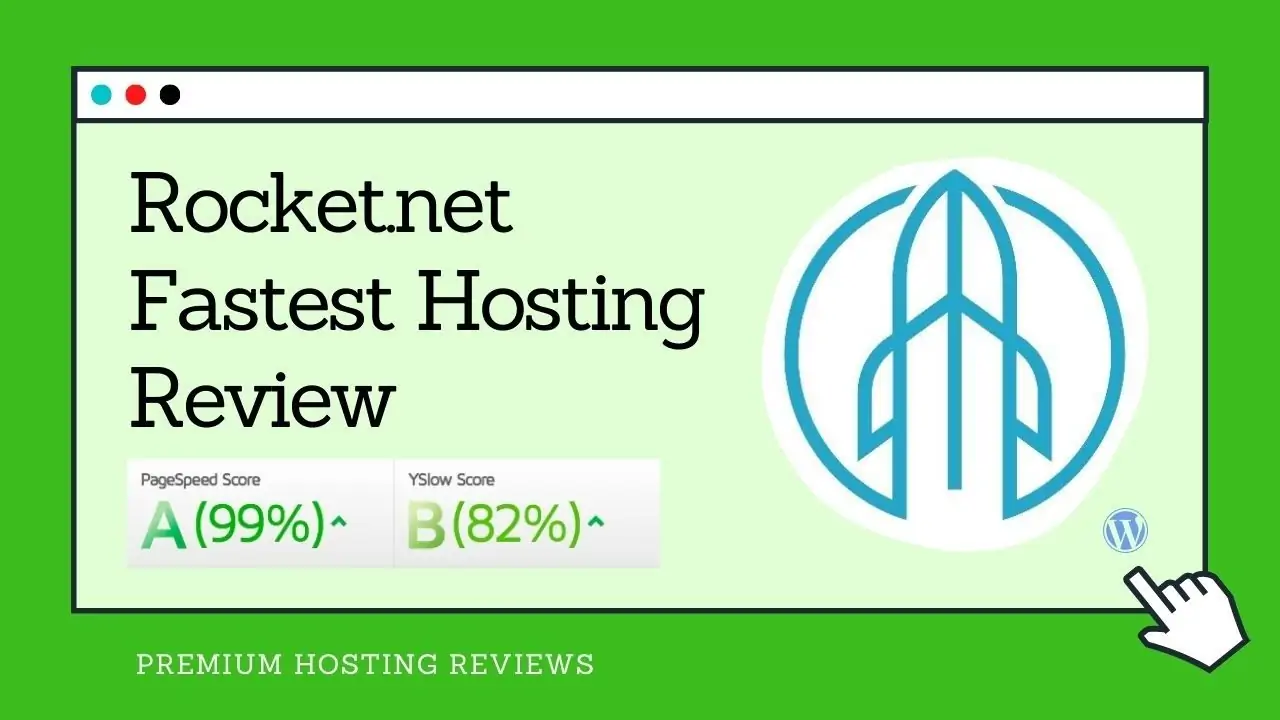
Rocket.net combines LiteSpeed servers with a cloud-edge CDN and an enterprise WAF in a single managed WordPress package. Most hosts offer CDN and WAF as separate add-ons or premium upgrades — Rocket.net bundles both from the entry plan. The result is a stack that's fast by default and locked down without any manual security configuration.
Performance & Infrastructure
TTFB tests at 448ms, with 99.94% uptime over tracked periods. The LiteSpeed server stack handles PHP execution faster than Nginx or Apache for most WordPress workloads, particularly with LSCWP (LiteSpeed Cache for WordPress). Rocket.net's cloud-edge CDN caches content at the network edge, reducing origin server load on high-traffic pages. The built-in WAF blocks malicious traffic before it touches the WordPress application layer.
Plans & Pricing
| Plan | Price | Sites | Storage | Visits |
|---|---|---|---|---|
| Personal | $30/mo | 1 | 20GB | 100,000 |
| Business | $65/mo | 5 | 40GB | 300,000 |
What Rocket.net Includes
- LiteSpeed servers with LSCWP caching
- Cloud-edge CDN with 220+ PoPs
- Enterprise WAF (Web Application Firewall) included
- Automated malware scanning and removal
- Daily backups with instant restore
- Staging environments
- Free SSL, free migrations
- 24/7 support
Who Should Use Rocket.net
Sites where security posture matters as much as raw speed — financial services, eCommerce, membership sites, or any site that has faced malware or brute-force attacks before. The bundled WAF and malware scanning removes the need for security plugins like Wordfence or Sucuri, which themselves add latency.
6. Nexcess — Best for Autoscaling Traffic
Nexcess (now part of Liquid Web) is built specifically for sites with unpredictable traffic patterns. Their autoscaling infrastructure spins up additional resources automatically when traffic spikes — you don't need to manually upgrade your plan before a product launch or marketing campaign.
Performance & Infrastructure
Nexcess runs 100% uptime scores in independent CrazyEgg testing across monitored periods. Their performance monitoring tools are built into the dashboard — you get PHP worker visibility, database query analysis, and cache hit rate metrics without installing third-party APM tools. Visual regression testing for plugin updates catches broken layouts before changes go live, which is valuable for WooCommerce stores where checkout page integrity matters.
Plans & Pricing
Nexcess pricing runs promotional rates that vary — check their current pricing for the most accurate numbers. Plans include single-site and multi-site tiers, with WooCommerce-specific plans available that pre-configure caching rules for cart and checkout behavior.
What Nexcess Includes
- Autoscaling under traffic spikes — no manual plan upgrade required
- Automatic plugin updates with visual regression testing
- Performance monitoring dashboard built-in
- Daily automated backups with 30-day retention
- Staging environments
- PHP worker and database monitoring
- WooCommerce-specific plans available
- 24/7 support with Liquid Web backing
Who Should Use Nexcess
WooCommerce stores running flash sales, marketers launching campaigns that drive unpredictable traffic, and agencies that manage high-traffic client sites. The autoscaling means you're not scrambling to upgrade a plan hours before a sale goes live. It's also strong for news publishers and affiliate sites that get irregular spikes from viral content.
7. SiteGround — Best Value for Small Business
SiteGround rebuilt their entire infrastructure on Google Cloud in 2020, which put them in a different performance tier than the traditional shared hosts they compete against on price. They're officially recommended by WordPress.org, WooCommerce, and Yoast — which reflects their investment in WordPress-specific optimization, not just marketing.
Performance & Infrastructure
TTFB tests at 397ms from US locations, with 100% uptime across tracked periods. SiteGround's NGINX-based caching stack (the SG Optimizer plugin) handles static page caching, dynamic caching, and Memcached object caching — all configurable from the plugin dashboard without touching server files. Their proprietary AI anti-bot system blocks millions of brute-force attempts monthly at the server level, before they reach WordPress.
Plans & Pricing
| Plan | Intro Price | Renewal Price | Sites | Storage |
|---|---|---|---|---|
| StartUp | $2.99/mo | $14.99/mo | 1 | 10GB |
| GrowBig | $5.99/mo | $24.99/mo | Unlimited | 20GB |
| GoGeeks | $10.69/mo | $39.99/mo | Unlimited | 40GB |
Introductory pricing applies to the first billing cycle only. Renewal rates are what you'll actually pay long-term — factor those into your decision. The GrowBig plan is the sweet spot: it adds staging environments, on-demand backups, and priority support.
What SiteGround Includes
- Google Cloud infrastructure across multiple regions
- SG Optimizer plugin with full-page and dynamic caching
- Free Cloudflare CDN integration
- Free SSL certificates (Let's Encrypt + Wildcard)
- Daily automatic backups with 30 copies retained
- Staging environments on GrowBig and GoGeeks
- Free site migration tool (plugin-based, self-serve)
- Git access on GoGeeks
- Recommended by WordPress.org, WooCommerce, Yoast
Who Should Use SiteGround
SiteGround makes the most sense for small businesses, freelancers, and bloggers who want Google Cloud infrastructure at a price that's hard to argue with — especially in the first year. The renewal pricing jump is real and worth acknowledging. If you're running a single site and expect moderate traffic (under 25K monthly visits), the StartUp plan covers you well.
8. Pressable — Fastest Managed WordPress Host
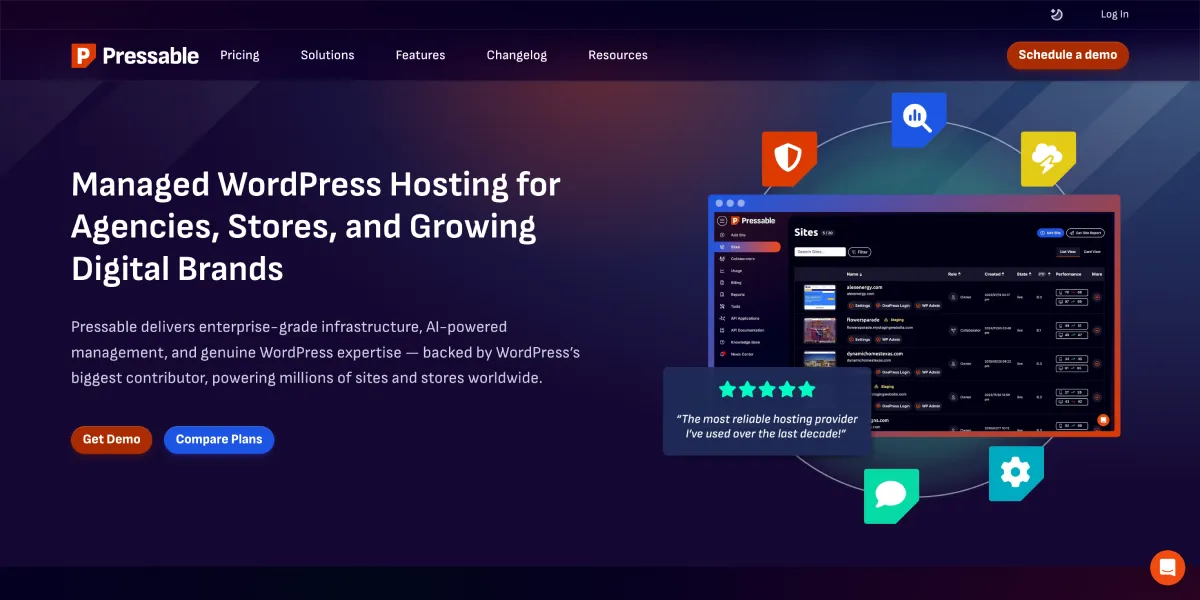
Pressable consistently posts the fastest raw performance numbers in managed WordPress benchmark tests. TTFB of 341ms from US locations and — more impressively — load handling at just 12ms under concurrent user testing puts them ahead of every other host in this roundup on raw speed. They're owned by Automattic (the company behind WordPress.com), which means deep WordPress platform expertise.
Performance & Infrastructure
Pressable's infrastructure uses auto-scaling PHP workers — scaling from 5 to 110 workers automatically based on load, without manual configuration or plan upgrades. Their own CDN infrastructure (not a third-party integration) delivers a global TTFB of 231ms. Combined with geo-redundant backup systems, this is built for sites where a slow page or a missed backup could cost real money.
Plans & Pricing
| Plan | Price | Sites | Visits | Storage |
|---|---|---|---|---|
| Entry | $25/mo | 1 | 30,000 | 20GB |
| Business | $45/mo | 3 | 75,000 | 30GB |
What Pressable Includes
- Auto-scaling PHP workers (5–110) under traffic spikes
- Own CDN infrastructure (not third-party resale)
- Global TTFB: 231ms
- 100% uptime over tracked periods
- Geo-redundant automated backups
- Staging environments
- Managed by Automattic — deep WordPress integration
- Jetpack Security included
- 24/7 support
Who Should Use Pressable
Pressable is best for high-traffic WordPress sites, news publishers, and anyone running WooCommerce sales events where traffic spikes happen fast and unpredictably. The auto-scaling PHP workers handle bursts that would bring down fixed-resource plans on WP Engine or Kinsta at the same tier.
9. 10Web — Best for AI-Powered WordPress
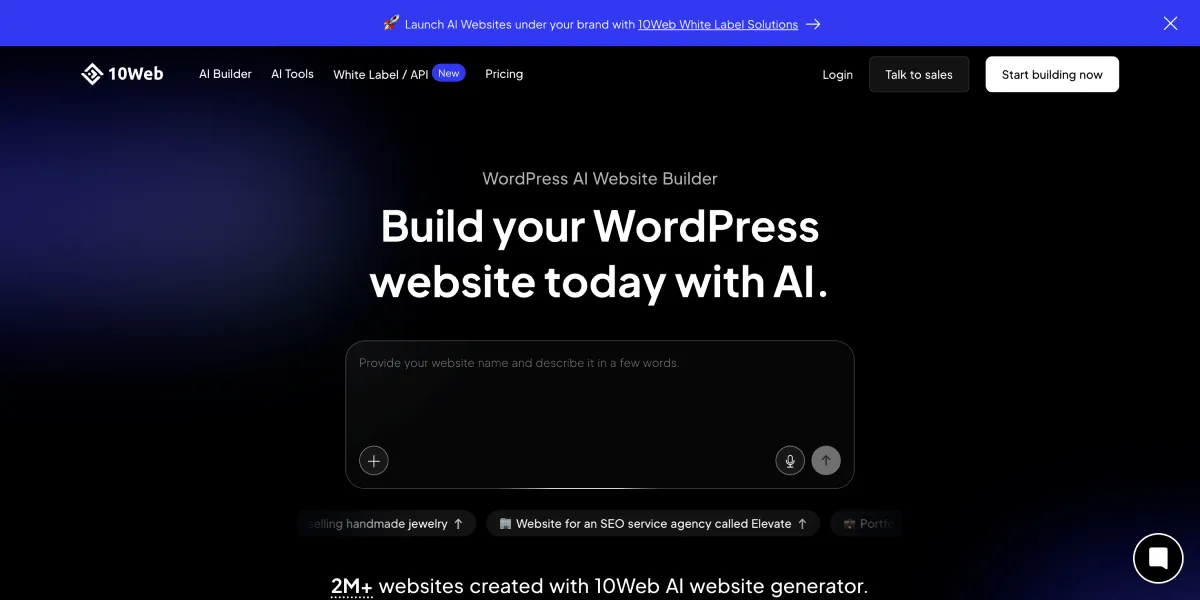
10Web is the only managed WordPress host that combines Google Cloud infrastructure with a built-in AI website builder and AI content tools. If you're building new WordPress sites from scratch and want the hosting and content workflow in one platform, it's a unique option.
Performance & Infrastructure
10Web runs on Google Cloud with 12 global data centers and promises a 99.99% uptime SLA. Their on-platform PageSpeed optimizer targets 90+ scores for all hosted sites. Cloudflare Enterprise CDN is available as a $4/mo add-on rather than included by default.
Plans & Pricing
| Plan | Price | Visitors/mo | Storage |
|---|---|---|---|
| AI Starter | $10/mo | 10,000 | 10GB SSD |
| AI Premium | $15/mo | 50,000 | 15GB SSD |
| AI Ultimate | $23/mo | 200,000 | 20GB SSD |
| Agency Starter | $30/mo (3 sites) | 50,000 | 10GB SSD |
What 10Web Includes
- Google Cloud infrastructure, 12 data centers
- Built-in AI website builder + AI content generation
- 90+ PageSpeed score optimization
- Automated daily backups
- Free SSL, one-click migration
- DDoS protection and firewall
- Optional Cloudflare Enterprise CDN ($4/mo)
- 24/7 support
Who Should Use 10Web
Site builders and marketers who want managed hosting plus an AI-assisted content workflow in one place. The AI builder is genuinely useful for creating new sites fast. For high-traffic established sites, Kinsta or WP Engine remain stronger choices.
10. Bluehost Cloud — Best for High-Volume Agencies
Bluehost Cloud is the company's enterprise-tier managed WordPress offering — distinct from their shared plans. It targets agencies and high-traffic stores that need dedicated resources, with 100% uptime SLA, NVMe SSD, and a Yoast SEO Premium bundle included.
Performance & Infrastructure
Independent testing clocks Bluehost Cloud at 417ms average load time with 99.98% uptime. Plans are built on isolated cloud infrastructure with NVMe SSD and unrestricted bandwidth — a different class from standard Bluehost shared hosting. Enterprise WAF, DDoS protection, and real-time backups are included.
Plans & Pricing
| Plan | Price | Sites | Storage | Traffic |
|---|---|---|---|---|
| Cloud 10 | $49.99/mo | 10 | 125GB NVMe | ~300K visits |
| Cloud 25 | $89.99/mo | 25 | 175GB NVMe | ~11M visits |
| Cloud 50 | $109.99/mo | 50 | 225GB NVMe | ~23M visits |
All plans require 36-month term for the listed price.
What Bluehost Cloud Includes
- 100% uptime SLA
- NVMe SSD storage
- Global edge caching + CDN
- Enterprise WAF, DDoS protection
- Real-time backups
- One-click staging
- Yoast SEO Premium included
- Unrestricted bandwidth
Who Should Use Bluehost Cloud
Agencies managing 10–50 client sites who want a single plan with predictable pricing. The 36-month commitment and $50/mo+ entry price means this doesn't make sense for small operations — it's built for volume.
11. WordPress.com — Best Fully Hosted Platform
WordPress.com is the fully hosted version of WordPress — Automattic manages every layer of the infrastructure, including the WordPress platform itself. Unlike self-hosted WordPress, you never touch PHP, server config, or updates. The Business plan at $25/mo unlocks plugin installation and developer tools.
Performance & Infrastructure
WPBeginner testing shows 636ms average load time and 99.95% uptime, which is slower than most self-hosted managed options. However, the platform handles unlimited traffic (no visitor caps) and guarantees 99.999% uptime — the highest SLA on this list. For most WordPress workloads, the performance is more than adequate.
Plans & Pricing
| Plan | Price | Storage | Plugins | Developer Tools |
|---|---|---|---|---|
| Business | $25/mo | 50GB | Yes (50K+) | SFTP, SSH, WP-CLI, Git |
| Commerce | $45/mo | 50GB | Yes | All Business + WooCommerce tools |
What WordPress.com Includes
- 99.999% uptime SLA
- Unlimited traffic, no visitor caps
- 50,000+ plugins (Business+)
- Free custom domain (1 year)
- SFTP/SSH, WP-CLI, Git, GitHub Deployments (Business+)
- Priority 24/7 support with WordPress Happiness Engineers
- 14-day money-back guarantee
- Ad-free experience
- Jetpack built-in
Who Should Use WordPress.com
Content publishers, bloggers, and small businesses who want zero server responsibility. The Business plan gives you most of what self-hosted WordPress offers (plugins, developer tools) without managing infrastructure. If you need full server control or custom server-level caching, self-hosted managed hosts are better.
12. Hosting.com — Best LiteSpeed Managed WordPress
Hosting.com (formerly A2 Hosting) rebranded in 2024 and retained the same LiteSpeed Turbo stack that made A2 Hosting popular. Their managed WordPress plans run on LiteSpeed with up to 20x faster Turbo caching compared to standard Apache hosting, with starting prices competitive against SiteGround.
Performance & Infrastructure
WPBeginner benchmarks put Hosting.com at 438ms average load time and 99.9% uptime. LiteSpeed Turbo caching is their headline performance feature. Free SSL, DDoS protection, and free migration are included across plans.
Plans & Pricing
| Plan | Price | Features |
|---|---|---|
| WordPress Hosting | $6.95/mo | LiteSpeed Turbo, free SSL, free migration |
| Managed cPanel VPS | $28.75/mo | Dedicated resources, full cPanel |
What Hosting.com Includes
- LiteSpeed Turbo server stack (up to 20x faster)
- 99.9% uptime commitment
- Free SSL and DDoS protection
- Free account migration
- Malware scanning and brute-force protection
- 24/7 support
Who Should Use Hosting.com
Developers and small businesses familiar with the A2 Hosting ecosystem who want LiteSpeed performance at a mid-range price. Good alternative to SiteGround if you prefer LiteSpeed over Nginx.
13. ScalaHosting — Best for Managed VPS WordPress

ScalaHosting sits in the gap between shared managed hosting and full cloud VPS. Their SPanel control panel — a cPanel alternative they built themselves — reduces licensing costs and adds WordPress-specific management tools. Their Entry Cloud plan gives you dedicated CPU and RAM at $14.95/mo, which is rare at that price.
Performance & Infrastructure
ScalaHosting benchmarks at 1.04s average load time in WPBeginner testing, which is slower than most on this list. However, their 100% uptime record is notable. NVMe SSD storage is standard across all plans. Response time is strong: 15-second average support response time.
Plans & Pricing
| Plan | Intro Price | Renewal | Storage | Sites |
|---|---|---|---|---|
| Mini | $2.95/mo | $11.95/mo | 10GB NVMe | 1 |
| Start | $5.95/mo | $19.95/mo | 50GB NVMe | Unlimited |
| Advanced | $9.95/mo | $29.95/mo | 100GB NVMe | Unlimited |
| Entry Cloud | $14.95/mo | $39.95/mo | Configurable | Unlimited |
What ScalaHosting Includes
- SPanel control panel (cPanel alternative, free)
- NVMe SSD storage across all plans
- Real-time malware protection (WP Lock)
- Automated updates, staging, cloning
- SSH access, WP-CLI, multiple PHP versions
- Unlimited email accounts
- Object Cache on Cloud plans
- 24/7 support (15-second average response)
- 100% uptime track record
Who Should Use ScalaHosting
WordPress users who want managed VPS-style resources without the VPS management complexity. The Entry Cloud plan's dedicated CPU/RAM at $14.95/mo intro is genuinely good value. If you're currently on shared hosting and performance is suffering, ScalaHosting's cloud plans are a cost-efficient next step.
Managed WordPress Hosting: Head-to-Head Comparison
| Provider | Price/mo | Sites | Backups | Staging | CDN | Support | Free Migration |
|---|---|---|---|---|---|---|---|
| Hostinger | $2.69* | 1–100 | Weekly/Daily | Limited | Free CDN | 24/7 | Free |
| Kinsta | $35 | 1 | Daily | Yes | 125GB incl. | 24/7 chat | Free |
| WP Engine | $30 | 1 | Daily (30-day) | Yes | Cloudflare Ent. | 24/7 chat | Paid |
| DreamPress | $14.99* | 1 | Automatic | Yes | Bundled | 24/7 chat | Free |
| Rocket.net | $30 | 1 | Daily | Yes | Cloud-edge | 24/7 | Free |
| Nexcess | Promo | 1 | Daily (30-day) | Yes | Built-in | 24/7 | Free |
| SiteGround | $2.99* | 1 | Daily (30) | GrowBig+ | Free Cloudflare | 24/7 chat | Free plugin |
| Pressable | $25 | 1 | Geo-redundant | Yes | Own CDN | 24/7 | Free |
| 10Web | $10 | 1 | Daily | Yes | Optional ($4/mo) | 24/7 | Free |
| Bluehost Cloud | $49.99 | 10 | Real-time | Yes | Global edge | 24/7 | Free |
| WordPress.com | $25 | 1 | Built-in | No | Automattic CDN | 24/7 | Free |
| Hosting.com | $6.95 | 1 | Free backups | — | — | 24/7 | Free |
| ScalaHosting | $2.95* | 1 | Daily | Yes | CDN integration | 24/7 | Free |
*Introductory pricing — renewal rates are higher.
Managed vs Shared vs Cloud WordPress Hosting
Shared hosting puts your WordPress site on a server alongside hundreds or thousands of other sites. Resources are pooled, there's no isolation, and a traffic spike on a neighboring site degrades your performance. It costs $3–$10/month and handles WordPress technically, but provides none of the managed layer: no automatic updates, no server-level caching, no security scanning. It's where you start when you have no budget and low traffic expectations.
Managed WordPress hosting isolates your site, applies WordPress-specific server configuration, and handles the operational burden for you. You pay $15–$100+/month depending on traffic and features. The infrastructure is tuned for WordPress — LiteSpeed or Nginx with opcode caching, Redis or Memcached for objects, and a CDN baked in. This is the right environment for any site that generates revenue or has a real audience. If you're comparing options at the higher end of the budget, my WP Engine vs Cloudways comparison covers the tradeoffs in detail.
Cloud hosting (VPS/cloud servers) gives you dedicated compute resources and full root access, but no managed layer — you configure Nginx, PHP, Redis, backups, and security yourself. It costs $10–$50/month for the same specs as a managed plan, but the time investment is substantial. For developers comfortable managing server infrastructure, it's the most cost-efficient at scale. For everyone else, managed WordPress hosting is the better use of hours. See Best Cloud Hosting if you're evaluating cloud infrastructure options.
Who Should Use Managed WordPress Hosting?
Managed WordPress hosting makes sense when:
- Your site generates revenue — downtime has a direct cost
- You run WooCommerce with regular customer transactions
- You don't have time or interest in server administration
- You manage multiple client sites and need consistent infrastructure
- Your site has crossed 10,000 monthly visitors
- You've experienced security incidents (malware, brute-force) on shared hosting
- You need staging environments before pushing changes live
- Your site needs to meet performance benchmarks for SEO or user experience
It does NOT make sense when:
- You're running a personal blog with no monetization and under 5,000 monthly visitors
- Budget is under $10/month and cannot be adjusted
- You're a developer who prefers full server control and already manages VPS infrastructure
FAQs
What is the difference between managed and unmanaged WordPress hosting?
With managed hosting, the host handles updates, caching, security, and backups for you. With unmanaged hosting (shared or VPS), you handle all of that yourself. Managed costs more; unmanaged requires technical time.
Is managed WordPress hosting worth the price?
Yes, if your site generates revenue. The time saved on maintenance and the reliability uplift justify the $15–$50/mo premium. For hobby blogs with no monetization, it's harder to justify.
Which managed WordPress host is the fastest?
Pressable has the fastest raw TTFB (341ms) and load handling (12ms under concurrent users). WP Engine wins globally with a 169ms global TTFB via Cloudflare Enterprise CDN. Hostinger is the fastest budget option at 223ms globally.
Can I use managed WordPress hosting for WooCommerce?
Yes. WP Engine, Kinsta, and Nexcess handle WooCommerce best — they have server-level caching rules that correctly bypass cart and checkout pages. Standard full-page caching breaks WooCommerce checkout on hosts that don't account for this.
Do managed WordPress hosts allow staging sites?
Most do. WP Engine, Kinsta, DreamPress, Pressable, Rocket.net, Nexcess, SiteGround (GrowBig+), ScalaHosting, and 10Web all include staging. Hostinger's staging is limited on entry plans. WordPress.com does not offer staging.
What is the cheapest managed WordPress hosting?
Hostinger at $2.69/mo and ScalaHosting at $2.95/mo are the cheapest entry points. SiteGround starts at $2.99/mo intro. All three have higher renewal rates — check current renewal pricing before committing.
Which Managed WordPress Host Should You Choose in 2026?
Your situation determines the right pick. Use this to cut through the noise:
| If you are… | Choose | Why |
|---|---|---|
| A beginner or blogger on a tight budget | Hostinger | Best performance-to-price ratio on this list |
| Running a WooCommerce store | Kinsta | GCP premium network + WooCommerce-aware caching |
| A business where downtime is unacceptable | WP Engine | Cloudflare Enterprise CDN + EverCache + 100% uptime |
| A solo site owner under $20/mo | DreamPress | Full managed features — staging, CDN, NVMe SSD |
| Prioritising speed and security together | Rocket.net | Bundled WAF + cloud-edge CDN, no extra plugins needed |
| Running flash sales or viral traffic spikes | Nexcess | Auto-scales without manual plan upgrades |
| A small business on Google Cloud | SiteGround | GCP infrastructure at intro prices competitors can't match |
| Needing raw TTFB performance | Pressable | Fastest on this list — 341ms TTFB, 12ms under load |
| Building new sites with AI tooling | 10Web | AI builder + Google Cloud in one platform |
| An agency managing 10–50 client sites | Bluehost Cloud | Single plan, 100% uptime SLA, NVMe at scale |
| Wanting zero server responsibility | WordPress.com | Automattic manages everything — you just publish |
| Familiar with A2 Hosting / LiteSpeed fan | Hosting.com | Same stack, rebranded — LiteSpeed Turbo at mid-range price |
| Stepping up from shared without going full VPS | ScalaHosting | Dedicated CPU/RAM from $14.95/mo on Entry Cloud |
Still unsure? Hostinger for budget, WP Engine for business, Kinsta for WooCommerce. Those three cover 90% of use cases. Pick one, start, and migrate when you outgrow it.