
If you've been in the SEO game for any length of time, you've probably heard your fair share of promises from tools that claim to unlock page one rankings. Most of them overpromise and underdeliver. Surfer SEO is different — and I say that having used it personally for years now.
In this Surfer SEO review, I'm breaking down everything you need to know: what it actually does, which features matter, what's changed in 2026, how the current pricing stacks up, and whether it's worth your money for your specific situation.
No fluff. Let's get into it.
What Is Surfer SEO?
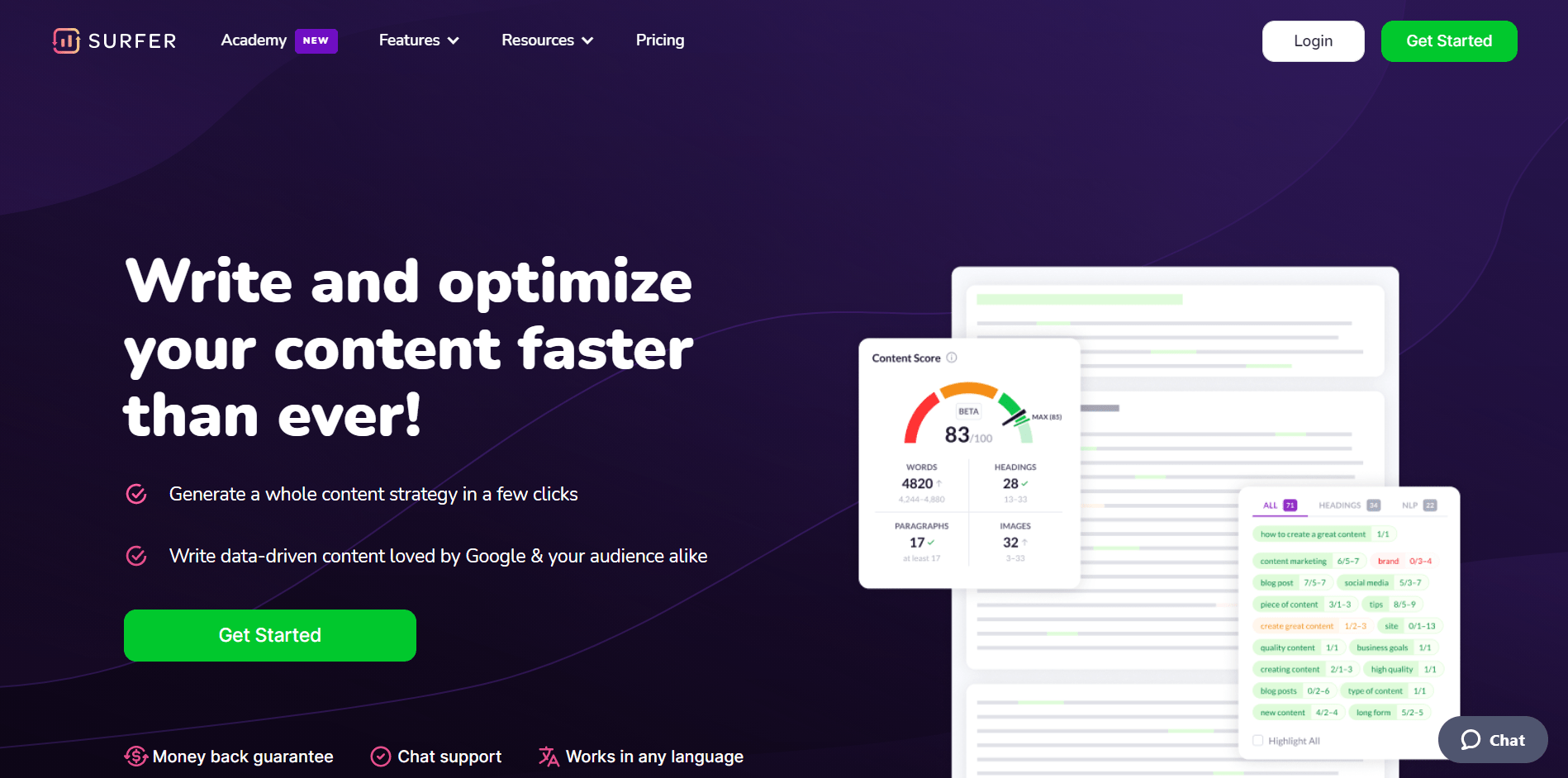
Surfer SEO is a cloud-based content intelligence and on-page optimization platform. In plain terms: it tells you exactly what your content needs to rank for a specific keyword — based on a data-driven analysis of what's already ranking on Google's first page.
Rather than guessing what Google wants, Surfer reverse-engineers the top results and gives you a framework to match or outperform them. It examines over 500 on-page ranking factors across the top SERP results, then presents that as actionable guidance inside a real-time content editor.
What started as a SERP analysis tool has evolved into a full content workflow platform. Today, Surfer covers everything from keyword research and content planning, to AI-assisted writing, real-time optimization, and site auditing — all inside one dashboard.
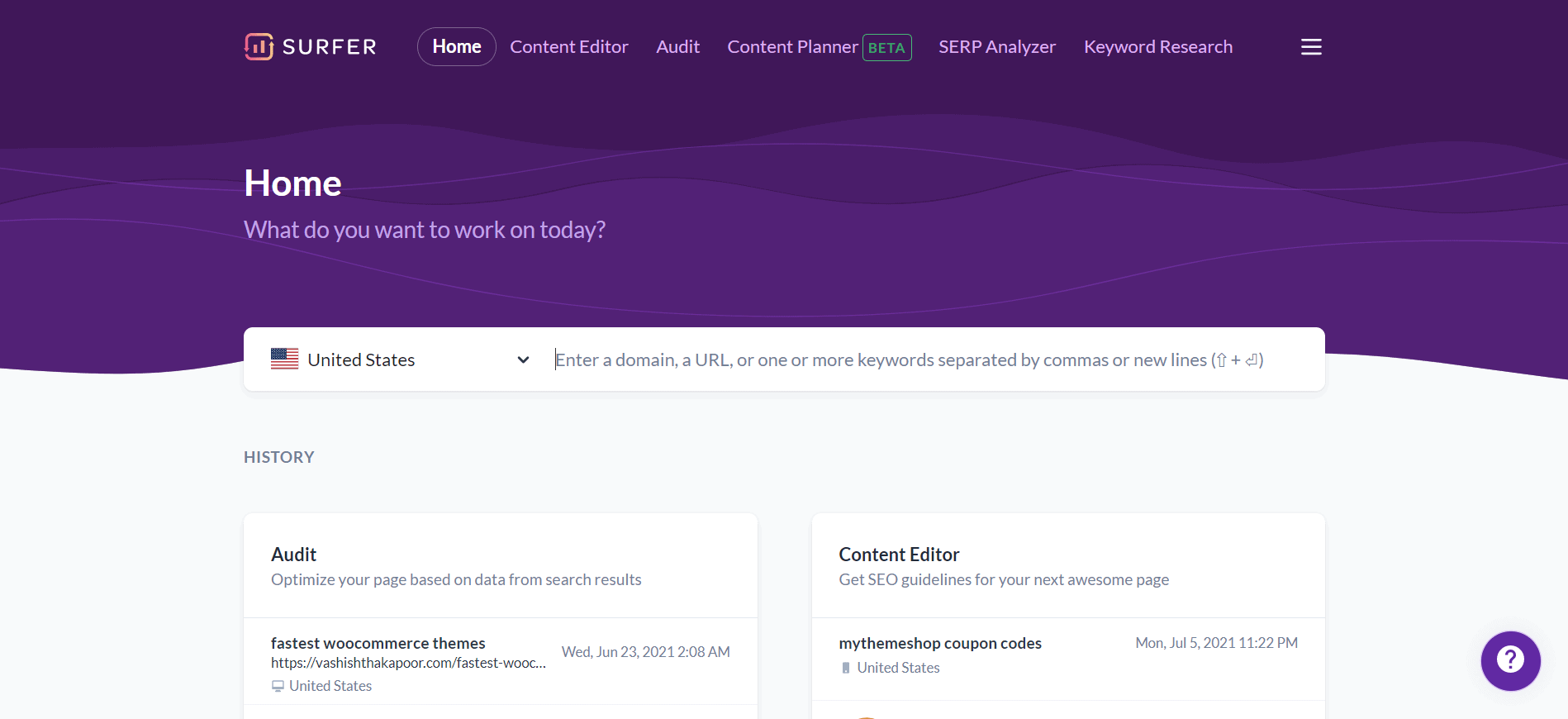
The ranking factors Surfer analyzes include:
- Word count — how long your content should be based on what's ranking
- Heading usage — H1, H2, H3 distribution from top competitors
- Keyword density and placement — exact and semantic keyword usage
- NLP (Natural Language Processing) terms — Google-recognized entities and phrases
- LSI keywords — topically related terms that build content depth
- Meta title and description patterns — what top pages are doing differently
- Image count — how many images top-ranking pages typically use
- Paragraph structure — how competitors break up their content
- Page loading time comparisons
- Structured data usage
- And hundreds more SERP similarity signals
Surfer's core philosophy is that better content quality and better SEO performance are the same thing — and I've come to agree with that after years of using it.
Features of Surfer SEO
1. Content Editor
The Content Editor is Surfer's flagship feature, and the one I use every single time I write a new article. It's the reason most people subscribe.
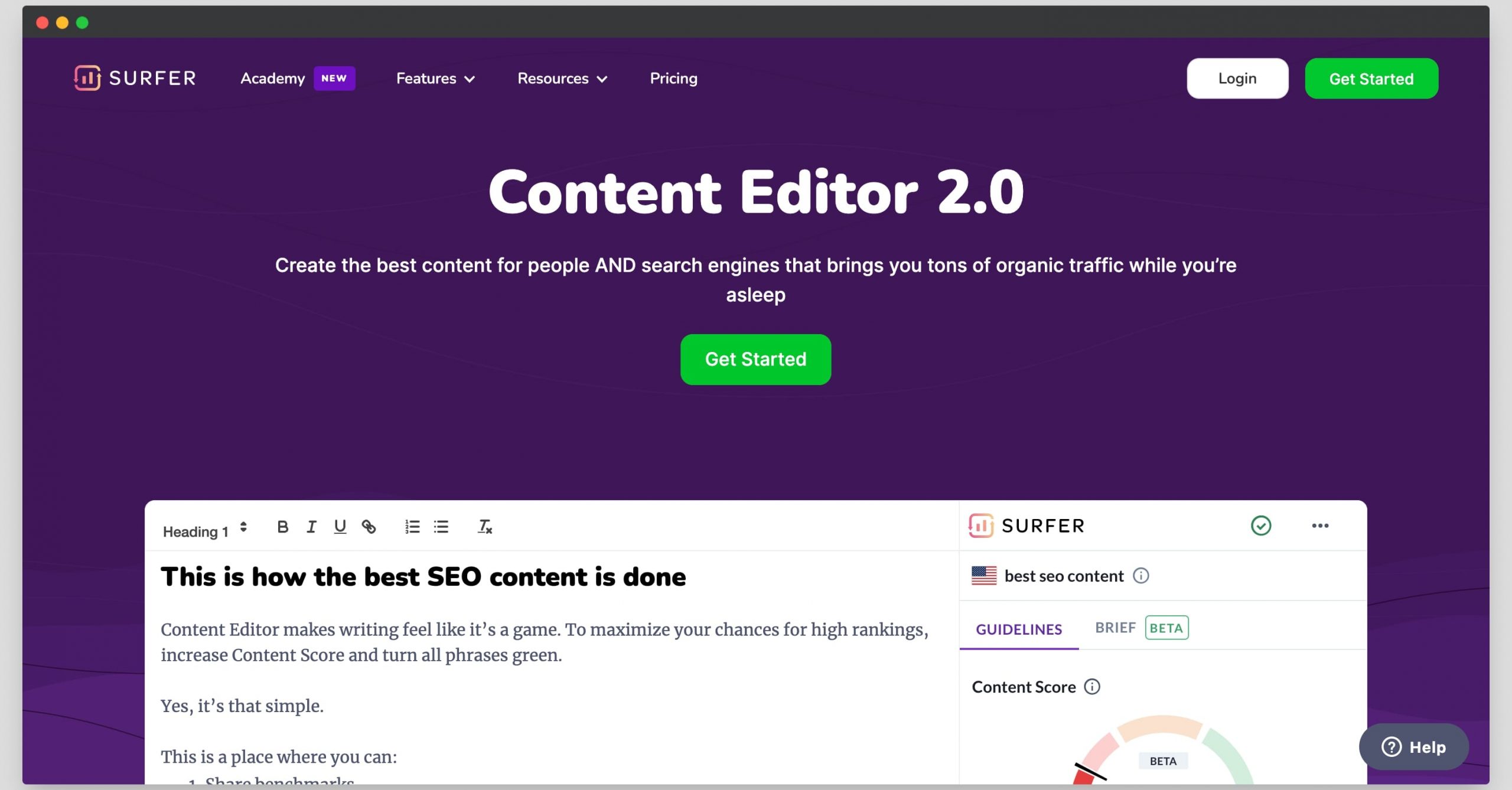
Here's how it works: You enter a target keyword (and optionally select your target country and language), and Surfer crawls the top-ranking pages for that keyword. Within a minute or so, it generates a set of content guidelines — your recommended word count range, number of headings, images, and paragraphs, along with a list of NLP terms and keywords to weave into your content.
As you write directly inside the editor (or inside Google Docs via the Surfer extension), a Content Score updates in real time. The score goes from 0 to 100, and it reflects how well your draft aligns with what's ranking. A score between 67–80 is generally considered good; 80+ is excellent.
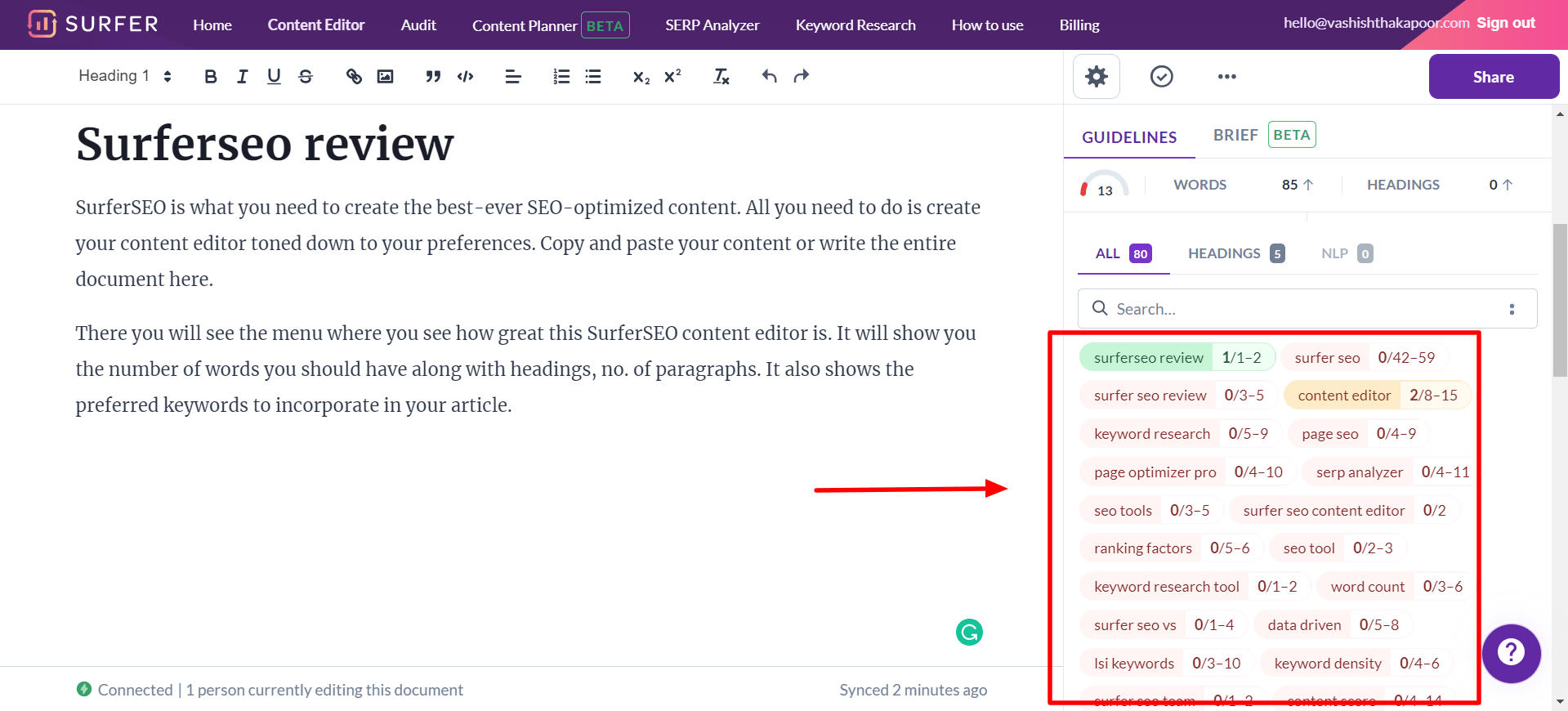
What makes the Content Editor genuinely useful (and not just a keyword density checker) is the NLP integration. It flags semantic terms — phrases and entities that Google associates with authority and topical coverage on your subject. You're not just stuffing keywords; you're building a topically complete article.
Additional capabilities inside the Content Editor:
- Outline Builder — generates a suggested outline with headings borrowed and adapted from top-ranking pages
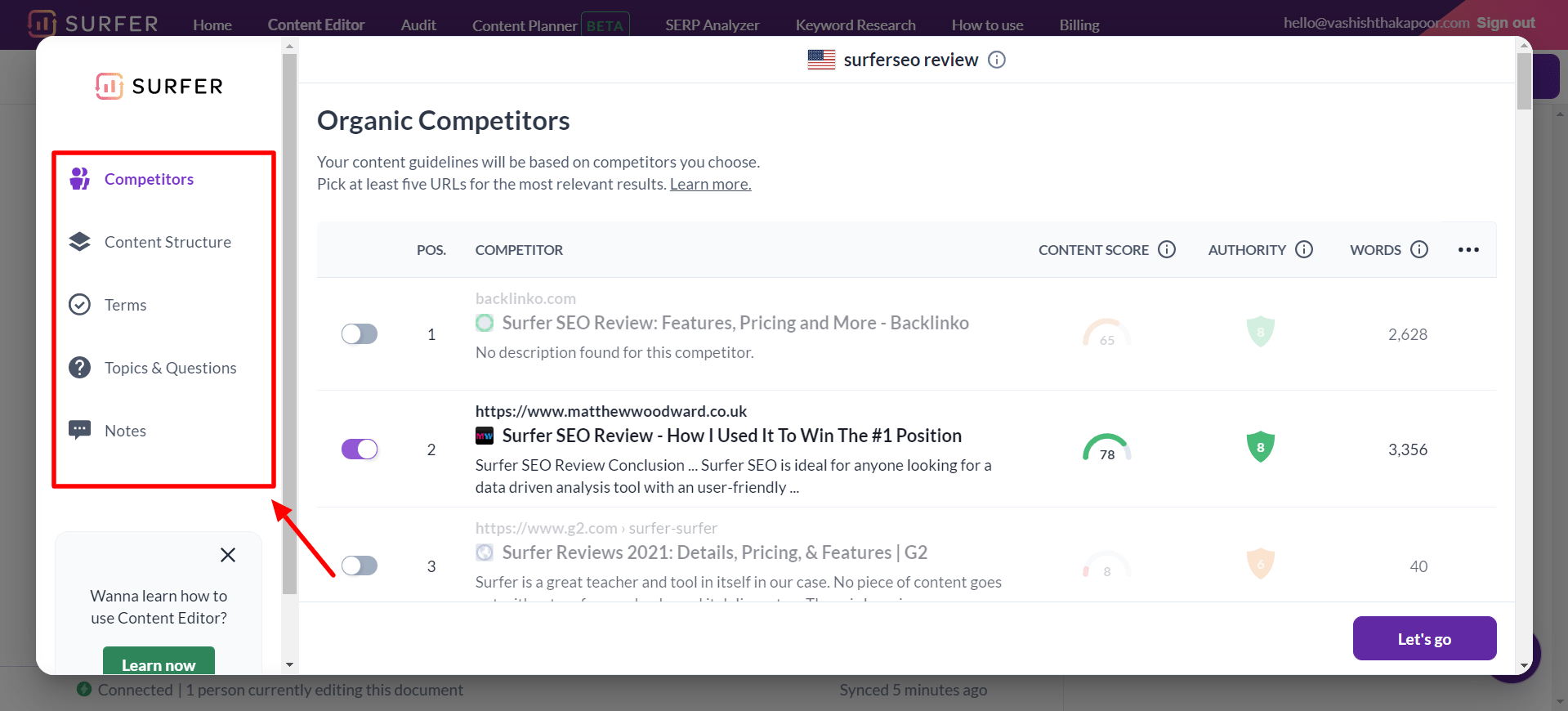
- Competitor comparison — view how top-ranked competitors structure and cover the topic
- Questions section — shows what your audience is asking on Google (great for FAQ sections)
- AI writing — Surfer AI can draft full sections or complete articles inside the editor
- Google Docs integration — write in Docs with the Surfer Chrome extension and get live guidance without switching tabs
- WordPress integration — publish directly from Surfer to WordPress
The editor is genuinely the best on-page content optimization environment I've used. It keeps your focus on writing while giving you everything you need to hit the right signals.
2. Keyword Research
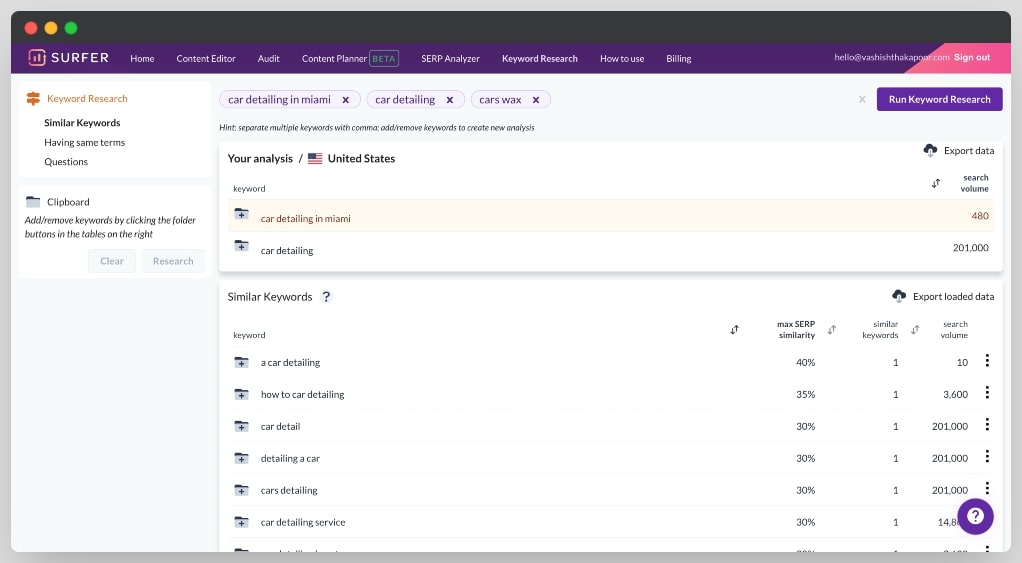
Surfer's Keyword Research module finds keywords that are topically related to your seed keyword — specifically ones that have similar SERP results. The logic is smart: if two keywords consistently return the same top-ranking pages on Google, you can likely rank for both with a single article.
This "SERP similarity" grouping helps you avoid creating redundant content for nearly identical queries. Instead of writing ten thin posts on variations of the same keyword, you write one comprehensive piece that targets the entire cluster.
The keyword data includes:
- Monthly search volume
- Keyword difficulty estimate
- SERP similarity score (how related it is to your main keyword)
- Question-based keyword suggestions
It's not a replacement for dedicated keyword research tools like Ahrefs or SEMrush — it doesn't have the same index depth. But as a companion to your existing research workflow for finding content expansion opportunities, it's solid.
3. Content Planner
The Content Planner takes keyword research one step further: it builds you a strategic content roadmap for an entire topic area.
You enter a broad topic (say, "email marketing"), and the Planner groups related keywords into content clusters — each cluster representing a recommended article with a primary keyword and a list of supporting terms.
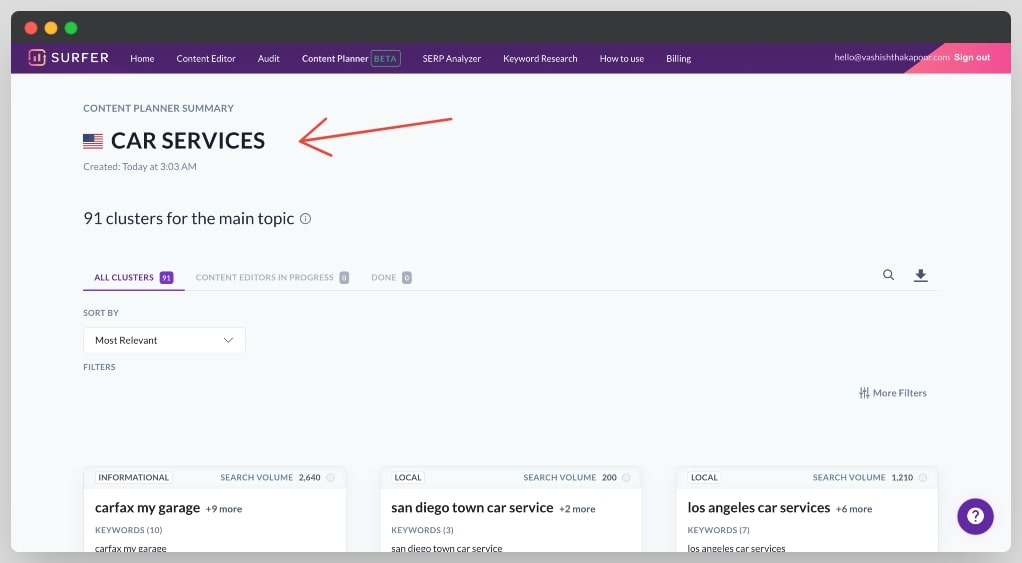
The idea is topical authority: by publishing a set of interlinked articles that cover a subject deeply, you send strong relevance signals to Google and build authority in that niche faster than publishing random standalone posts.
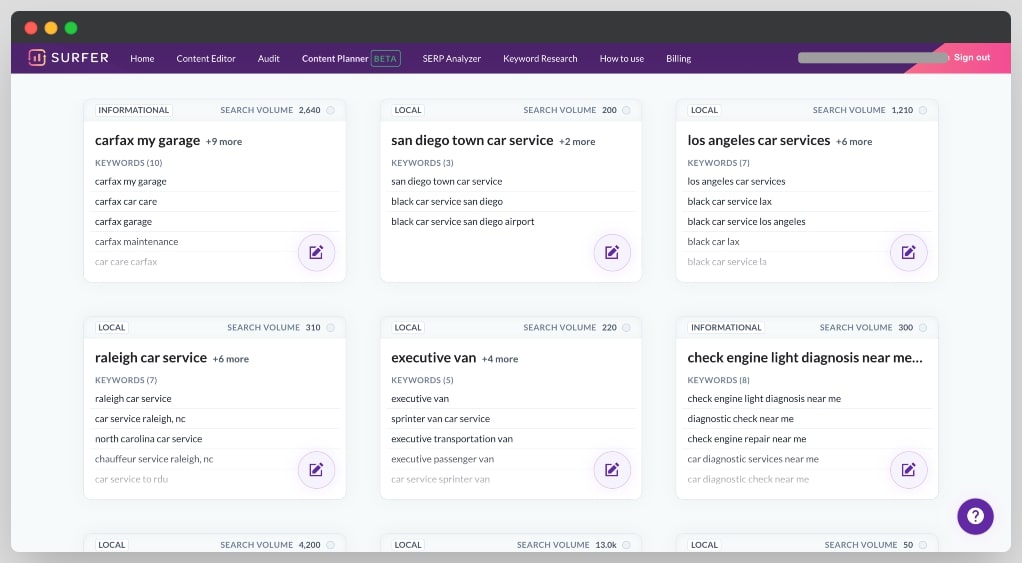
Each cluster shows you:
- The primary keyword to target
- Supporting semantic keywords to include
- Estimated search volume for the cluster
- A direct link to open a Content Editor brief for that keyword
For content teams and agencies managing editorial calendars, the Content Planner is one of the most practically valuable features Surfer offers. It removes the "what should I write next?" question and replaces it with a prioritized, data-driven queue.
4. SEO Audit
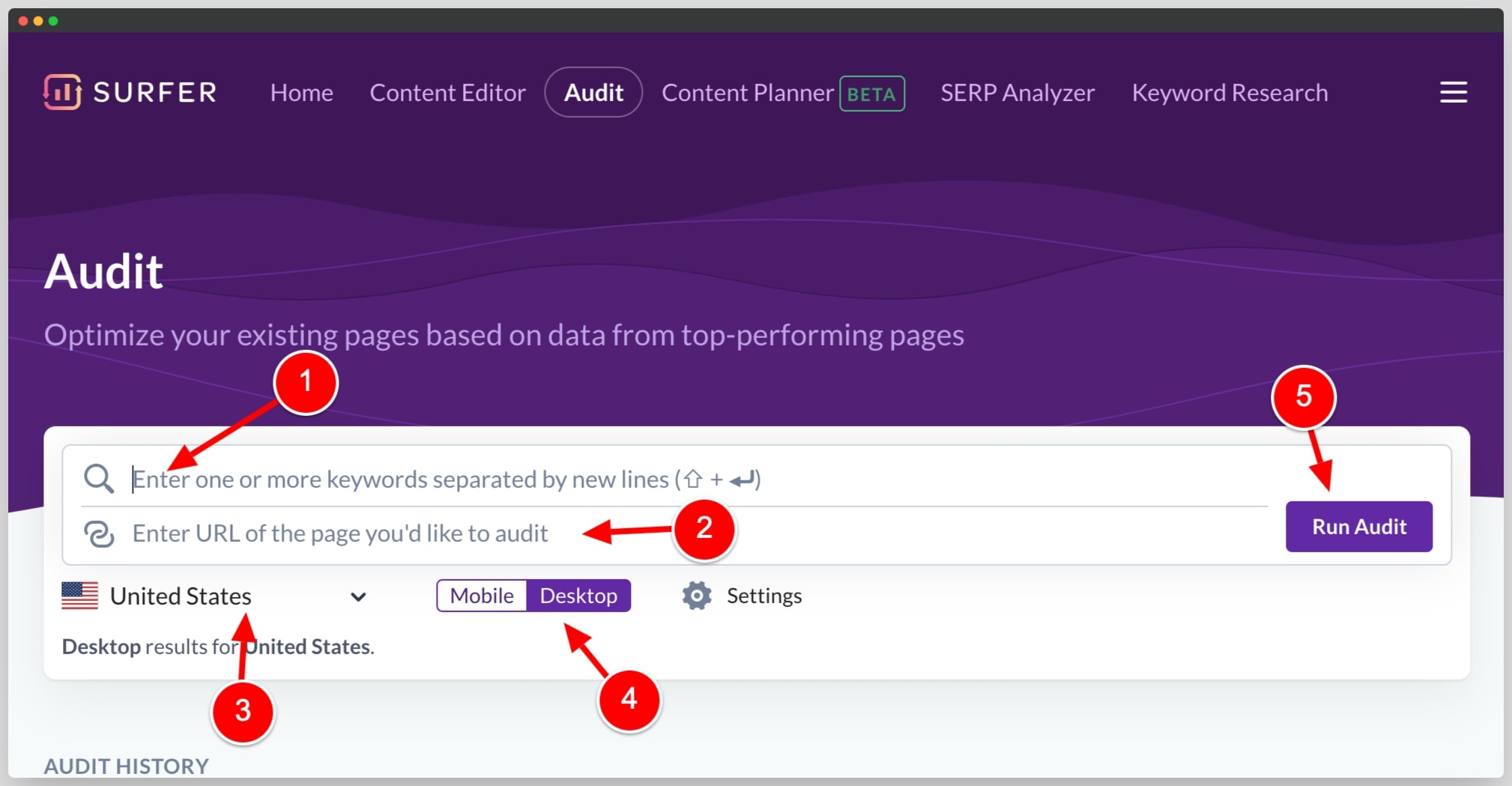
The SEO Audit analyzes your existing published pages and shows you what to improve to boost their rankings. This is particularly valuable for content you published before you started using Surfer — or for pages that have dropped in ranking over time.
You give Surfer a URL and a target keyword, and it compares your page against the current top-ranking results. It then produces a prioritized list of recommendations: add these terms, adjust your word count, use more headings, include images, and so on.
In my experience, it's one of the faster ways to identify quick SEO wins. Updating an existing page that's already indexed and receiving some traffic is often faster than creating a new article from scratch — and the Audit tells you exactly what levers to pull.
The audit checks:
- Missing NLP terms — words and phrases in top-ranked content that yours lacks
- Structural issues — heading count, paragraph length, image count
- Meta data — title and description optimization opportunities
- Internal link suggestions — pages on your site you should be linking to and from
- Word count gaps — whether your content is significantly shorter than competitors
5. Surfer AI
Surfer AI is one of the most significant feature additions in recent years. It's a native AI content generation tool built directly into the Content Editor workflow — meaning the AI writes content that's optimized for SEO from the first draft.
Here's what distinguishes it from just running ChatGPT and pasting into the editor: Surfer AI generates content informed by its own SERP analysis of your target keyword. It knows the recommended word count, the terms to include, the headings to use, and the competitor content to differentiate from — and writes with all of that context built in.
The output quality is noticeably better than generic AI content for SEO purposes, though you should still edit every article for brand voice, accuracy, and any claims that need verification.
Surfer AI (now called Surfy) is available on all plans, including the entry-level Discovery plan. The level of AI assistance scales with your plan, but even the most basic tier gives you access to the AI writing assistant and humanizer — something that wasn't the case with older plan structures.
6. AI Tracker (Beta)
AI Tracker is one of Surfer's most significant and forward-thinking additions. As search increasingly shifts toward AI-generated answers in ChatGPT, Perplexity, Google Gemini, and Google AI Overviews, knowing whether your brand appears in those responses has become as important as traditional rank tracking.
The AI Tracker lets you monitor your brand's presence across AI search engines simultaneously. You define prompts — questions your target audience might ask an AI — and Surfer tracks whether your brand gets cited, mentioned, or recommended in response. You also get data on competitor share of voice and mention gaps, so you can see exactly where you're losing ground in AI search.
This is genuinely new territory for SEO tools. Most platforms are still built around blue-link rankings. Surfer is one of the first to make AI visibility measurable and actionable.
7. Topical Map
The Topical Map (previously called Content Planner/Domain Planner) gives you a strategic view of which topics and content clusters your site should target to build topical authority.
You enter a topic area and Surfer generates a map of keyword clusters — each representing a recommended article — organized around sub-themes. The goal is to help you publish a comprehensive set of interlinked content that signals deep expertise to Google on a given subject.
This is particularly useful for new sites trying to establish authority quickly, or for existing sites that want to expand into a new content vertical in a structured, Google-friendly way.
8. Chrome Extension — Keyword Surfer (Free)
Keyword Surfer is a completely free Chrome extension that adds search volume data directly to Google SERPs. When you search for anything on Google, you see the monthly search volume for that query right in the search bar, plus estimated traffic for each ranking result.
It's one of the most useful free SEO tools available. Even if you don't subscribe to Surfer SEO, the Chrome extension alone is worth installing.
How to Start Using Surfer SEO
Getting started with Surfer is straightforward. Here's the process:
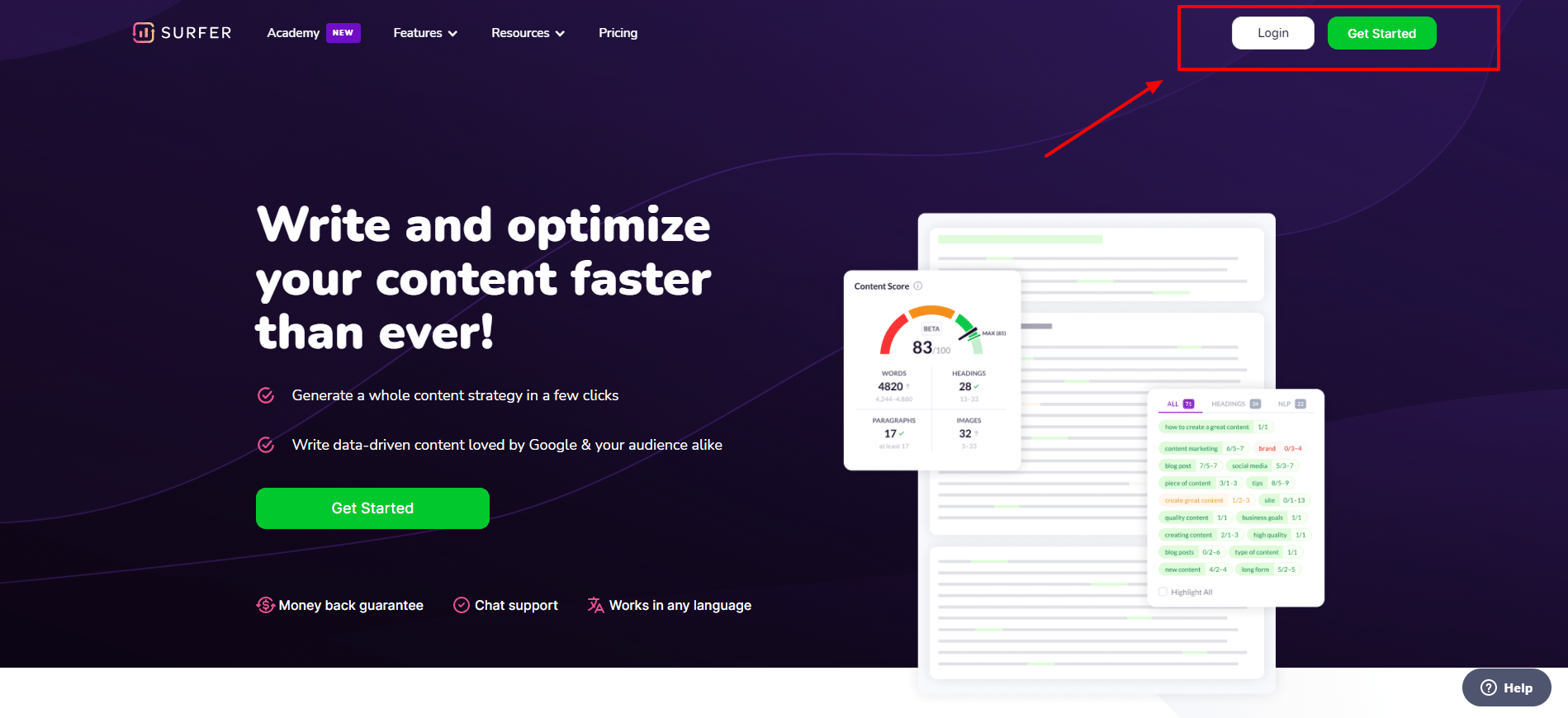
- Go to surferseo.com and create an account
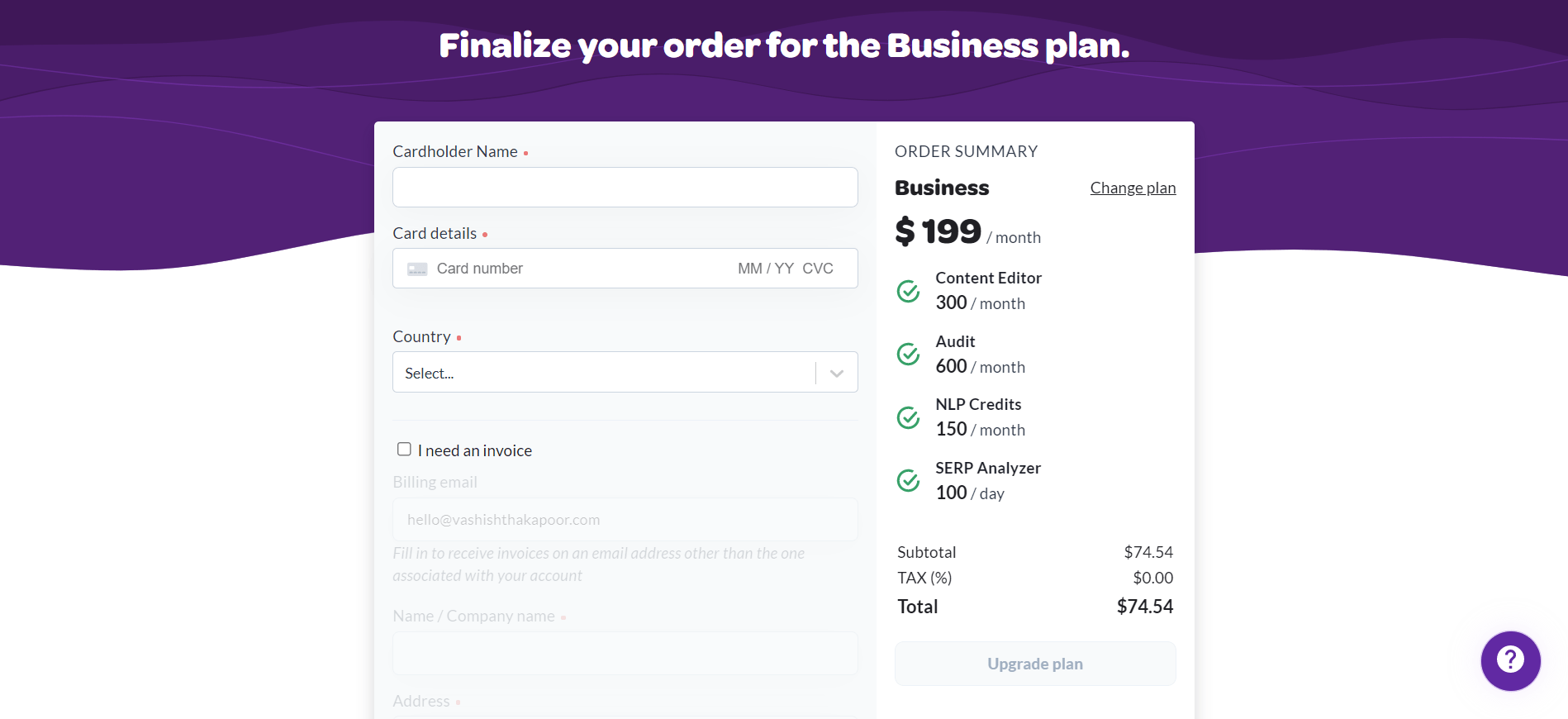
- Choose a plan and complete billing
- Once signed in, you'll land on the main dashboard
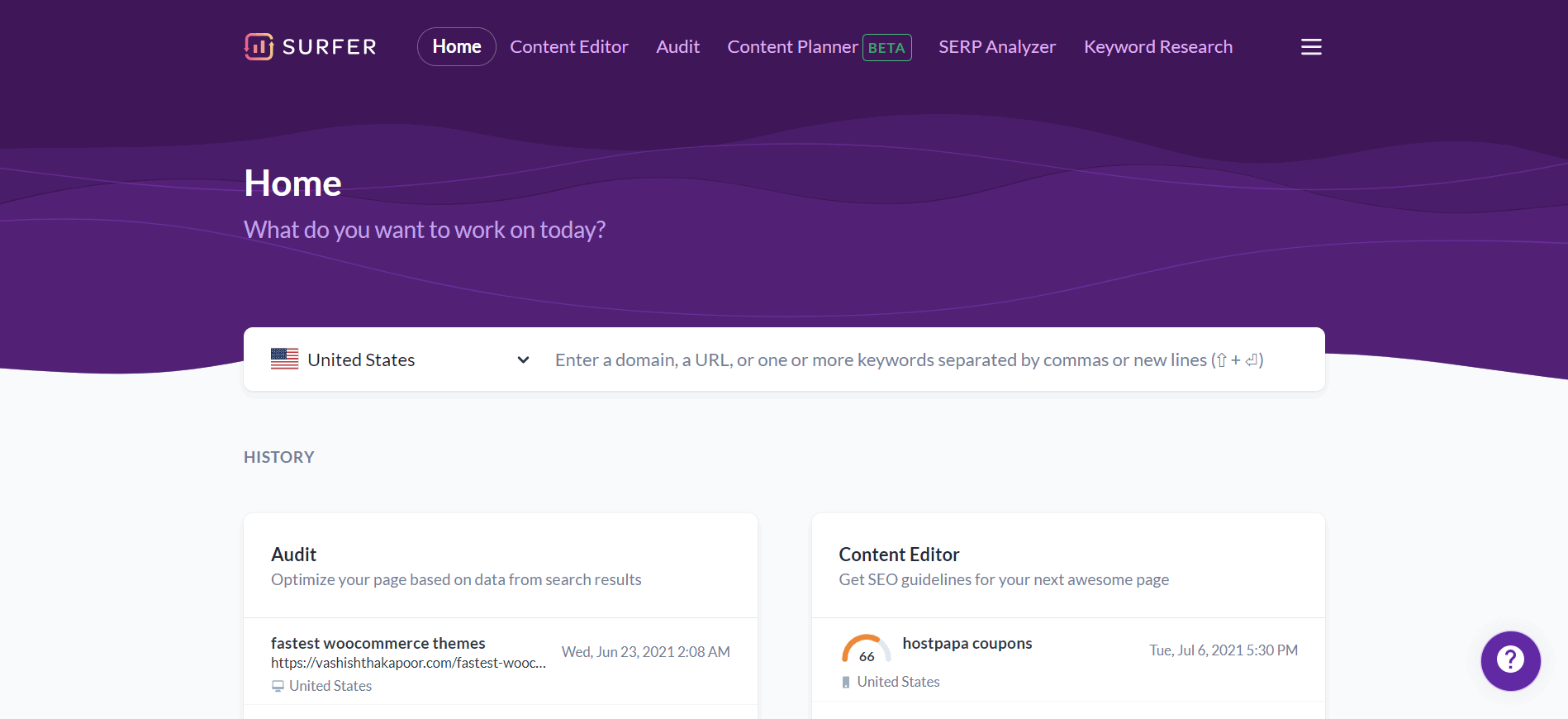
From the dashboard, your three most common starting points are:
- Content Editor — for writing new SEO-optimized articles
- Content Planner — for planning a content strategy around a topic
- Audit — for improving existing pages
How to Use the Content Editor (Step-by-Step)
The Content Editor is the core of the Surfer workflow, so let me walk through it in detail.
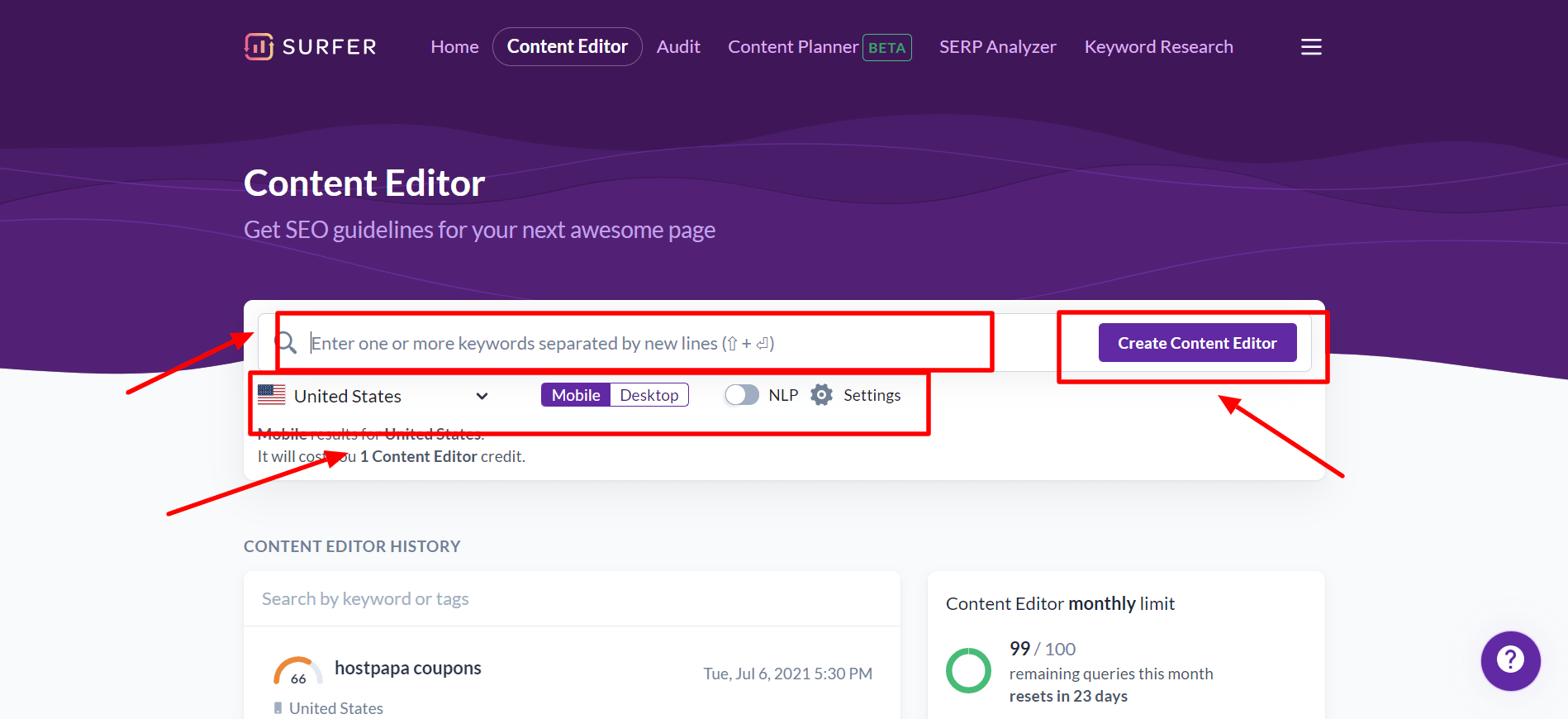
Step 1: From the dashboard, click "Content Editor" in the top navigation. You'll see the page to create a new editor.
Step 2: Type in your target keyword. Configure the settings below: choose your target location (country), enable or disable NLP analysis, and select the number of competitor pages to analyze.
Step 3: Click "Create Content Editor." Surfer will take 30–60 seconds to analyze the top-ranking results.
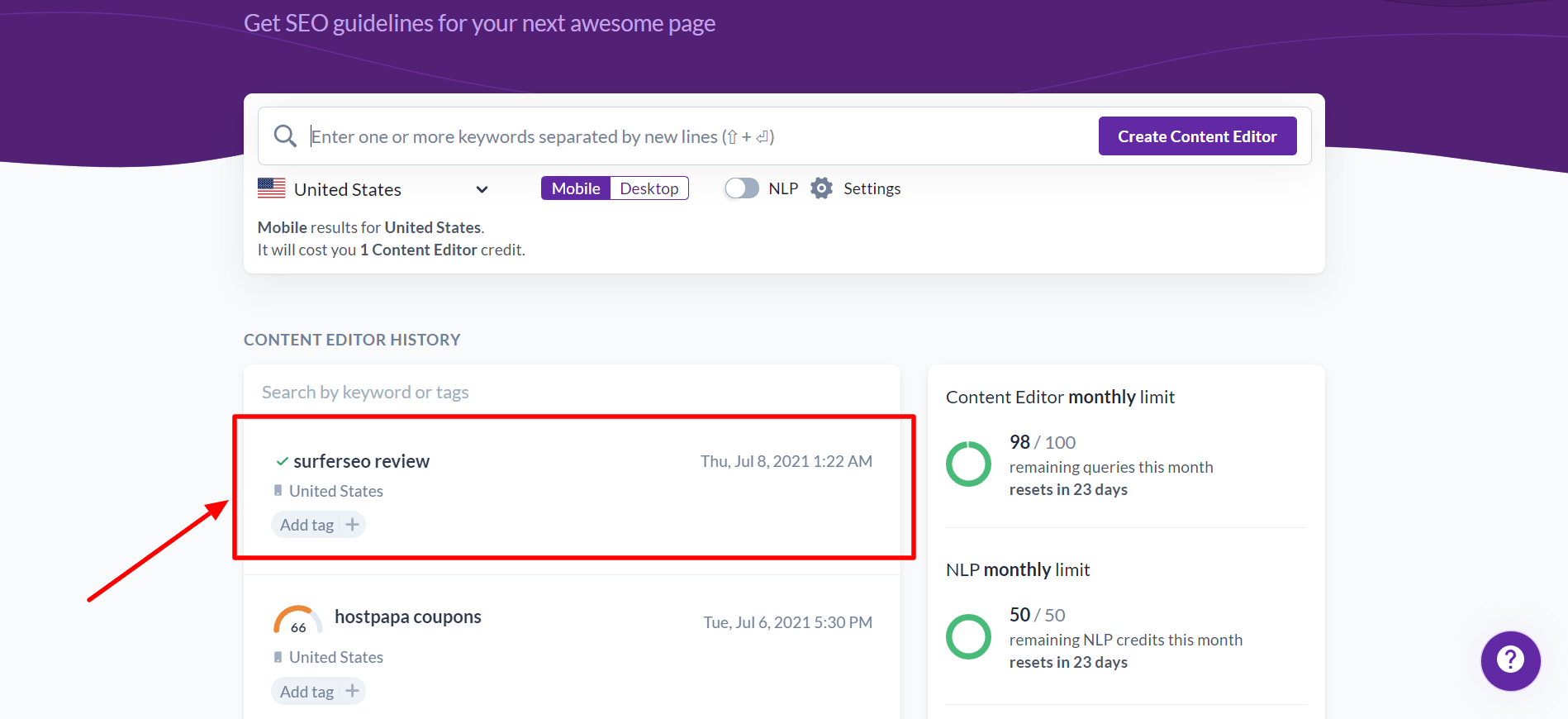
Step 4: Click into the newly created editor. You'll see a blank writing canvas on the left and a content guidelines panel on the right.
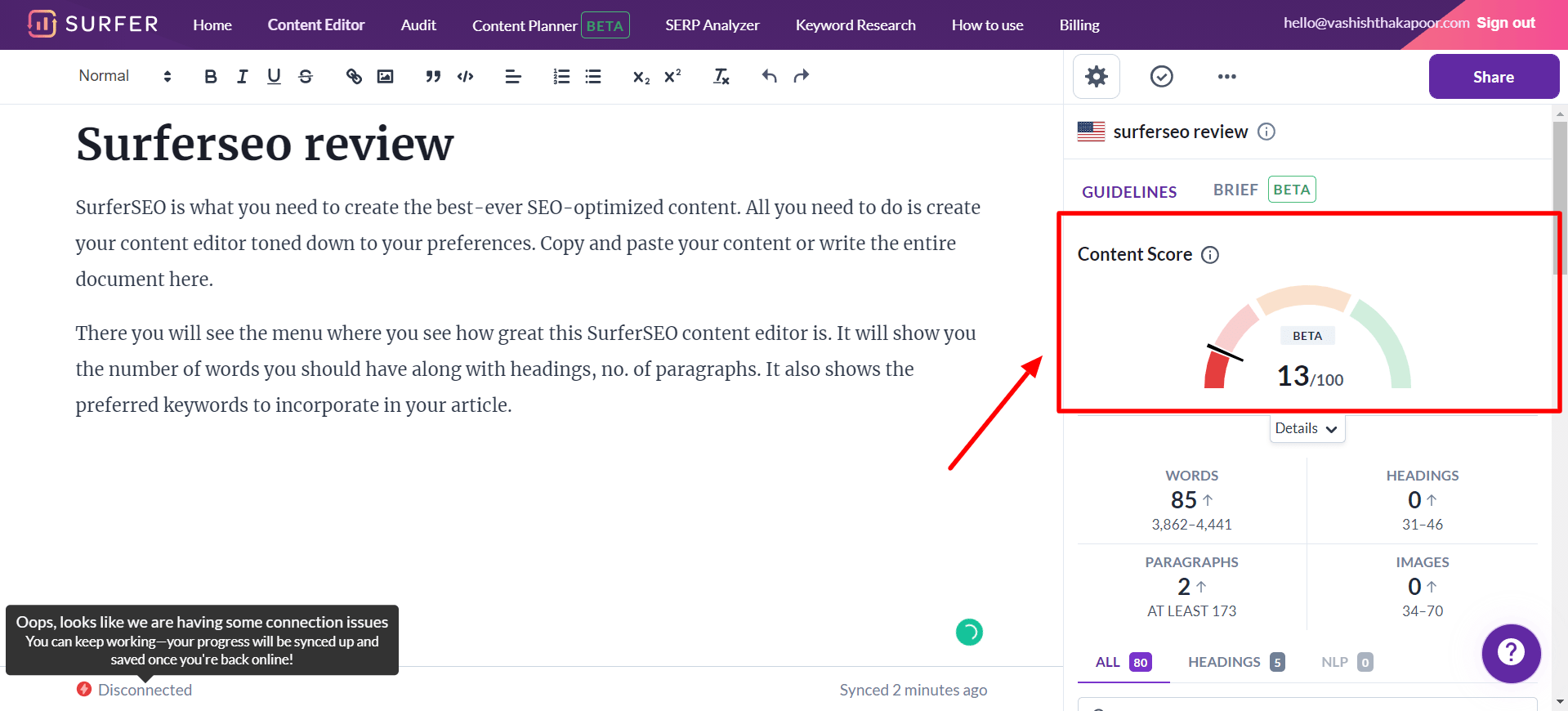
Step 5: On the right side, you'll see your Content Score meter, along with target ranges for word count, number of headings, images, and paragraphs. As you write, the score updates live.
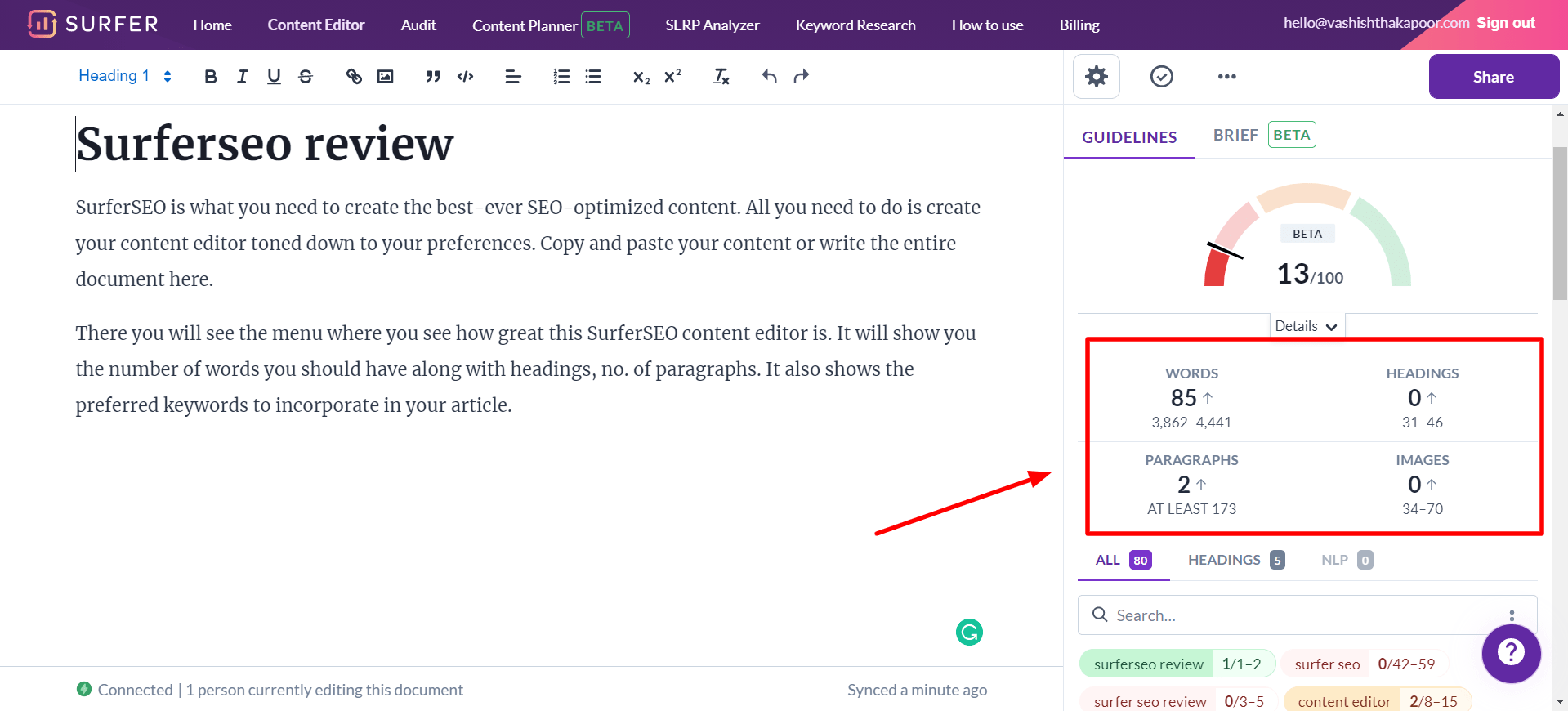
For example, Surfer might tell you that the optimal word count range is 3,800–4,400 words, that you should aim for 14–22 headings, and include 8–14 images. These aren't arbitrary numbers — they come directly from what's ranking in the top positions for your keyword.
Step 6: Scroll down in the right panel to see the keyword and NLP terms list. Each term shows how many times it's recommended. Green terms are already covered in your draft; red/grey ones need to be added.
Step 7: Click the settings icon (top right of the editor) to access the competitor breakdown — you can see exactly what terms each competitor uses, their structure, word count, and more. This is invaluable for understanding what your piece needs to do differently to stand out.
Tip on target score: In my experience, a Content Score of 70+ is a solid target for most keywords. If you can hit 75–80 with genuinely quality writing, you're in a very strong position. Don't chase 100 at the expense of readability — Google reads the whole page, not just the term frequency.
Here's a walkthrough of the Content Editor in practice:
Surfer SEO Pros and Cons
Pros ✅
- Real-time content scoring — get live feedback as you write, no guessing
- NLP-powered term analysis — goes beyond basic keyword density to capture true topical coverage
- SERP-driven recommendations — every guideline is based on what's actually ranking, not theory
- 500+ ranking factors analyzed — one of the most comprehensive on-page analyses available
- Seamless Google Docs integration — write in Docs with Surfer recommendations embedded
- WordPress plugin — publish directly and see your content score inside WordPress
- Content Planner for topical authority — builds entire content strategies, not just one-off articles
- Surfy AI assistant — native AI writing that's SEO-aware from the start, available on all plans
- AI Tracker — track your brand's visibility in ChatGPT, Perplexity, Google Gemini, and Google AI Overviews
- Great for teams — shareable links, team accounts, live collaboration, white-label options (Peace of Mind and above)
- Content Audit — identifies optimization opportunities across your entire site with rank drop alerts
- Free Keyword Surfer extension — adds real value even without a subscription
- Intuitive interface — relatively fast learning curve compared to tools like Ahrefs or SEMrush
Cons 💔
- No free plan — Discovery starts at $49/month (yearly) which is more accessible, but there's no free tier beyond the Chrome extension
- Document limits apply to all plans — each Content Editor document consumes a credit from your monthly allowance; heavy publishers may hit limits on lower tiers
- Not a backlink tool — Surfer focuses on on-page signals; you still need Ahrefs or SEMrush for backlink research
- Keyword research is limited — the keyword database depth doesn't match specialized tools
- AI content still needs heavy editing — Surfer AI drafts are a useful starting point, not a finished product
- Surfer Score can push over-optimization — chasing a high score can sometimes make content feel mechanical; always prioritize clarity
Surfer SEO Pricing (2026)
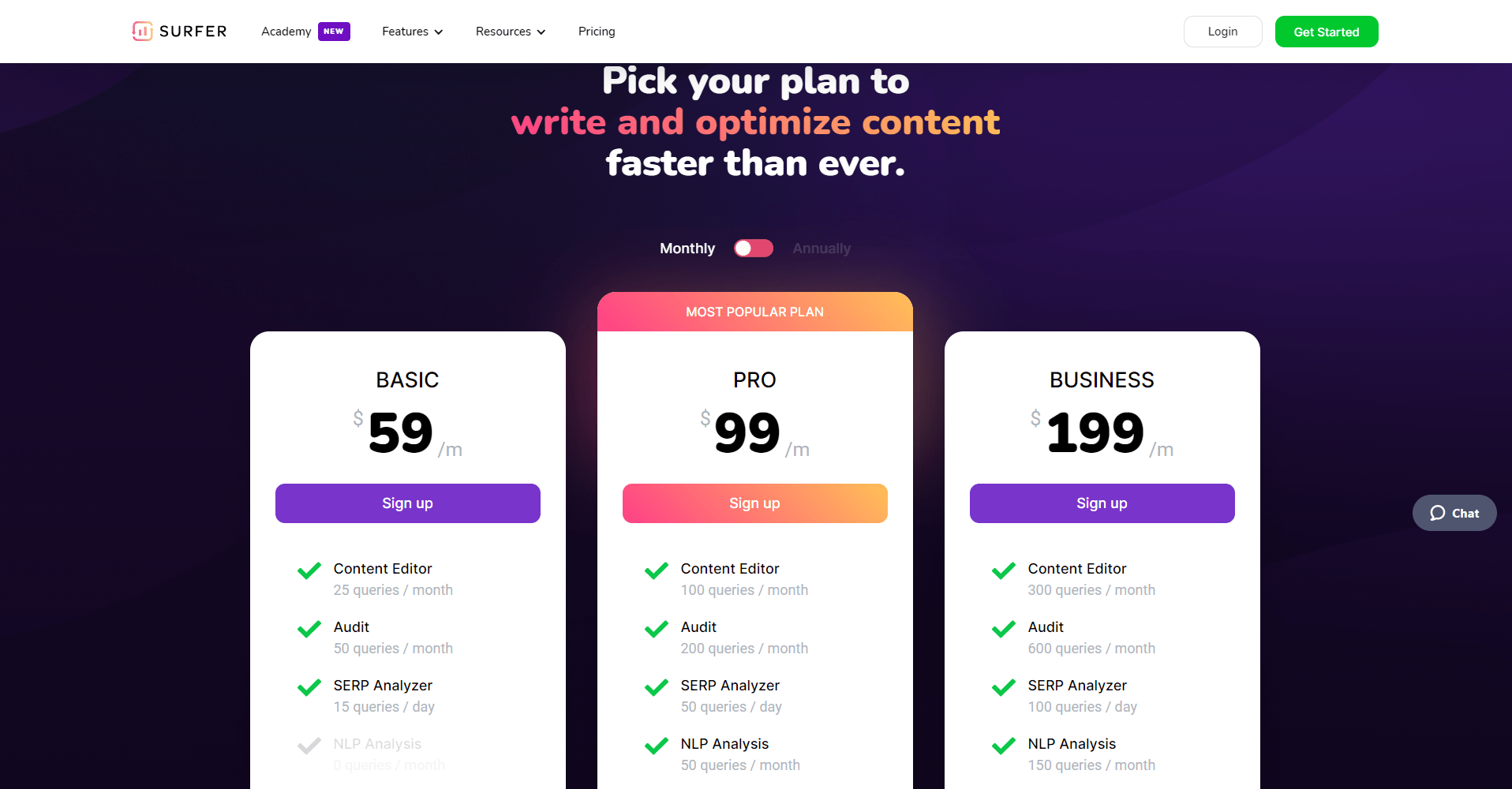
Surfer SEO has significantly revamped its plan structure. The new lineup is named Discovery, Standard, Pro, and Peace of Mind — and all prices shown below are billed annually. Monthly billing is available at a higher rate.
Note: Surfer frequently updates its pricing and plan features. The figures below reflect current pricing — always verify the latest at surferseo.com before purchasing.
Discovery — $49/month (billed yearly, saves $120/year)
Best for: Individuals or small sites just getting started with content SEO.
- 120 documents per year (create or optimize)
- Track 10 pages for rank monitoring
- AI SEO Optimization Guidelines
- Surfy AI assistant & Humanizer — included
- 1 Team Seat
- WordPress + Google Docs integrations
- Full access to SERP Analyzer, Keyword Research, Topical Map, and Content Audit
Discovery is the entry-level tier and a genuinely accessible starting point. At $49/month yearly, it's the most affordable Surfer has ever been for solo publishers.
Standard — $99/month (billed yearly, saves $240/year)
Best for: Growing blogs, content teams, and small agencies.
- 360 documents per year
- AI Visibility Tracking — ChatGPT monitoring
- Track 25 AI prompts, refreshed weekly
- Track 50 pages
- Brand Knowledge base
- Plagiarism Checker
- 1-click Content Optimization
- 3 Team Seats
- 1 Brand Workspace
- WordPress + Google Docs integrations
- 1-week content version history
Standard is the sweet spot for most individual content creators who are serious about SEO but not yet running a full team operation.
Pro — $182/month (billed yearly, saves $444/year) — Most Popular
Best for: Established content teams, SEO agencies, and brands competing in tough niches.
- 360 documents per year
- Full AI Visibility Tracking — ChatGPT, Perplexity, Google AI Mode, Google AI Overviews, and Google Gemini
- Track 50 AI prompts, refreshed daily
- Track 200 pages
- 5 Brand Workspaces
- 1-click Internal Linking
- Content Ideas & Coverage Gap analysis
- Custom Templates & Custom Voices
- Rank Drop Detection alerts
- Cannibalization Report
- 5 Team Seats
- WordPress, Google Docs, and Contentful integrations
- 1-month content version history
- API access
Pro is Surfer's recommended plan for most teams, and it's easy to see why. The daily AI visibility refresh, full multi-model AI tracking, rank drop alerts, and cannibalization reports make this the complete package for anyone competing seriously in organic and AI search.
Peace of Mind — $299/month (billed yearly, saves $720/year)
Best for: Large agencies, enterprise content teams, and high-volume publishers.
- Unlimited documents (fair usage policy applies)
- Full AI Visibility Tracking across all models
- Track 100 AI prompts, refreshed daily
- Track 500 pages
- Unlimited Brand Workspaces
- Advanced SERP Analysis
- Zapier integration (added on top of WordPress, Google Docs, Contentful)
- Personalized Onboarding
- Dedicated Customer Success Manager
- 10 Team Seats
- 6-month content version history
- Full API access
For agencies managing multiple client sites and brands simultaneously, the unlimited documents and unlimited brand workspaces at Peace of Mind are genuinely valuable. The dedicated success manager and personalized onboarding add real practical value for teams scaling fast.
Enterprise — From $999/month (custom packages)
For organizations requiring SSO, enterprise-grade security, legal onboarding assistance, custom limits, tailored team onboarding, white-label capabilities, and priority support. Contact Surfer's sales team directly.
Annual billing discount: All plans save between ~$120–$720 per year compared to equivalent monthly billing. The annual commitment makes sense if you're using Surfer regularly — and most content teams do.
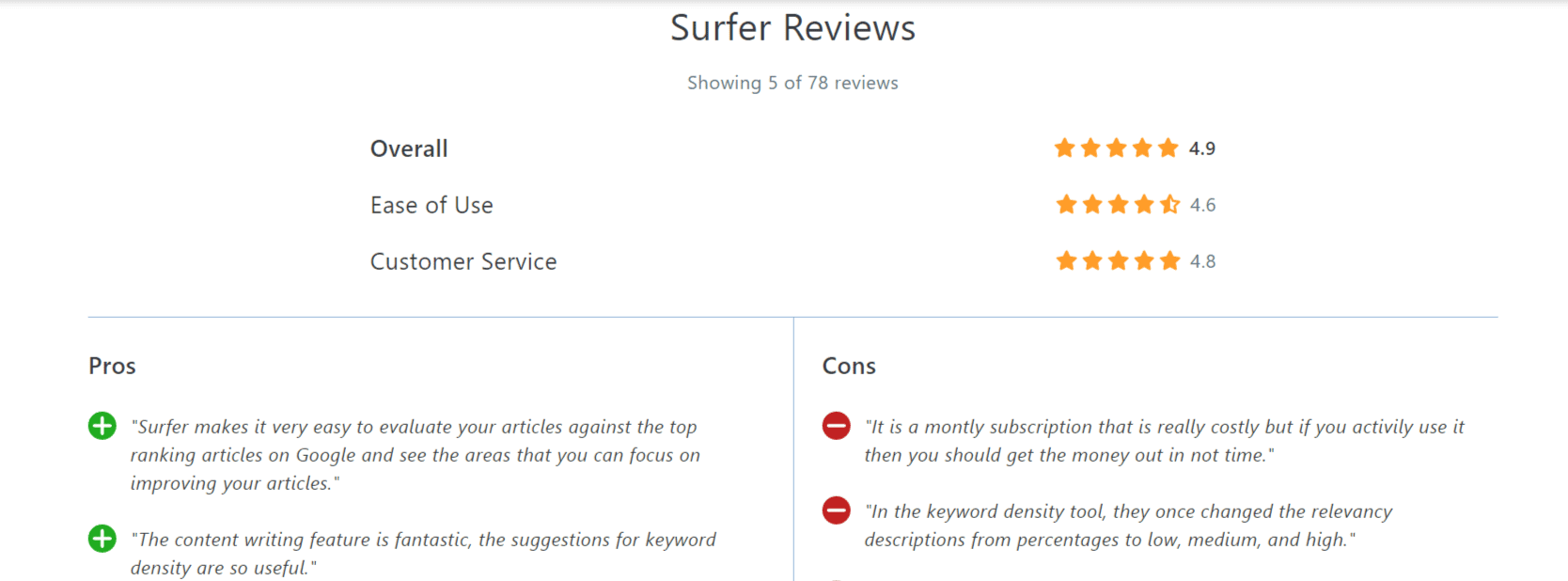
Surfer SEO Customer Support
Surfer offers live chat support with response times that are generally quick — I've had replies within a few minutes during business hours. The documentation has improved significantly in recent years, with detailed help articles and video tutorials covering every feature.
They also have an active Facebook community (Surfers Community) where users share results, ask questions, and get tips directly from power users and occasionally the Surfer team.
Refund policy: Surfer offers a 7-day refund window. If you're not satisfied after giving it a real try, you can contact support and request a refund within that period.
Surfer SEO vs. Alternatives
Surfer SEO vs. MarketMuse
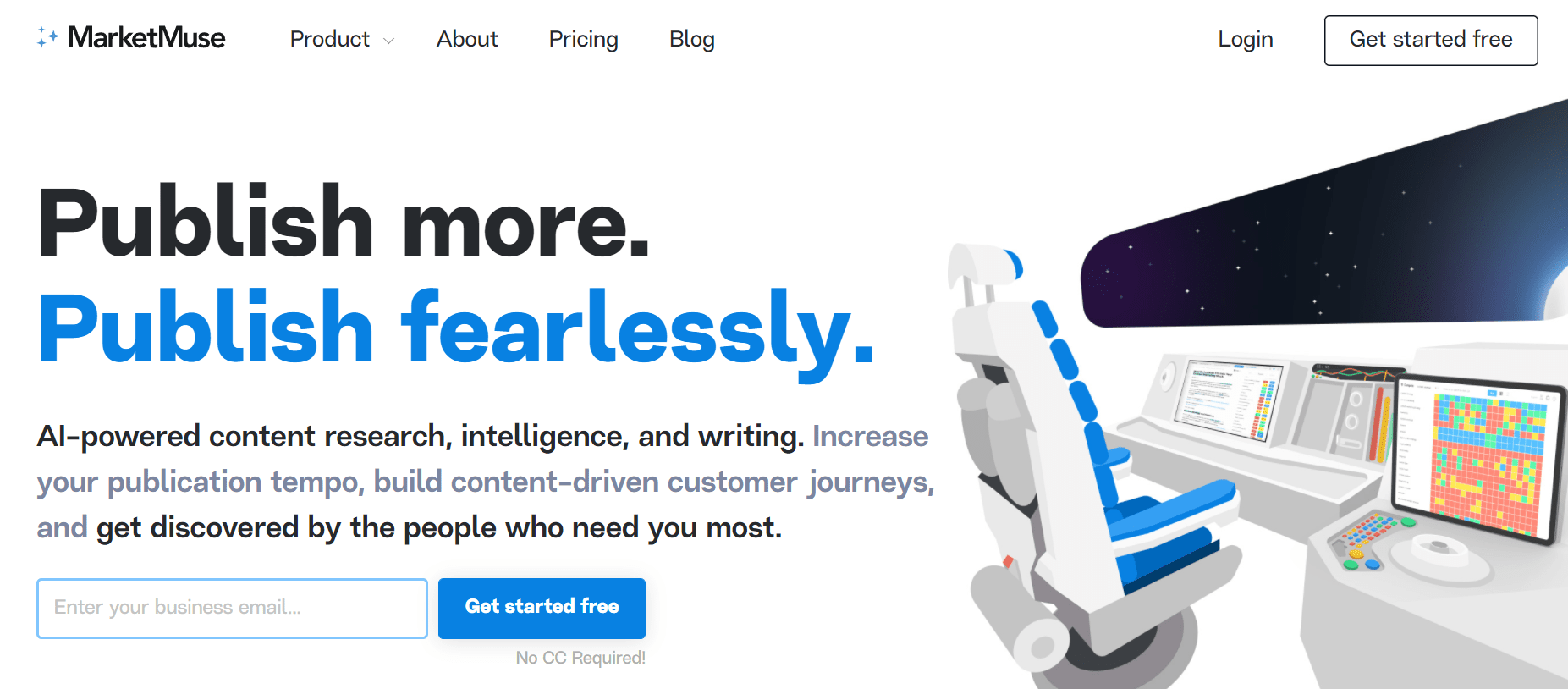
MarketMuse is a direct competitor in the content intelligence space. It uses AI to analyze topics, identify content gaps, and generate content briefs. Where MarketMuse excels is in topic modeling depth — its knowledge graph analysis is particularly strong for identifying what subtopics a piece of content needs to cover.
However, MarketMuse is significantly more expensive (its paid plans start at $149+/month) and has a steeper learning curve. For most individual bloggers and mid-sized content operations, Surfer offers more practicality per dollar, especially with its integrated Content Editor workflow.
Verdict: Surfer SEO for most users. MarketMuse for enterprise teams who need advanced topic modeling and content strategy at scale.
Surfer SEO vs. SEMrush

SEMrush is an all-in-one SEO platform covering keyword research, backlink analysis, site audit, PPC research, rank tracking, and competitive intelligence. It's arguably the most comprehensive SEO tool on the market today.
But SEMrush's on-page content optimization is weaker than Surfer's. SEMrush has an SEO Writing Assistant, but it doesn't match the depth and real-time scoring of Surfer's Content Editor. Most practitioners use both: SEMrush for keyword research and backlink analysis, Surfer for content writing and optimization.
If you can only afford one: choose based on your biggest bottleneck. Writing better content → Surfer. Keyword intelligence and backlinks → SEMrush.
Surfer SEO vs. Ahrefs

Ahrefs is primarily a backlink analysis and keyword research tool with the largest crawled backlink index available. It has a powerful rank tracker, Site Audit tool, and detailed SERP analysis. The recently added Ahrefs AI Content Helper brings some content optimization capability, but it's not at Surfer's level for real-time editorial guidance.
Ahrefs starts at $129/month (Lite) for one user. If you need deep backlink data and keyword research — essential for link building campaigns and competitor analysis — Ahrefs is worth it. But for actually optimizing and writing content, Surfer is the better choice.
Most advanced practitioners use Ahrefs + Surfer together — Ahrefs for research, Surfer for writing.
Surfer SEO vs. Frase
Frase is a more affordable content optimization tool (starting around $15/month) that covers AI writing, content briefs, and SERP analysis. If budget is your primary constraint, Frase is a reasonable entry-level alternative.
That said, Frase's SERP analysis isn't as deep, the NLP term recommendations aren't as refined, and the content scoring system is less sophisticated than Surfer's. For serious SEO content work, you'll likely outgrow Frase and want to move to Surfer.
Is Surfer SEO Worth the Money?
The honest answer is: it depends on your publishing volume and how seriously you take SEO.
If you're publishing fewer than 4–5 articles a month and don't have aggressive traffic goals, the Discovery plan at $49/month (yearly) is actually a reasonable entry point now — far more accessible than Surfer's older pricing structure. That said, if you're truly casual about publishing, solid writing and basic SEO hygiene can get you reasonably far without any paid tool.
But if you're publishing consistently, competing in any moderately tough niche, or running a content operation for a business (your own or a client's), Surfer pays for itself quickly. The improvement in ranking likelihood from using the Content Editor properly is not marginal — it's substantial and measurable.
I've personally seen pages that were stuck at positions 8–15 jump to positions 1–5 after an Audit-guided rewrite. That kind of result, replicated across multiple pieces, makes Surfer one of the highest-ROI tools in a content SEO stack.
FAQs About Surfer SEO
What is Surfer SEO, and how does it work?
Surfer SEO is a cloud-based on-page content optimization platform. It analyzes the top-ranking pages for your target keyword across 500+ ranking factors, then gives you real-time guidance inside a content editor to help your article match or outperform those results.
What is Surfer SEO's current pricing?
As of 2026, Surfer has four plans billed annually: Discovery at $49/month, Standard at $99/month, Pro at $182/month (most popular), and Peace of Mind at $299/month. Enterprise custom packages start at $999/month. Pricing is subject to change — always verify current plans at surferseo.com.
Does Surfer SEO work for Google Docs?
Yes. The Surfer Chrome Extension integrates directly with Google Docs. With it installed, you can create and score Surfer Content Editors inside any Google Doc without switching between tabs.
Is there a free trial for Surfer SEO?
Surfer occasionally offers free trials or money-back guarantees. There is no permanent free plan, but the Keyword Surfer Chrome extension is free and provides search volume data inside Google SERPs.
Can you use Surfer SEO for existing content?
Yes — that's what the SEO Audit feature is for. Input a URL and a target keyword, and Surfer tells you exactly what to add, remove, or adjust to improve that page's rankings.
Is Grammarly compatible with Surfer's Content Editor?
Yes. If you have the Grammarly Chrome extension installed, it works alongside Surfer both in the native editor and in Google Docs when the Surfer extension is active.
Where does Surfer get its data?
Surfer uses its own proprietary crawlers to pull real-time data from Google SERPs for every Content Editor query. The data reflects current SERP conditions, not historical snapshots.
Does Surfer SEO have an API?
API access is available on the Pro plan and above. The Peace of Mind and Enterprise plans include more comprehensive API access for custom workflows and large-scale integrations.
Is Surfer SEO good for eCommerce?
Yes. Surfer can optimize product pages and category pages just as effectively as blog content. Many eCommerce brands use it to improve their organic rankings for product and category-level keywords.
Does Surfer have an affiliate program?
Yes. Surfer SEO has an affiliate program that pays recurring commissions. Check their website for current commission rates and terms.
Also Read
Conclusion — Surfer SEO Review 2026
After years of using Surfer SEO across personal blogs, affiliate sites, and client projects, my verdict is simple: it's the best on-page content optimization tool available for most content creators and SEO practitioners.
The Content Editor alone is worth the subscription if you're publishing regularly in any competitive niche. The NLP-powered guidance is genuinely superior to anything else in this category. The addition of AI Tracker, the Topical Map, full AI visibility monitoring, and the revamped plan structure has made the platform more capable and more accessible than ever.
Surfer has also leaned hard into the future of search — tracking brand visibility in ChatGPT, Perplexity, Google Gemini, and AI Overviews. If you're thinking about SEO only in terms of blue-link rankings, you're already behind. Surfer is one of the few tools actively helping you measure and improve your presence in AI-generated answers.
And no, it won't replace a dedicated keyword research or backlink analysis tool. But as a platform for writing content that ranks — and for tracking whether your brand shows up where your audience is actually looking — nothing else does it as well.
My recommendation:
- Discovery ($49/mo yearly) — solo bloggers or small sites testing the waters
- Standard ($99/mo yearly) — individual content creators publishing consistently
- Pro ($182/mo yearly) — teams, agencies, and anyone competing in AI search
- Peace of Mind ($299/mo yearly) — high-volume publishers and agencies managing multiple brands