
Most website builders stop at the website. Onepage.io is built around a different idea: the website is the starting point, not the finish line.
The platform combines visual page building with lead capture, multi-step forms, conversion funnels, a built-in CRM, analytics, and AI-assisted creation — all in one subscription. That changes the question from "can I build a website with Onepage?" to the more useful one: "can Onepage handle the marketing work my website needs to do?"
This review covers the platform's current features, pricing, independent user feedback, and who it actually makes sense for.
What Is Onepage.io?
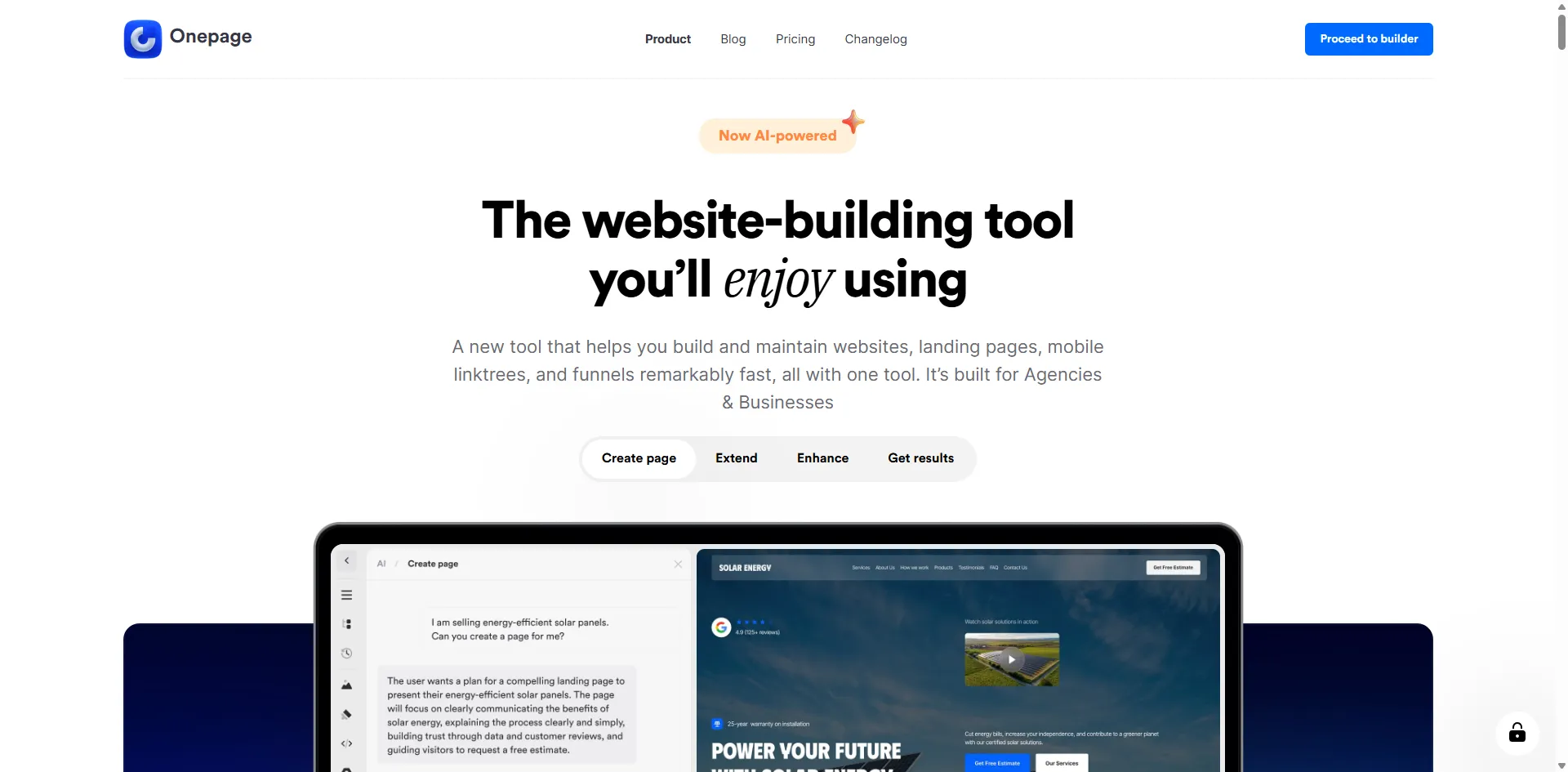
Onepage.io is a visual website-building platform aimed at businesses, marketers, and non-technical users who want to create websites and landing pages without writing code.
The current platform includes:
- Website and landing page builder
- Website analytics
- Built-in CRM
- Custom domains
- SEO controls
- Forms and funnels (via a separate add-on)
- AI tools for content creation and page generation
- MCP connections for working with external AI tools
So Onepage sits somewhere between a traditional website builder and a marketing-oriented lead-generation platform. That positioning matters when you are deciding whether it fits your use case.
Website Builder and Editor
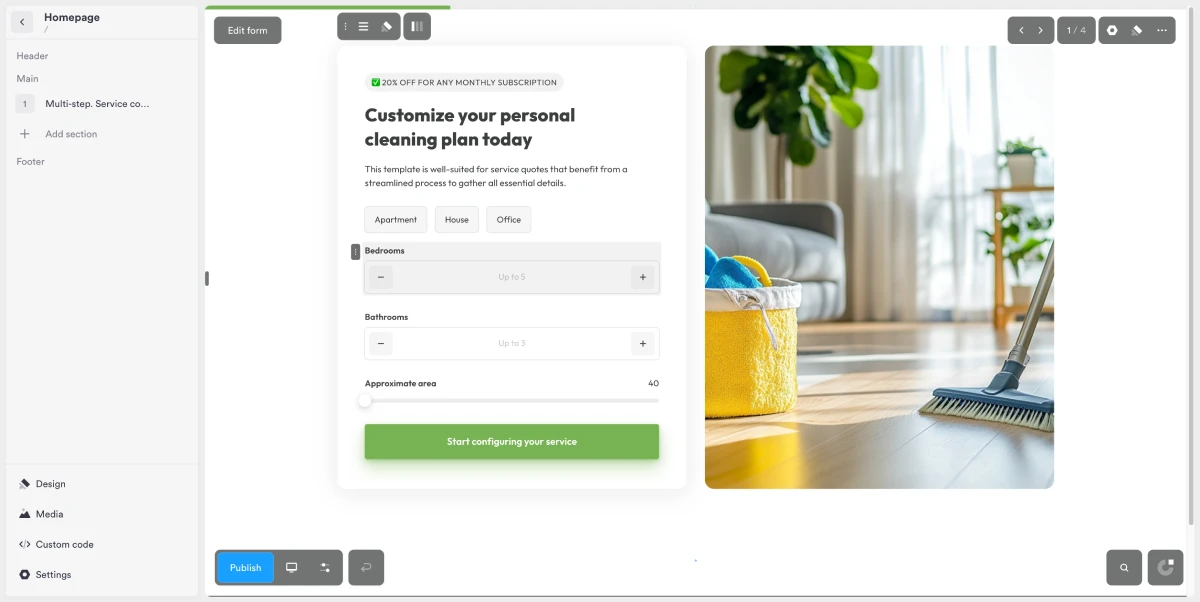
The core workflow is visual. You build and edit pages inside the editor rather than working with code — the design is meant to be controlled by the person building the site, not a developer.
For users who need more control, the platform supports custom HTML and CSS on applicable plans, so there is room to go deeper when the standard editor is not enough.
Independent ratings back the ease-of-use claim:
- G2: 4.8 / 5 from 71 reviews — ease of use appears repeatedly in positive feedback
- Capterra: 4.9 / 5 from 76 reviews, including a 4.8 score for ease of use specifically
These are not proof that every user will find the platform intuitive, but they are consistent evidence from people who are not on the company's payroll.
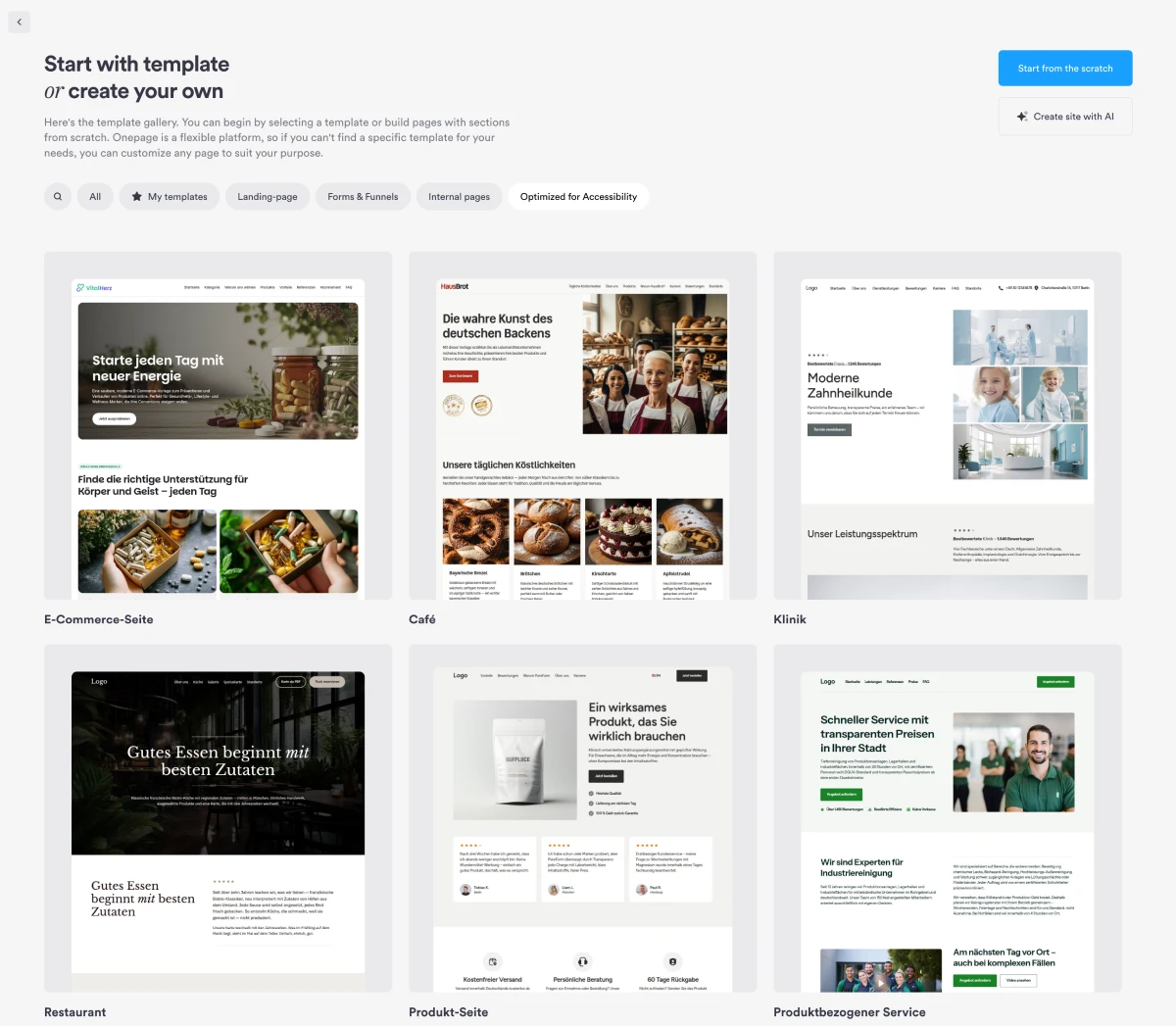
The template gallery provides starting points for different industries and page types. You select a template and customize it inside the visual editor — no blank canvas to start from.
Forms, Funnels, and Lead Capture
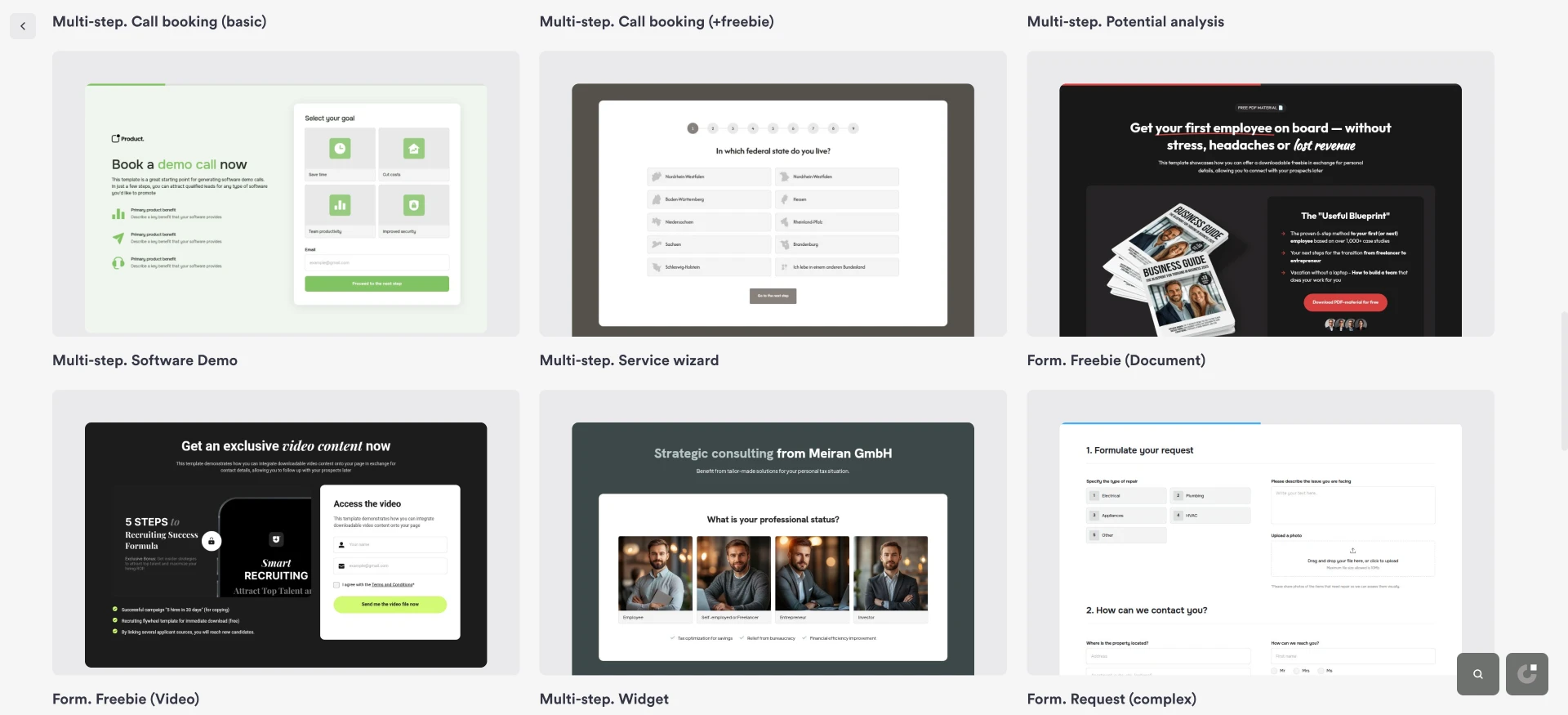
This is the feature area that separates Onepage from a standard website builder — and probably the main reason to consider it over simpler alternatives.
The Forms & Funnels add-on enables:
- Multi-step forms — break a long form into a sequence of screens to reduce friction
- Conditional logic — the next step changes based on how the visitor answered previous questions
- Quizzes — collect information in an engaging format before revealing a result or offer
- Lead capture connected to CRM — submissions go directly into the built-in CRM rather than an email inbox
A practical example: a marketing agency building a client-qualification form could split ten questions across five steps, change the path based on the visitor's answers, and send the completed lead directly into the CRM — without touching a third-party form tool or manually exporting CSVs.
That is a substantially different use case from publishing a company homepage.
Built-In CRM
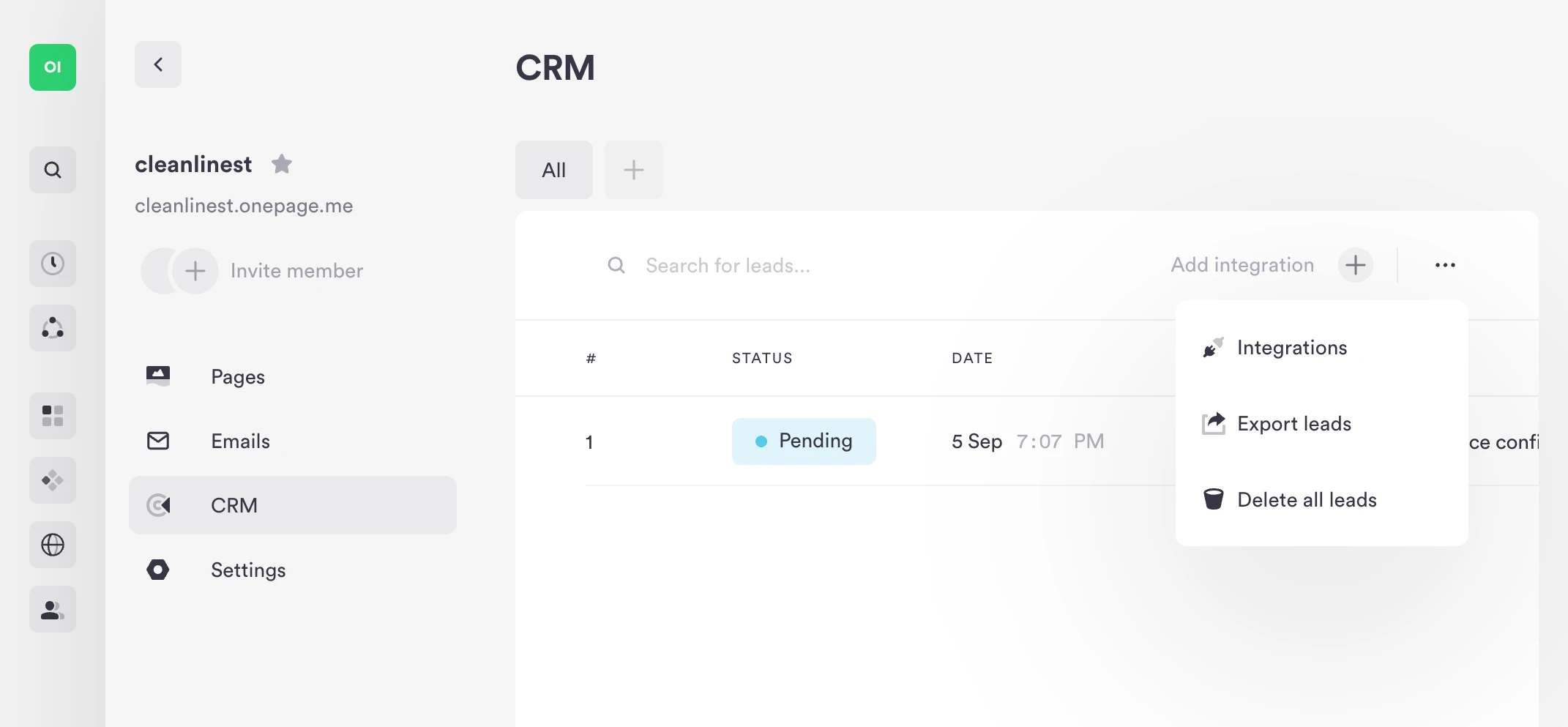
Form submissions from Onepage pages are collected automatically into the platform's internal CRM. Leads can be organized into lists and connected to external tools.
For businesses without an existing CRM setup, this removes one layer of complexity. For businesses already using HubSpot, Onepage has an official integration that transfers new leads into HubSpot contacts automatically.
Zapier and Make connections extend this further — any system that those automation platforms support can receive leads from Onepage.
Integrations
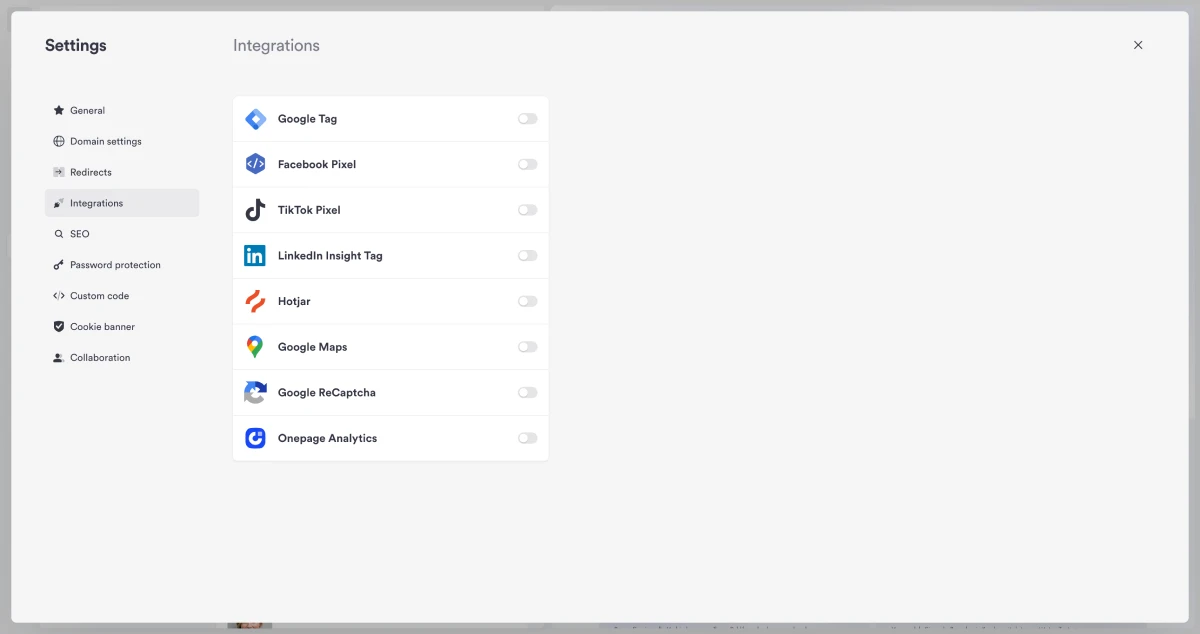
Onepage connects to external tools through native integrations and automation platforms:
- HubSpot — official integration transfers new Onepage leads into HubSpot contacts automatically
- Zapier — connects form submissions to thousands of apps including CRMs, email tools, and project management platforms
- Make — visual automation builder alternative to Zapier for teams that prefer its workflow style
- MCP — Model Context Protocol connections to AI tools like Claude and Cursor for AI-assisted site and form management
- Google Tag Manager — manage tracking and analytics scripts without editing site code
- Google Search Console — monitor indexing and search performance directly from within Onepage
For teams with an existing marketing stack, these integrations mean you do not have to replace every tool you already use — Onepage fits alongside them.
Analytics and Conversion Tracking

Onepage provides analytics for both websites and forms. For multi-step forms specifically, the platform shows sessions, leads, conversion rates, and where visitors drop off in the sequence.
That last point matters. Knowing 1,000 people visited a page is not particularly useful. Knowing that 1,000 people started the form, 600 completed step two, and only 200 reached the final step tells you where the problem is — and that is the kind of data that supports actual conversion optimization.
Having this inside the same platform as the form builder reduces the overhead of connecting separate analytics tools.
SEO Features
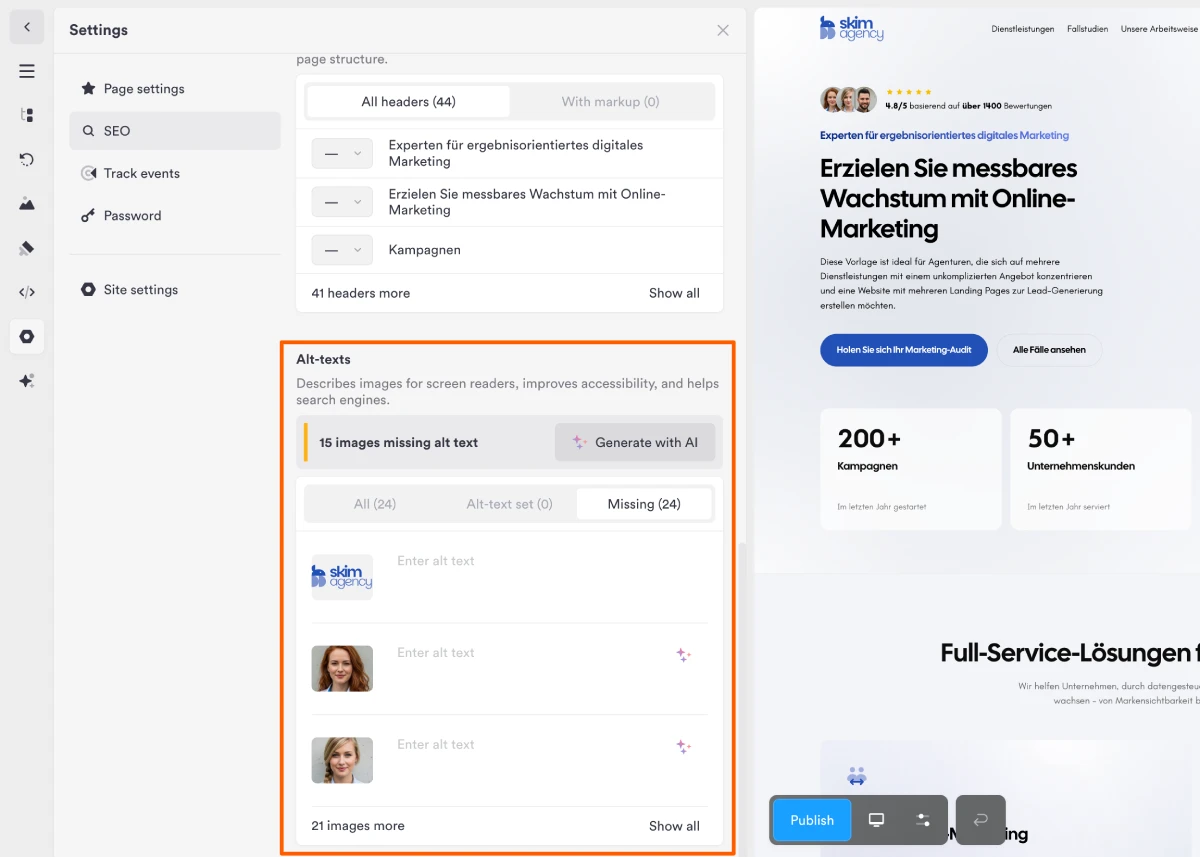
Onepage includes controls for common on-page and technical SEO requirements:
- Page title and meta description settings
- Google Search Console integration
- Structured data
- Sitemaps
- Robots.txt control
- Google Tag Manager support
No website builder can guarantee rankings. But these controls give users access to the technical foundation that SEO requires. Most competitors at this price point offer a similar scope of SEO tooling — Onepage is not behind, but it is also not exceptional here.
AI Features and Vibe Coding
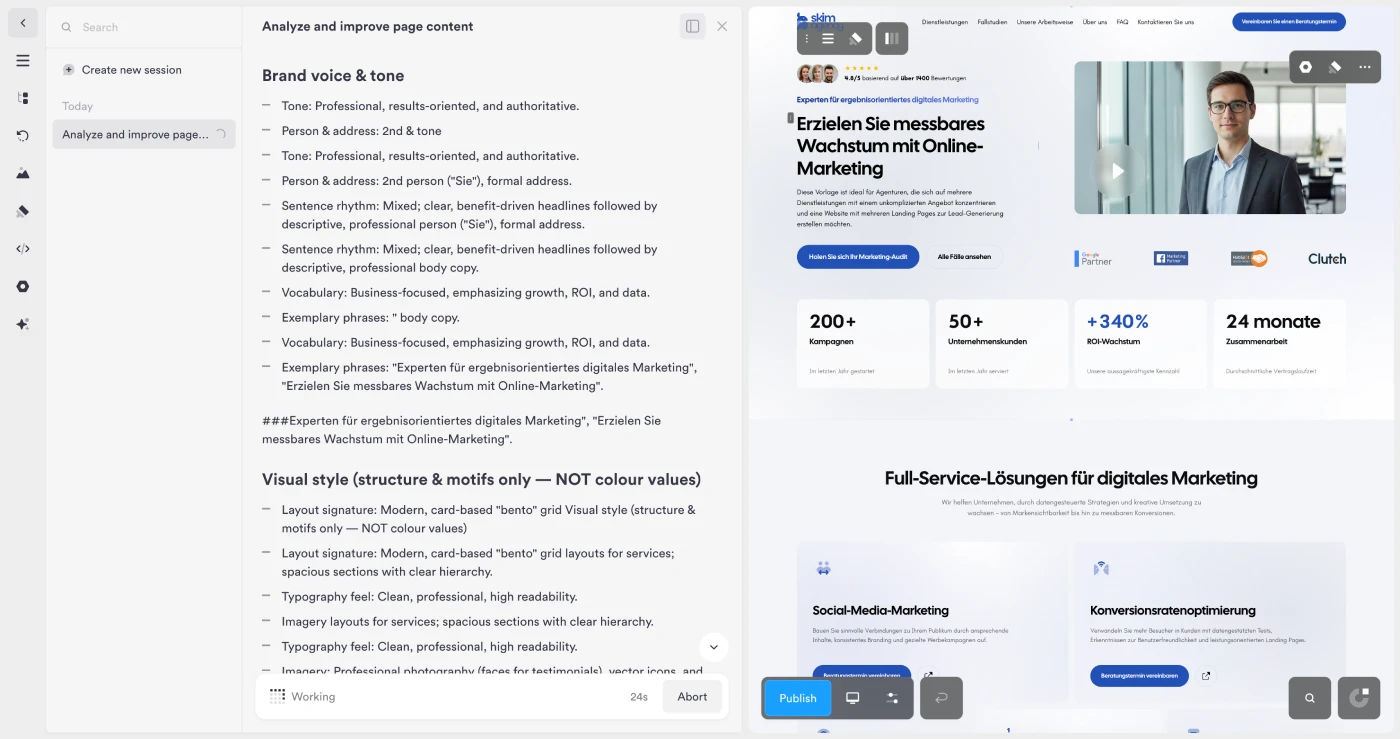
AI is becoming a larger part of the platform, and the implementation is more interesting than the generic "AI content writer" that most tools now include.
Onepage's AI tools currently include:
- Page and section generation — describe what you want, get a populated layout
- AI Writer — generate and edit copy without leaving the editor
- Vibe Coding — describe a form or funnel in natural language and the platform generates it, including the logic, CRM connection, and flow structure
- MCP connections — integrate with Claude, Cursor, and other AI tools that support the Model Context Protocol
The credit system applies to most AI functions, while AI Writer and MCP do not consume credits.
The Vibe Coding feature is particularly interesting for users who want to create complex lead-capture flows without manually configuring every condition and step.
Onepage.io Pricing
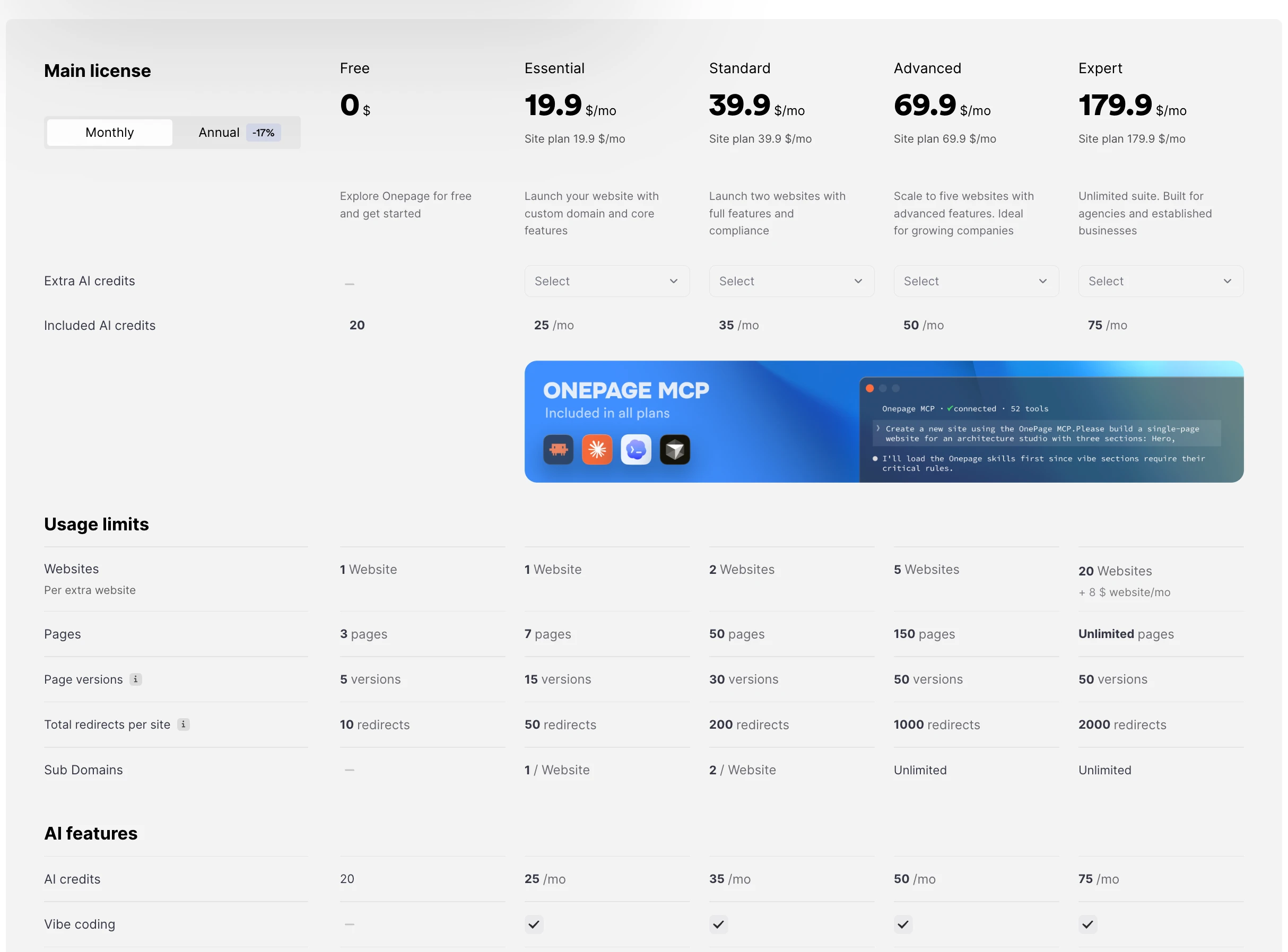
Onepage currently has five website plan tiers:
| Plan | Price |
|---|---|
| Free | $0 |
| Essential | $19.90/month |
| Standard | $39.90/month |
| Advanced | $69.90/month |
| Expert | $179.90/month |
Plans differ in website counts, page limits, number of editors, AI credits, and other features. The Forms & Funnels add-on is priced separately and is not included in any of the main website plans by default.
The Free plan is not a trial. Onepage states it can be used without a credit card and does not expire after seven or fourteen days. That is genuinely useful for testing the core platform before paying.
Pros and Cons
Pros
- Free plan with no credit card required and no time limit
- Website builder, landing pages, CRM, and analytics in one platform
- Multi-step forms and conditional logic for serious lead generation
- Vibe Coding and MCP for AI-driven form and funnel creation
- Strong independent ratings on G2 and Capterra
- Integrates with HubSpot, Zapier, and Make
Cons
- Forms & Funnels functionality is a separate add-on, not bundled with website plans
- Lower-tier plans have limits on pages, websites, and AI credits
- Not designed for large ecommerce catalogs (uses external payment providers or Shopify integration)
- Independent reviews note feature and resource limitations alongside positive usability feedback
Who Is Onepage.io For?
Onepage makes the most sense for:
- Businesses that generate leads through their website — the CRM, forms, and analytics are designed around that use case
- Marketers running campaigns — dedicated landing pages with multi-step lead capture and conversion tracking
- Agencies managing client websites — multiple websites on one account, CRM integration, and clean lead delivery
- Non-technical users — the visual editor and AI tools reduce the need for developer involvement
- Businesses running qualification or recruitment funnels — conditional logic and multi-step forms handle complex flows
It is a less obvious choice for:
- Large ecommerce operations that need a dedicated product catalog and checkout system
- Websites with very complex content-management requirements
- Teams that already have deep CRM infrastructure and do not need another one
FAQs
Is Onepage.io free?
Yes. Onepage has a permanent free plan that does not require a credit card and does not expire after a trial period. The free plan has limits on pages and features, but it lets you test the core platform before paying.
Does Onepage.io have a built-in CRM?
Yes. Form submissions from Onepage pages are collected automatically into the built-in CRM. Leads can be organized into lists and synced to external CRMs like HubSpot via the official integration, or to other tools via Zapier and Make.
What is Forms & Funnels in Onepage.io?
Forms & Funnels is a separate add-on that adds multi-step forms, conditional logic, quizzes, and conversion funnels to the Onepage platform. It is not included in the main website plans — it is priced and activated separately.
Is Onepage.io good for SEO?
Onepage provides the standard technical SEO controls: page titles, meta descriptions, Search Console integration, structured data, sitemaps, robots.txt, and Google Tag Manager. This covers the technical foundation but does not replace content strategy or link building.
Can Onepage.io replace ClickFunnels?
For businesses focused on lead generation rather than sales-funnel sequences, Onepage.io is a strong alternative. It covers website building, landing pages, multi-step forms, CRM, and analytics in one platform. ClickFunnels has deeper funnel sequencing and upsell functionality, but Onepage.io's broader website capabilities and lower entry price make it more practical for many businesses. See the full ClickFunnels alternatives comparison for a direct breakdown.
How does Onepage.io compare to Wix?
Wix is a general-purpose website builder with a larger app marketplace. Onepage.io is more focused on lead generation — its forms, funnels, CRM, and analytics are native rather than add-on integrations. For businesses where lead capture is the website's primary job, Onepage.io's built-in stack is more cohesive. For an extensive comparison, see Wix alternatives.
Is Onepage.io Worth It in 2026?
For businesses whose websites are supposed to generate leads, Onepage.io is worth serious consideration.
The combination of pages, forms, funnels, CRM, and analytics in one platform removes the overhead of managing multiple tools and syncing data between them. The G2 and Capterra ratings suggest the usability holds up in practice, not just in marketing copy.
The free plan lowers the barrier to finding out for yourself — you can test the editor, build a page, and see how the form-to-CRM pipeline works without committing to a subscription.
The main caveats are real: Forms & Funnels is an add-on, lower-tier plans have meaningful limits, and the platform is not built for large ecommerce operations.
But if your use case is websites, landing pages, lead capture, and conversion tracking — Onepage.io covers that stack well.